What does this error mean on workflows? | Adobe Higher Education
Skip to main content
Level 2
June 21, 2022
解決済み

What does this error mean on workflows?

  • June 21, 2022
  • 2 の返信
  • 1312 ビュー

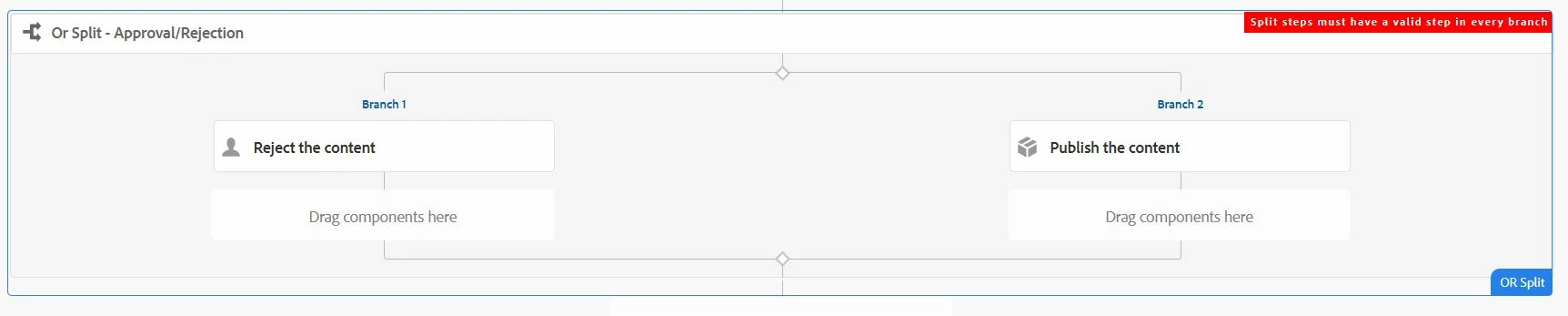
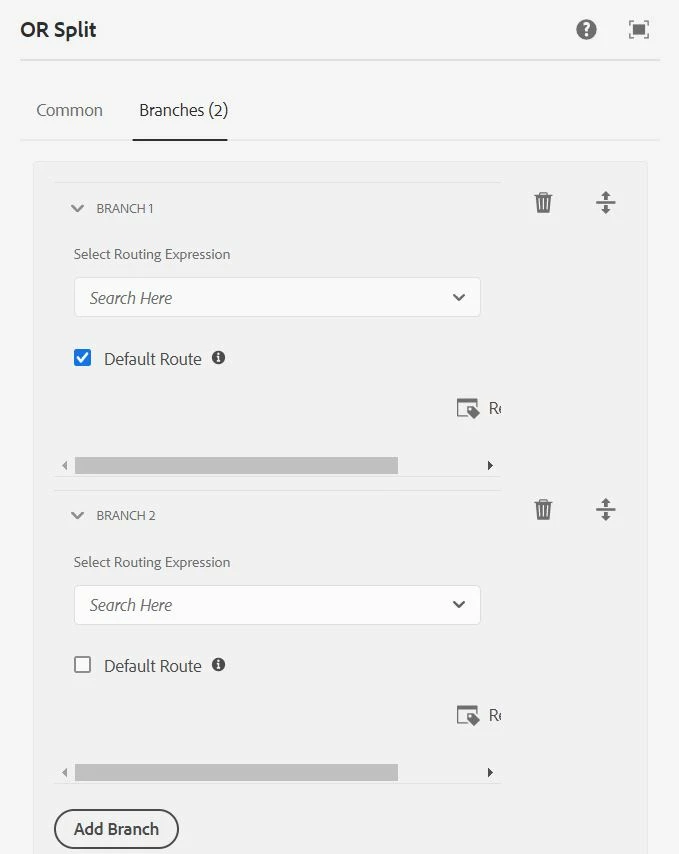
I'm trying to create an OR split which either rejects and sends it back (participant step) to the original authors and other one activates the content(process step). But I'm getting this error when I click on sync. I'm on AEM cloud. Please help me
このトピックへの返信は締め切られました。
ベストアンサー jaitrex

You have to select a default route which I did and its working now.

2 の返信

SantoshSai
Community Advisor
Community Advisor
June 21, 2022

Hi @jaitrex ,

Please refer above workflow. Also, visit this article for step by step process of creating a workflow for content approval: https://www.aemtutorial.info/2018/09/content-approval-workflows-in-aem-64.html?m=1

https://www.youtube.com/watch?v=eUuObexK8Lw

Hope that helps!

Regards,

Santosh

Santosh Sai
jaitrex作成者
Level 2
June 21, 2022

I actually followed the exact same video to create mine and I got errors for the same.

ShaileshBassi
Community Advisor
Community Advisor
June 21, 2022

@jaitrex This error happens when any one of the condition is either blank or not having the proper step within any of the OR Split branch.

Please try to configure it correctly, it should work.

I tried out with the steps provided in the above screenshot on AEM 6.5.12 version, it is perfectly working fine.

Thanks 


jaitrex作成者回答
Level 2
June 21, 2022

You have to select a default route which I did and its working now.

ShaileshBassi
Community Advisor
Community Advisor
June 21, 2022

Default route is not a mandatory checkbox, I created the workflow without default route and it is working perfectly fine.

Just try to save the workflow by making any of the OR split branch without a step or without proper step, you will see the error as below:

And the error message also states "Split steps must have a valid step in every branch", which means one or more steps within the branch is not valid.

Thanks