we.retail wont go away after uninstalling we.retail.all | Community
Skip to main content
Level 2
October 10, 2018
Solved

we.retail wont go away after uninstalling we.retail.all

  • October 10, 2018
  • 6 replies
  • 2558 views

Hi,

Our environments have been upgraded from 6.1 to 6.3. The run mode was samplecontent when it was upgraded. later, we changed the runmode to nosamplecontent

I tried to uninstall we.retail.all package but that doesnt take away the we.retail stuff.

Could someone help me by guiding me what packages need to be uninstalled ?

Thanks,

Srujana
This post is no longer active and is closed to new replies. Need help? Start a new post to ask your question.
Best answer by smacdonald2008

Srujana,

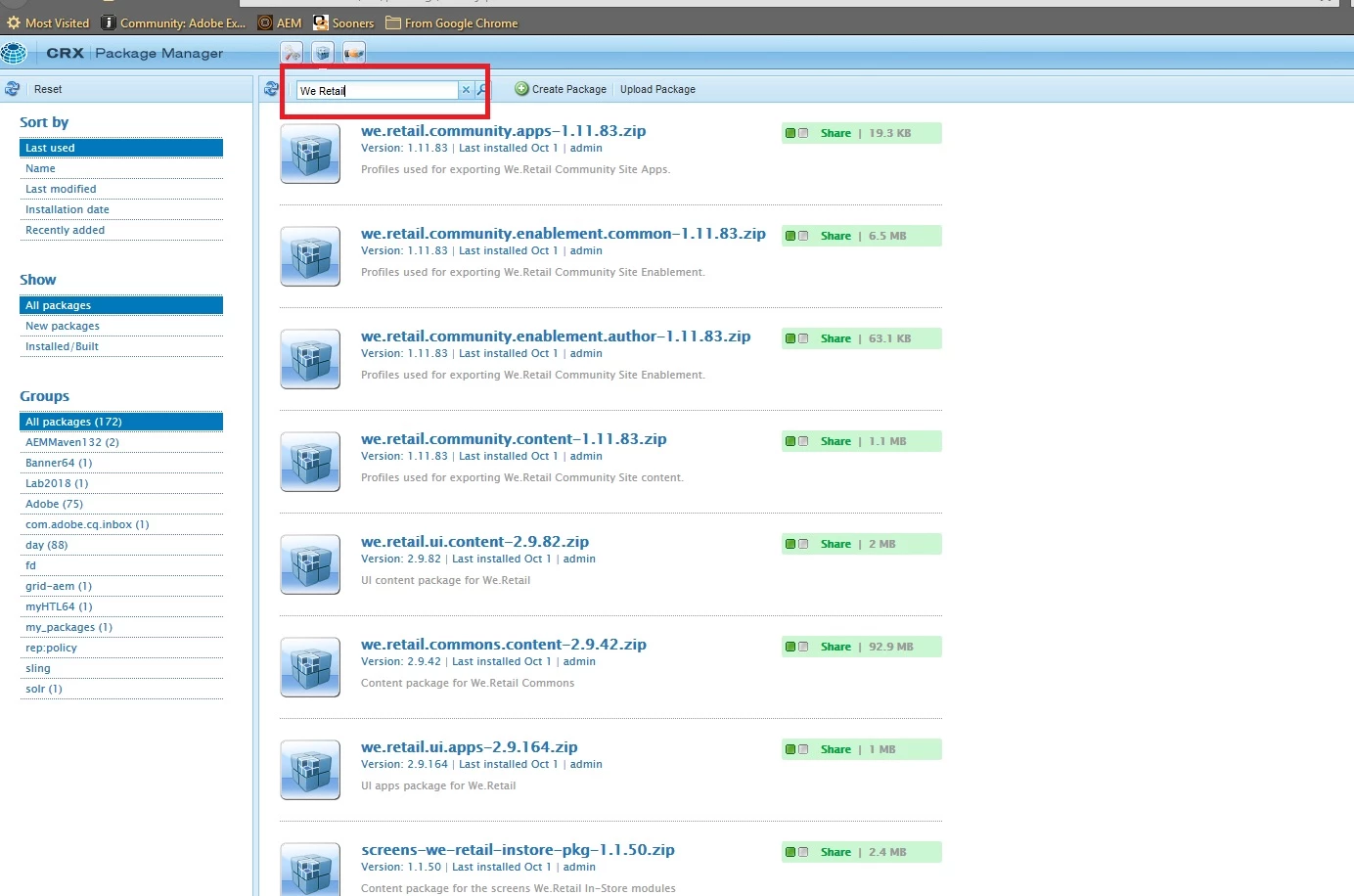
In the package manager - please search for all of the We retail packages as shown here:

.

Then delete the given packages - that will remove WE retail sample content.

6 replies

smacdonald2008
smacdonald2008Accepted solution
Level 10
October 10, 2018

Srujana,

In the package manager - please search for all of the We retail packages as shown here:

.

Then delete the given packages - that will remove WE retail sample content.

Venkata_BAuthor
Level 2
October 11, 2018

I tried that and deleted all the we retail packages. But when I go to /assets.html/content/dam, I still see the we.retail stuff

Any thoughts would be greatly appreciated.

smacdonald2008
Level 10
October 11, 2018

You must have missed some packages that have installed to the AEM DAM. When you remove a package - it will remove all nodes. I will test this too to make sure once i delete all We Retail packages - We Retail nodes under the dam are removed.

Venkata_BAuthor
Level 2
October 11, 2018

Even when I go to /projects.html/content/projects, I still see we.retail stuff.

Here is the screenshot of the package manager

smacdonald2008
Level 10
October 11, 2018

I deleted all WE RETAIL packages and all content from AEM DAM related to WE RETAIL is gone:

There is no We Retail nodes in my JCR - not under apps (other then an empty folder):

So if you have an empty folder like this - simply delete it via CRXDE Lite.

March 6, 2019

We have a similar problem, but with a component we have built, when installed it nicely puts the nodes in place under /apps, however if i do an uninstall of the package, the nodes are still in place. The filters are very simple and only have the path to the component location.

This is on 6.3 SP1