Level 3
Jan 22, 2025 12:14 PM UTC
Solved

View nodes in Local Publish instance via CRXDE

Hi good day everyone, We publish items under var folder, but when we tried to open CRXDE on Local Publish, only bin and content are available
Would like to ask, are there any ways to view other folders.

local author:
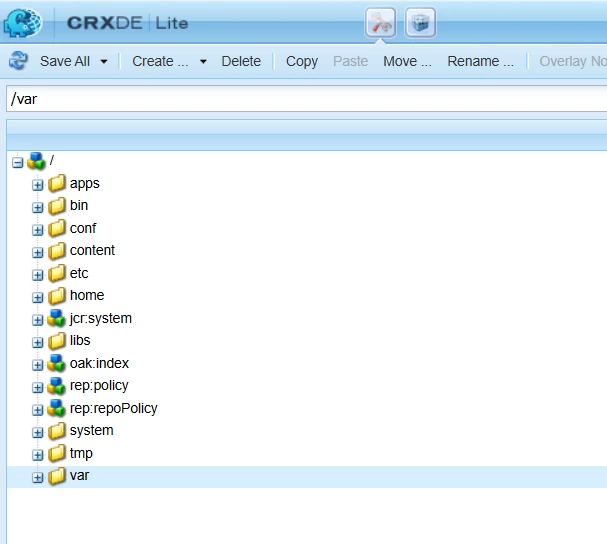

local publish:
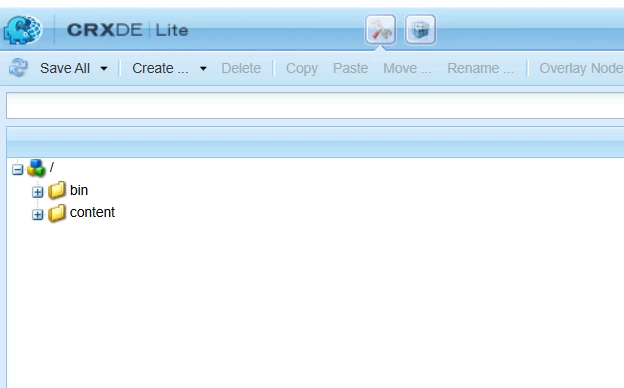


Thanks!

SreenivasBr
SreenivasBrAccepted solution
Level 4
Jan 22, 2025 12:28 PM UTC

Did you login to publish as admin? Use localhost:4503/login, login using admin creds and then open crxde

5 replies

SreenivasBr
SreenivasBrAccepted solution
Level 4
Jan 22, 2025 12:28 PM UTC

Did you login to publish as admin? Use localhost:4503/login, login using admin creds and then open crxde

Translate
martin_ecx_io
Adobe Champion and Community Advisor
Jan 22, 2025 1:43 PM UTC

Agreed - /bin and /content are accessible by default for anonymous access, but other paths would require you to force a login on the publish instance.

Translate
Level 3
Jan 23, 2025 3:50 AM UTC

after logging in, I still can't access the other folders. Already tried to restart my environment or system, it still persist.


Translate
AmitVishwakarma
Community Advisor
Community Advisor
Jan 22, 2025 6:19 PM UTC

By logging into the Local Publish instance as an admin (localhost:4503/login), you’ll get the necessary permissions to access all folders, including the var folder, in CRXDE. Non-admin users may not have full access to these folders.

Translate
Amit Vishwakarma - Adobe Commerce Champion 2025 | 17x Adobe certified | 6x Adobe SME