video is getting downloaded i want to play it in browser | Community
Skip to main content
Best answer by VeenaVikraman

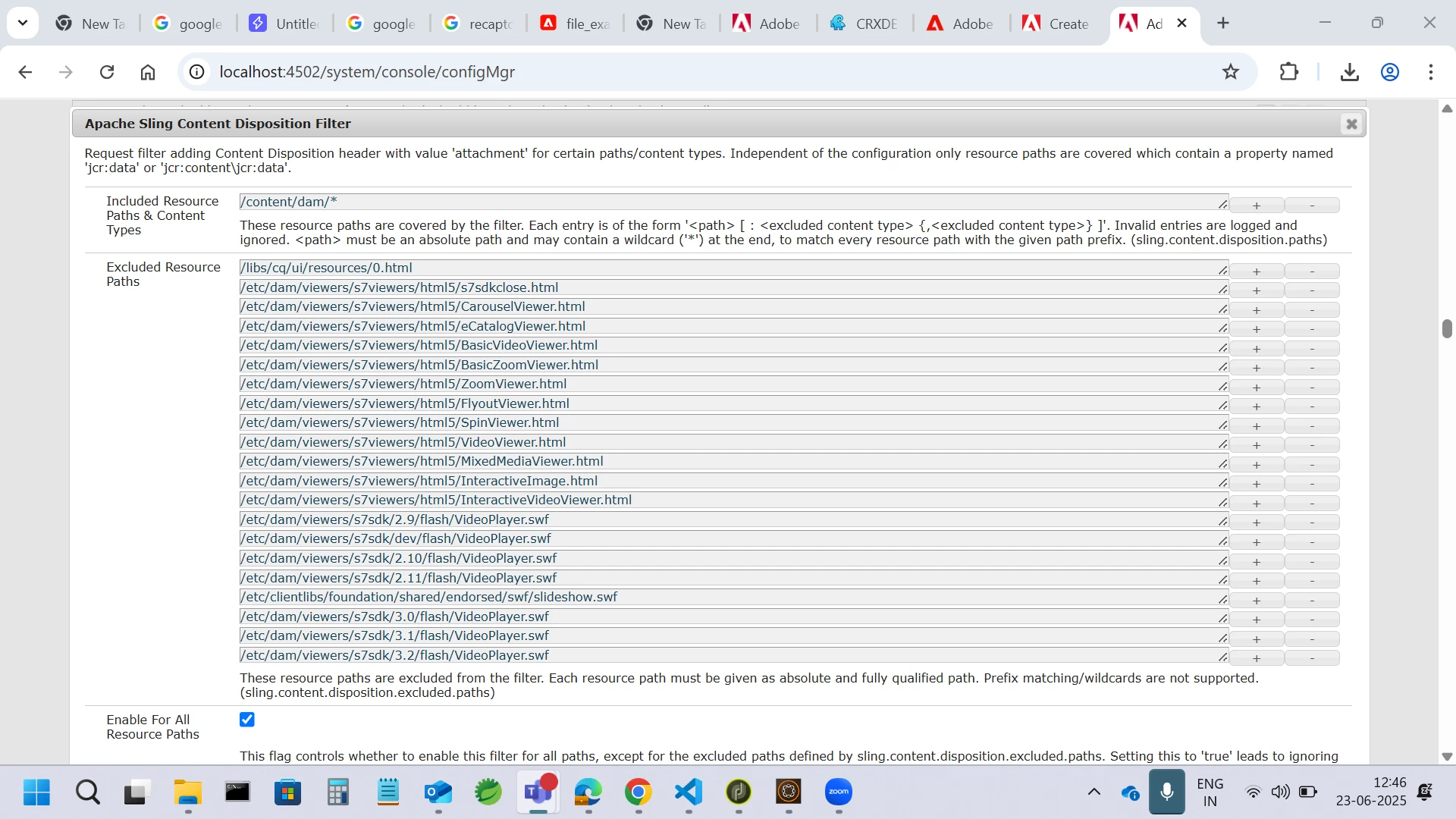
If you look at the description of the below filter, it says the filter adds Content-Disposition as attachment. But to play or display anything directly on the tab, you need the disposition to be inline. So, just add the path you need to the exclude list. This will make the file/video/asset open in the browser tab instead of downloading.


1 reply

VeenaVikraman
Community Advisor
Community Advisor
June 23, 2025

Hi @uday_bhaskarpe ,

Could you please confirm the AEM version you're using? Is it AEM 6.5 or AEM as a Cloud Service?

If you're on AEM as a Cloud Service, the Content Disposition Filter is no longer supported as per Adobe documentation: https://experienceleague.adobe.com/en/docs/experience-manager-cloud-service/content/assets/assets-cloud-changes


In this case, to render the asset in the browser instead of downloading it, you'll need to handle it via Dispatcher headers using Content-Disposition: inline.

Some references that might help:

https://experienceleaguecommunities.adobe.com/t5/adobe-experience-manager/content-disposition-on-aem-as-cloud/m-p/435648/highlight/true#M124332
 
Hope this helps

Veena ✌️
Level 2
June 23, 2025

I am Using AEM 6.5  i am not using any Dispatcher can i do it without dispatcher?

VeenaVikraman
Community Advisor
VeenaVikramanCommunity AdvisorAccepted solution
Community Advisor
June 23, 2025

If you look at the description of the below filter, it says the filter adds Content-Disposition as attachment. But to play or display anything directly on the tab, you need the disposition to be inline. So, just add the path you need to the exclude list. This will make the file/video/asset open in the browser tab instead of downloading.