Using bootstrap.css prevents touch ui dialog from opening (AEM 6.2) | Community
Skip to main content
Level 2
October 16, 2017
Solved

Using bootstrap.css prevents touch ui dialog from opening (AEM 6.2)

  • October 16, 2017
  • 5 replies
  • 2534 views

I am using Bootstrap for a responsive grid. However, when loading the boostrap.css file, the tough ui dialogs don't open anymore.

If I remove that specific bootstrap.css file, the dialog box is visible and the touch ui dialog opens again.

Has anyone noticed this behavior? If yes, is there a fix for that? This is for AEM 6.2.

BTW: The classic ui works.
This post is no longer active and is closed to new replies. Need help? Start a new post to ask your question.
Best answer by smacdonald2008

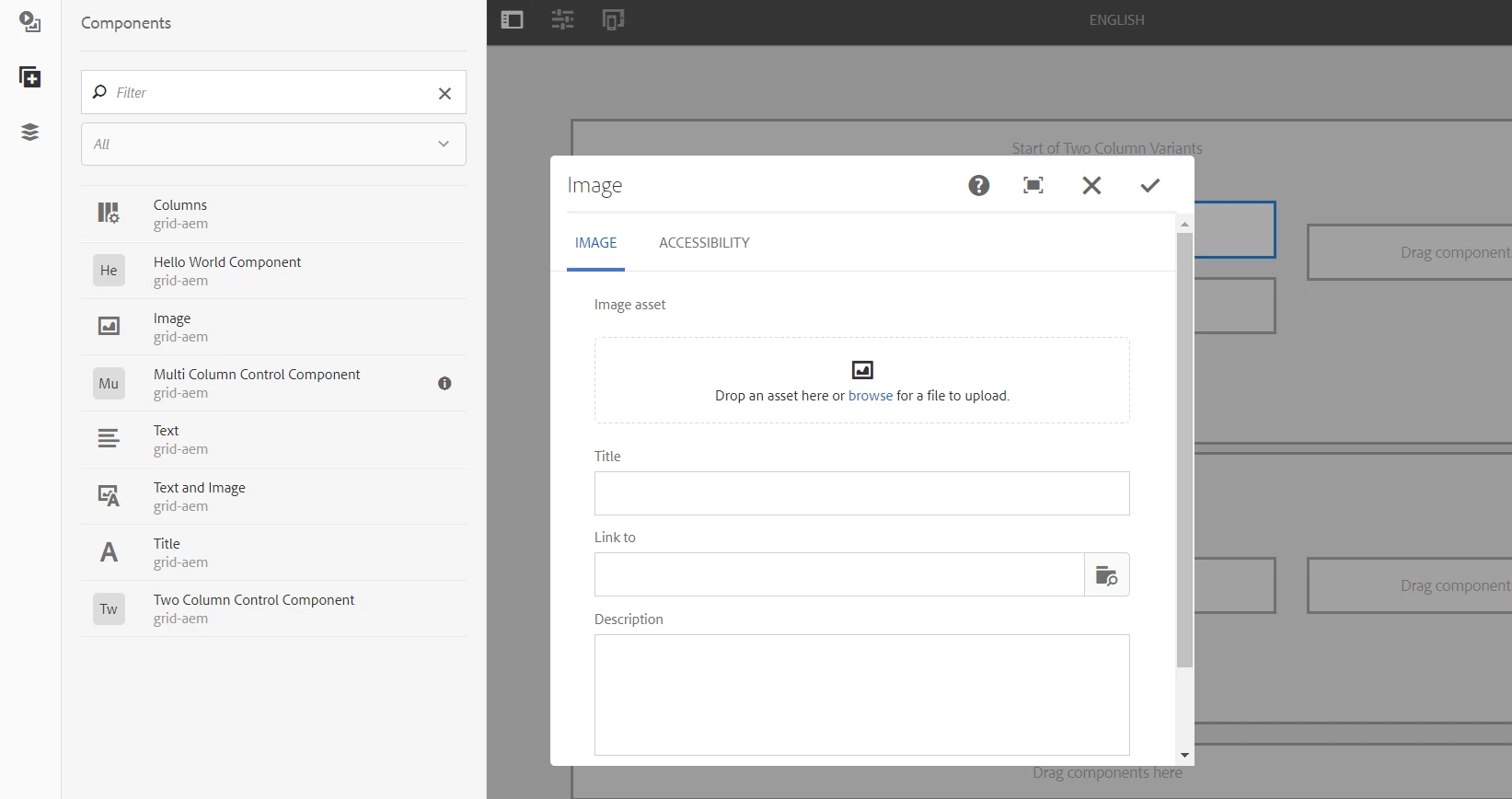
We have an article that uses Bootstrap to create a grid component. The Touch UI Dialogs open fine as shown here:

5 replies

edubey
Level 10
October 16, 2017

I don't think it would be a product issue.

Did you tried to notice the error in browser console when dialog didn't open or error.log. 

Also if possible, please share the screenshot as well.

Thanks

Level 2
October 16, 2017

No, there is no error reported in the log files.

In a "normal" case you mouse over the component and see the blue box around the component. You click the box and you get the tool icon to open the dialog. When you use "bootstrap.css" (either clientlibs or loading directly with <link> tag), the blue box does not appear and hence you can't click to open the dialog.

Maybe this is a known issue. It exists in the Classic UI as well, but I can override it with a CSS fix.

In the meantime I will see if I can create a small AEM package so the error can be reproduced.

smacdonald2008
smacdonald2008Accepted solution
Level 10
October 16, 2017

We have an article that uses Bootstrap to create a grid component. The Touch UI Dialogs open fine as shown here:

smacdonald2008
Level 10
October 16, 2017
Level 2
October 17, 2017

Thanks a lot, will check the article. I actually stumbled into the issue when I did a simple test. I have a static html page with a simple form to enter values and a submit that calls a servlet to store them. It's based on bootstrap and I wanted to test the POST servlet.

I created a simple template and for simplicity purposes used customheaderlibs.html to load the CSS and JS files. This line

<link rel="stylesheet" href="https://forums.adobe.com/etc/clientlibs/jim/dependencies/jim-theme/css/bootstrap.min.css" />

is causing the problem. All other link tags are fine and I can open the touch-ui dialog. If I remove the boostrap.css link, dialog is fine. If I add it, the blue frame is not visible anymore and I can't open the dialog.

I will check your article and see if I can do something else, maybe with clientlibs.

Thanks for your advise!