User access based on Components in AEM page | Community
Skip to main content
Tanmay137
Level 2
July 11, 2018
Solved

User access based on Components in AEM page

  • July 11, 2018
  • 3 replies
  • 4455 views

Dear Members - I've come across a scenario. I have an AEM Page which contains 4 components. Based on the User restricted components must be displayed on the page.

NOTE: I am on AEM 6.4

Example:

One group of User - Can access certain components.

Second group of User - Can access other different components.

Can I achieve this using AEM Permission? Any advice on this is appreciated.


Thank you.
This post is no longer active and is closed to new replies. Need help? Start a new post to ask your question.
Best answer by arunpatidar

HI,

What did you mean by accessing components?

  • If you mean by accessing components while adding in parsys.

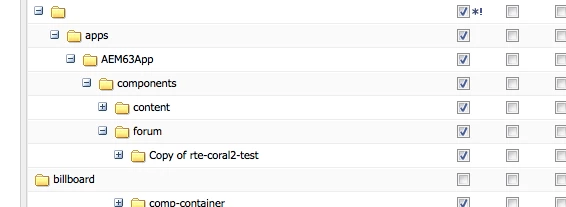
This can be done by just removing permissions of that component from for those particular users, you can do groups segregation and add users on those groups ,which has permission to access those components.

  • if you mean accessing component from runtime,

you can do it with Java + HTL

<sly data-sly-use.render="com.my.package.RenderComp" data-sly-test="${render.isShown}">

....

</sly>

Thanks

Arun

3 replies

arunpatidar
Community Advisor
arunpatidarCommunity AdvisorAccepted solution
Community Advisor
July 11, 2018

HI,

What did you mean by accessing components?

  • If you mean by accessing components while adding in parsys.

This can be done by just removing permissions of that component from for those particular users, you can do groups segregation and add users on those groups ,which has permission to access those components.

  • if you mean accessing component from runtime,

you can do it with Java + HTL

<sly data-sly-use.render="com.my.package.RenderComp" data-sly-test="${render.isShown}">

....

</sly>

Thanks

Arun

Arun Patidar
Tanmay137
Tanmay137Author
Level 2
July 13, 2018

Not really, let me re-iterate.

I have a Page, there are 4 component:

1. Component 1 & 2 - Should be visible to one user group.

2. Component 3 & 4 - Should be visible to another user group.


Thanks.

smacdonald2008
Level 10
July 13, 2018

Is this not the scenario that Arun mentioned by setting permissions;

"This can be done by just removing permissions of that component from for those particular users, you can do groups segregation and add users on those groups ,which has permission to access those components."

Level 2
November 16, 2021

In order for this to work you will need to add a property jcr:mixinTypes with value rep:AccessControllable to your custom components.