Level 4
March 3, 2022

URL for image added in container changes

  • March 3, 2022
  • 1 reply
  • 4462 views

I have added a container on the site page and in that container I have inserted an image for the background as shown in the snippet.
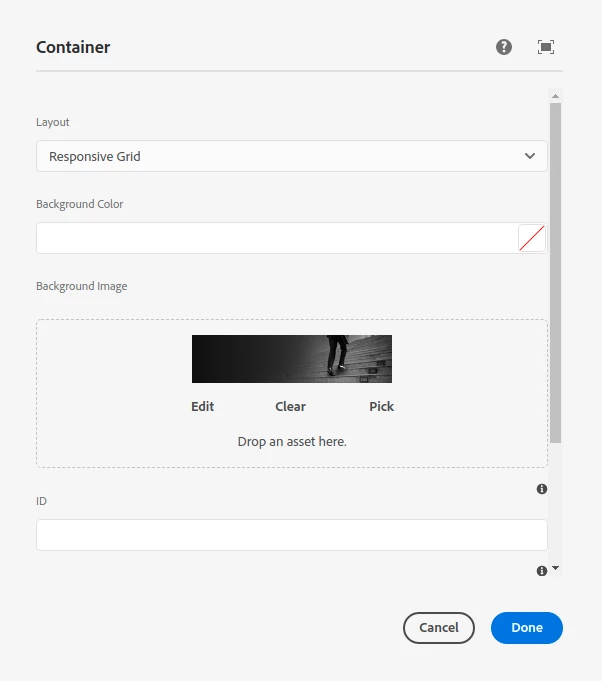
The problem is that when this image is rendered on the page, the url created for the image is as follows: "\2f content\2f dam\2f project-name\2f cmp-home-page\2f image.png" whereas the URL should have been "/content/dam/project-name/cmp-home-page/image.png". Other than these background images, all images' URLs are fine. Though there is no problem in the image and it's rendition but when I search for the same image URL, it shows 404 error. I want to know why only background image URL is being changed and how can I correct it.

This post is no longer active and is closed to new replies. Need help? Start a new post to ask your question.

1 reply

Anmol_Bhardwaj
Community Advisor
Community Advisor
March 3, 2022

What you're seeing is an encoded URL in src. You would need to check where it is getting encoded.

Can you please check the underlying code, 

  1. If the SRC is going through any java code which is encoding it.
  2. If the SRC is obtained from or processed through any JS code which has encoded it.

Also, try to do the same with an OOTB component on your page and you can cut down the files frem template to a component. Because if even OOTB is showing the same issue, then maybe an overlay or JS which is running on the whole page/site.

Level 4
March 3, 2022

The same happens in WKND site container image. It's also showing the same URL containing \2f.

Anmol_Bhardwaj
Community Advisor
Community Advisor
March 3, 2022

Okay, now to even further reduce the number of places you need to look.

Try both the components, but within WKND site page.


This can let you know whether the issue is with the template or some overlay which has been done to OOTB feature.