Uploading assets using file upload | Community
Skip to main content
Karl515
Level 5
March 7, 2019

Uploading assets using file upload

  • March 7, 2019
  • 1 reply
  • 3180 views

I'm uploading assets using

But how can I make the uploaded file display?

my Properties
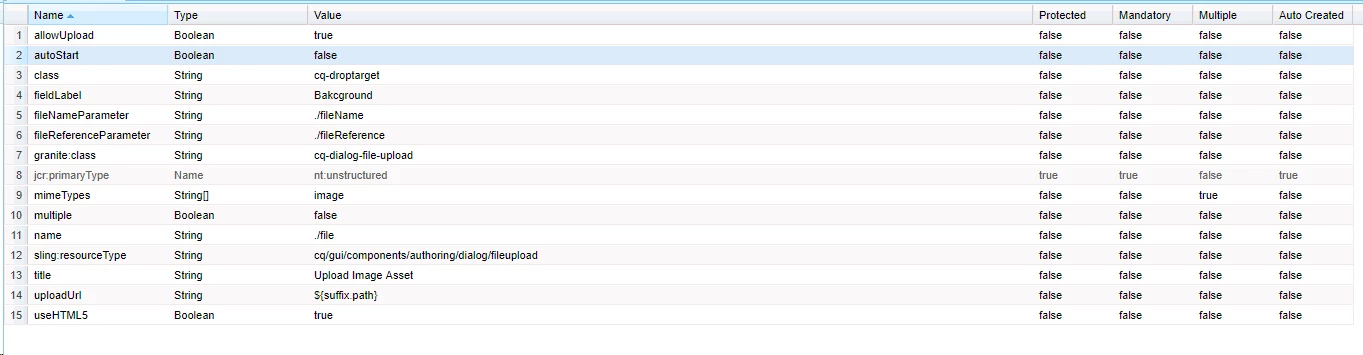
I've done a little research so I know that they created files under my components
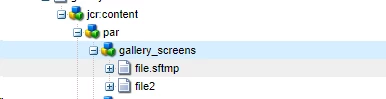
But how can I retrieve that files?

Thanks!

This post is no longer active and is closed to new replies. Need help? Start a new post to ask your question.

1 reply

arunpatidar
Community Advisor
Community Advisor
March 7, 2019

Hi,

Please check OOTB or core image component implementaion. you need to check wether image is local or from DAM. And accordingly you need to include.

/libs/wcm/foundation/components/image/image.js

aem-core-wcm-components/ImageImpl.java at master · adobe/aem-core-wcm-components · GitHub 

Arun Patidar
Karl515
Karl515Author
Level 5
March 12, 2019

Hello there.

Thanks for the answer.

I'm trying to create multiple fields in the same component like this

But the problem is both file field only reads file under

/content/

if I rename the to file2, yes it creates file2 under /content/ but it only reads "file".

So if I put something in the first field, it also reflects in all image fields, cause they all read the same "file" under /content/

how can I make one image field read file, anothe image field read file2. and so on.

arunpatidar
Community Advisor
Community Advisor
March 12, 2019

Hi,

It is because of below line of code in image.js-

// check if there's a local file image under the node

    granite.resource.resolve(granite.resource.path + "/file").then(function (localImageResource) {

Can you try to modify your dialog and save image under item node

e.g. name=./item/file

To achieve this you may need to use java but you can try above.

Arun Patidar