This post is no longer active and is closed to new replies. Need help? Start a new post to ask your question.
vinuu123Accepted solution
Level 3
May 25, 2023

hi @shiv_prakash_patel ,

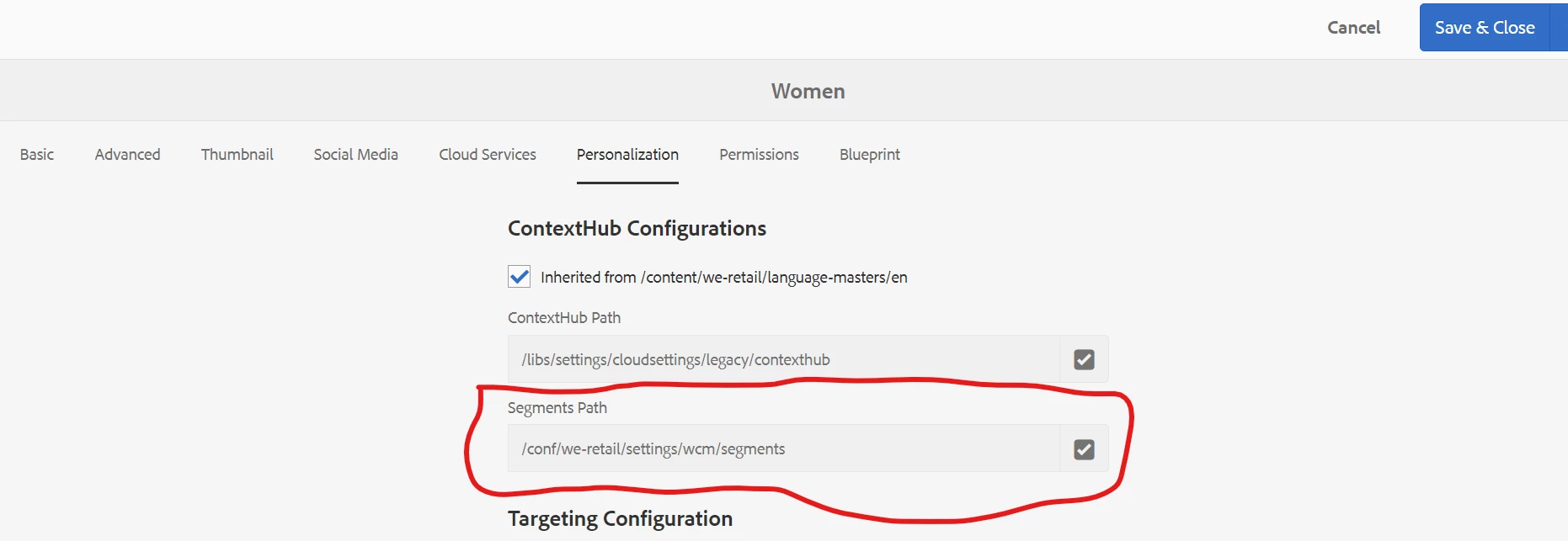
need to update/change this path in all pages using groovy script


5 replies

Shiv_Prakash_Patel
Community Advisor
Community Advisor
May 25, 2023

Hi @vinuu123 ,

Please use below groovy code to update the page property.

In this you can update the root page path, property name and value.

import javax.jcr.Node; getNode('/content/learning').recurse { resourceNode -> if (resourceNode.hasProperty('jcr:primaryType')) { def primaryType = resourceNode.getProperty('jcr:primaryType').string; if(primaryType.equals('cq:PageContent')){ resourceNode.setProperty('customProperty', 'customValue'); resourceNode.getSession().save(); } } } println('All Page property updated !!!');

Regards,

Shiv


Translate
Shiv Prakash
vinuu123AuthorAccepted solution
Level 3
May 25, 2023

hi @shiv_prakash_patel ,

need to update/change this path in all pages using groovy script


Translate
Shiv_Prakash_Patel
Community Advisor
Community Advisor
May 25, 2023

Update the above code with below line. You can also change the value /conf/we-retail/settings/wcm/segments to your project specific.

resourceNode.setProperty('cq:contextHubSegmentsPath', '/conf/we-retail/settings/wcm/segments');

Regards,

Shiv

Translate
Shiv Prakash
rawvarun
Community Advisor
Community Advisor
May 25, 2023
Level 3
June 15, 2023

import javax.jcr.Node;

getNode('/content/project').recurse {
resourceNode ->
if (resourceNode.hasProperty('cq:test')) {
resourceNode.setProperty('cq:test', 'new text');
resourceNode.getSession().save();
}
}

Translate