This post is no longer active and is closed to new replies. Need help? Start a new post to ask your question.

2 replies

Imran Khan
Community Advisor
Community Advisor
February 22, 2024

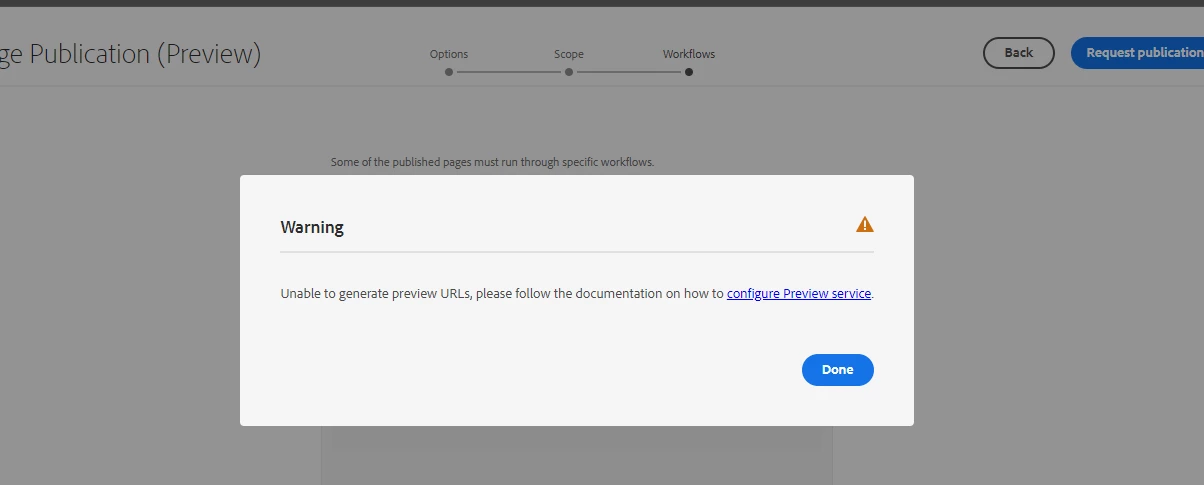
@src_aem_dev First setup a preview environment and than try to publish the URL will not give this error. Go to -> Clound Manager -> Ennvironments -> programme Overview -> IP allow list -> Select specific preview environment -> click View & Update -> provide ip or make publicly(0.0.0.0/32) available -> Click on Update.


Now, try to publish to preview environment will work for sure. 

Please confirm if Manage Publication is working as expected. Also, can we please check PROD author error.log

Relevant links:

https://experienceleague.adobe.com/docs/experience-manager-cloud-service/content/implementing/using-cloud-manager/manage-environments.html?lang=en#access-preview-service
https://experienceleague.adobe.com/docs/experience-manager-cloud-service/content/operations/replication.html?lang=en#publish-content-tree-workflow

Translate