Unable to create project from archetype [com.adobe.granite.archetypes:aem-project-archetype:20 -> https://repo.adobe.com/nexus/content/groups/public] | Community
Skip to main content
Level 2
September 8, 2019
Solved

Unable to create project from archetype [com.adobe.granite.archetypes:aem-project-archetype:20 -> https://repo.adobe.com/nexus/content/groups/public]

  • September 8, 2019
  • 3 replies
  • 3672 views

Unable to create a new AEM project in either eclipse or Maven command line:

Unable to create project from archetype [com.adobe.granite.archetypes:aem-project-archetype:20 -> https://repo.adobe.com/nexus/content/groups/public]

Please let me know when the Adobe server is available.
This post is no longer active and is closed to new replies. Need help? Start a new post to ask your question.
Best answer by red_devil

Hi @ajaypa10 ,


1. Check if all the values are configured under Advanced options in the previous window, configure archetype properties.

2. If they are all configured then maybe the adobe repo is not properly referenced.

The solution for this is to add the adobe-public profile to your Maven settings.xml file in order to automatically add repo.adobe.com to the maven build process. Refer https://docs.adobe.com/content/help/en/experience-manager-learn/foundation/development/set-up-a-local-aem-development-environment.html#install-apache-maven

3 replies

arunpatidar
Community Advisor
Community Advisor
September 8, 2019

can you check? it is available.

what other issues are you facing? I created a project with archtype 20, let me know if you face any issue.

Arun Patidar
何塞90_X
Level 3
September 9, 2019

I had the same issue and here is what I did to get around it:

Eclipse version:

Eclipse IDE for Enterprise Java Developers.

Version: 2019-06 (4.12.0)

Build id: 20190614-1200

Steps:

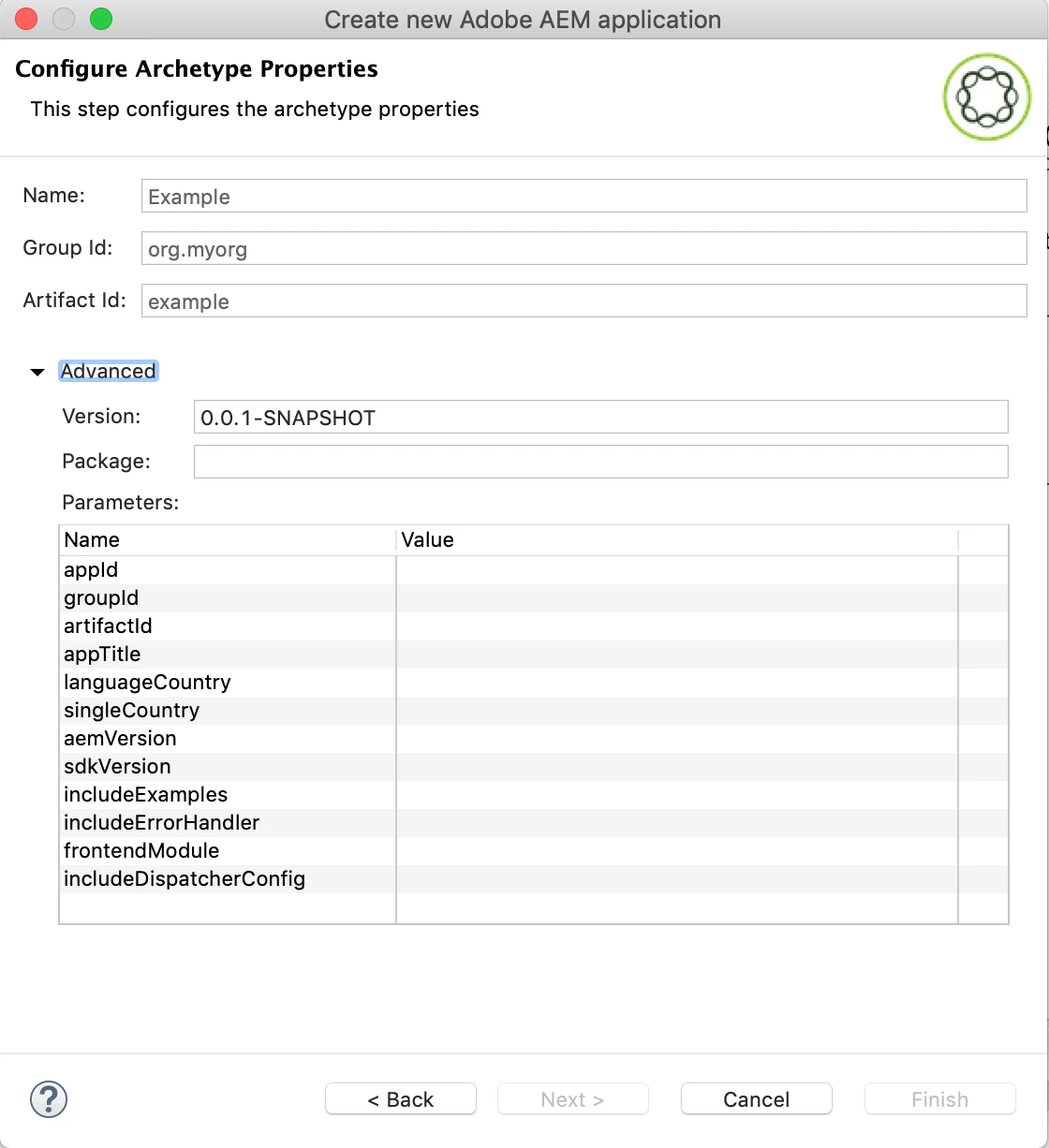
1) After you click finish and get the error, go back to the "Configure Archetype Properties" menu.

2) Click on Advanced and notice how about half of the properties are empty.

3) Fill in the missing properties and click next.

4) Even though the error will still be there, click Finish again and it will work.

Good luck!

red_devil
red_devilAccepted solution
March 1, 2020

Hi @ajaypa10 ,


1. Check if all the values are configured under Advanced options in the previous window, configure archetype properties.

2. If they are all configured then maybe the adobe repo is not properly referenced.

The solution for this is to add the adobe-public profile to your Maven settings.xml file in order to automatically add repo.adobe.com to the maven build process. Refer https://docs.adobe.com/content/help/en/experience-manager-learn/foundation/development/set-up-a-local-aem-development-environment.html#install-apache-maven