Type Not Centered In Cards | Community
Skip to main content
Level 4
October 6, 2015
Solved

Type Not Centered In Cards

  • October 6, 2015
  • 3 replies
  • 1507 views

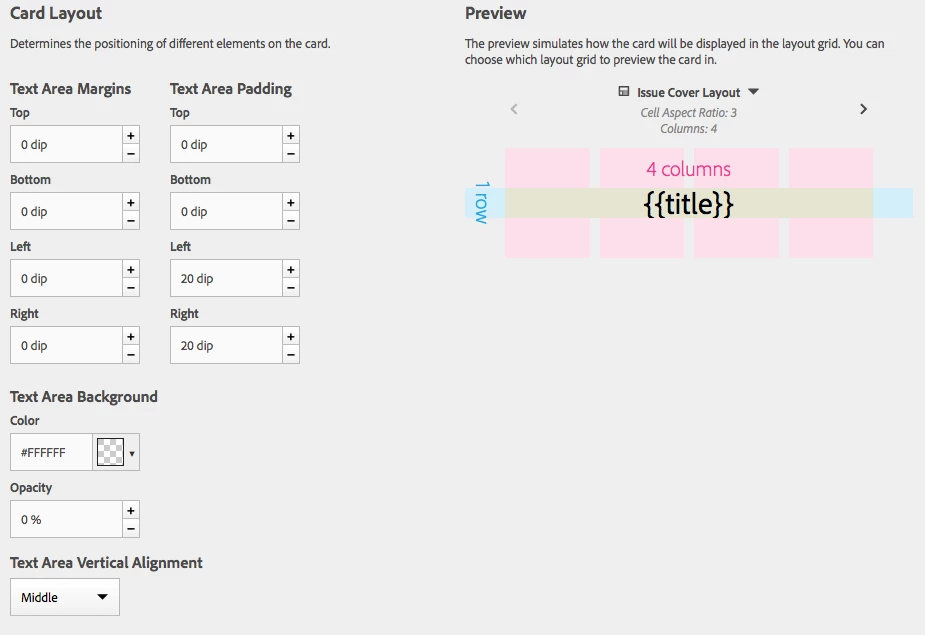
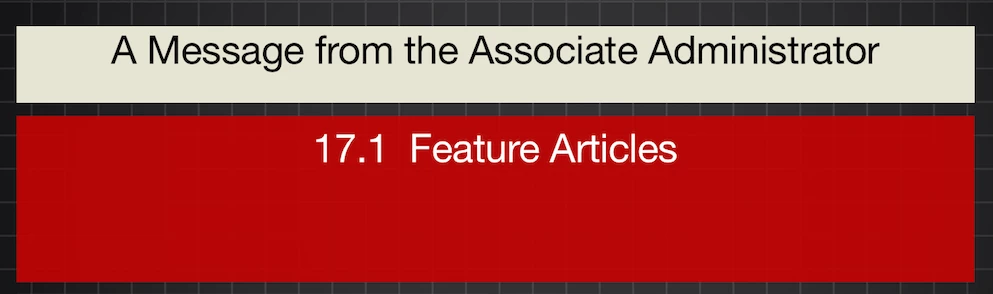
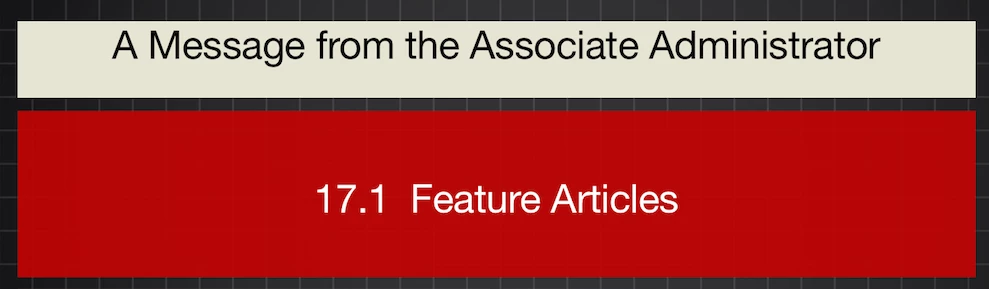
When I create a card that has text centered it only appears centered after the button has been used. but when you first launch the all the text is flush top.

Can figure out why?

Here is image of card settings:
Here is a an image of text shift as it first appears before and after click:
This post is no longer active and is closed to new replies. Need help? Start a new post to ask your question.
Best answer by nathanm206

Your behavior sounds like a bug and not related to how you have the cards set up. I passed it along to the dev team to investigate.

3 replies

SFS-DPSAuthor
Level 4
October 8, 2015

Any help on this? all cards that have vertical alignment set to middle appear at top when layout is loaded and then once the card is clicked it centers.

Help!

nathanm206Adobe EmployeeAccepted solution
Adobe Employee
October 8, 2015

Your behavior sounds like a bug and not related to how you have the cards set up. I passed it along to the dev team to investigate.

SFS-DPSAuthor
Level 4
October 8, 2015

thanks. Let us know if there is a workaround. Many thanks.