To author tags using Bulk Editor in AEM classic UI | Community
Skip to main content
Level 2
September 28, 2019
Solved

To author tags using Bulk Editor in AEM classic UI

  • September 28, 2019
  • 4 replies
  • 2849 views

I want to author a tag in page properties of all the pages present under one node. It's very difficult to open page properties of each page and author the tag.

Can it be done by using bulk editor?
This post is no longer active and is closed to new replies. Need help? Start a new post to ask your question.
Best answer by Nirmal_Jose

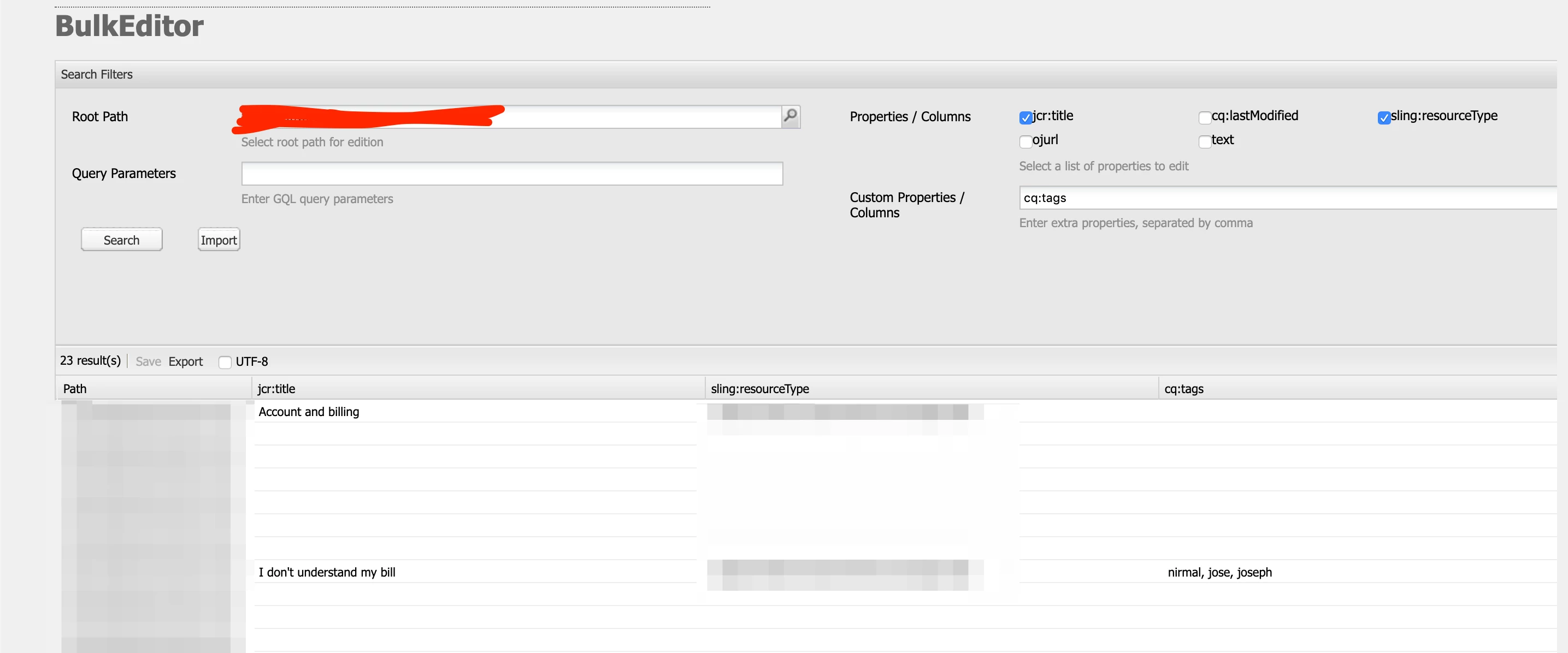
Yes, it can be done using bulk editor.

For the query parameters field, use GQL like the below sample

The double quotes and single quotes can be very specific for specific properties.

For multiple tags, use space after the comma

4 replies

Adobe Employee
September 29, 2019

By "authoring tag" are you referring to tagging multiple pages with an existing tag under the same node OR creating a new tag and applying to multiple pages under the same node ?

Adobe Employee
September 30, 2019

You can use the Page properties bulk editor to update page properties of multiple pages at one time.

[1] Configuring your Page for Bulk Editing of Page Properties

Level 2
September 30, 2019

Yeah,creating a new tag and applying to multiple pages under the same node in classic UI.

Nirmal_Jose
Adobe Employee
Nirmal_JoseAdobe EmployeeAccepted solution
Adobe Employee
September 30, 2019

Yes, it can be done using bulk editor.

For the query parameters field, use GQL like the below sample

The double quotes and single quotes can be very specific for specific properties.

For multiple tags, use space after the comma