
Nitin_laad
Community Advisor
Community Advisor
June 10, 2019

Timeline Comments as Email

  • June 10, 2019
  • 2 replies
  • 4657 views

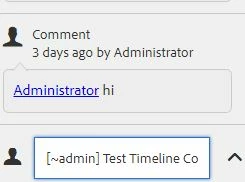
How to get Asset Timeline comments as part of email notification triggered to assignee.

Getting asset path (in email message body), but not the given comment text.

any thoughts please.

Version - AEM 6.4.4
This post is no longer active and is closed to new replies. Need help? Start a new post to ask your question.

2 replies

Adobe Employee
June 18, 2019

Hi,

In case of AEM 6.4 the default path for template used is /libs/settings/workflow/notification/email/tasks/created/en.txt [1].

You can make necessary modifications in the templates being used for sending emails, check below link for details around it if this supports your use case.

https://helpx.adobe.com/in/experience-manager/6-4/sites/administering/using/notification.html

Regards,

Sumeet Chawla.

[1]:

subject=${item.name}: Task Created1

header=-------------------------------------------------------------------------------------\n \

Task: ${item.name}\n \

Description: ${item.description}\n \

User: ${participant.name} (${participant.id})\n \

-------------------------------------------------------------------------------------\n\n

message=Content: ${host.prefix}${payload.path.open}\n

footer=\n \

-------------------------------------------------------------------------------------\n \

View the overview in your ${host.prefix}/aem/inbox\n \

-------------------------------------------------------------------------------------\n \

This is an automatically generated message. Please do not reply.

Nitin_laad
Community Advisor
Community Advisor
June 19, 2019

Thanks Sumeet, already looked into it but seems timeline comments persists into <Asset path>/jcr:content/comments as nodes and not pushed to the task node at /var/taskmanagement/tasks.

vijkumar
Adobe Employee
Adobe Employee
June 19, 2019

Hi Nitin,

Below are few pointers regarding the functionality:

  • com.day.cq.dam.core.impl.event.CommentNotificationSender.java creates the task at [2]
  • com.day.cq.workflow.impl.email.TaskEMailNotificationService.java reads the task/event and triggers the mail using the template [1]
  • The legacy root for the email templates was /etc/workflow/
  • The email templates are loaded at the bundle load/start, so any changes in the template will only be picked and used post restart of bundle [3]
  • As the comments in this case are saved under <Asset path>/jcr:content/comments as nodes and not pushed to the task node at [2] for each comment. I do not see an option to add them to the mail template

[1] /libs/settings/workflow/notification/email/tasks/created/en.txt

[2] /var/taskmanagement/tasks

[3] Day Communique 5 Workflow Implementation(com.day.cq.workflow.cq-workflow-impl)