

The Personalization Gap: Why Ambition Stalls at Production
How Adobe Dynamic Media Templates close the gap — delivering personalized content at scale from a single URL. For the designers, marketers, and developers who have to make personalization actually happen.
The personalization imperative
Personalization isn't a nice-to-have anymore - it's the default customers expect. As per this McKinsey study, 71% of consumers expect companies to deliver personalized interactions, and 76% get frustrated when this doesn't happen. And it pays: companies that grow faster drive 40% more of their revenue from personalization than their slower-growing peers.
So the mandate is clear. The problem is delivering on it.
The content scale crisis
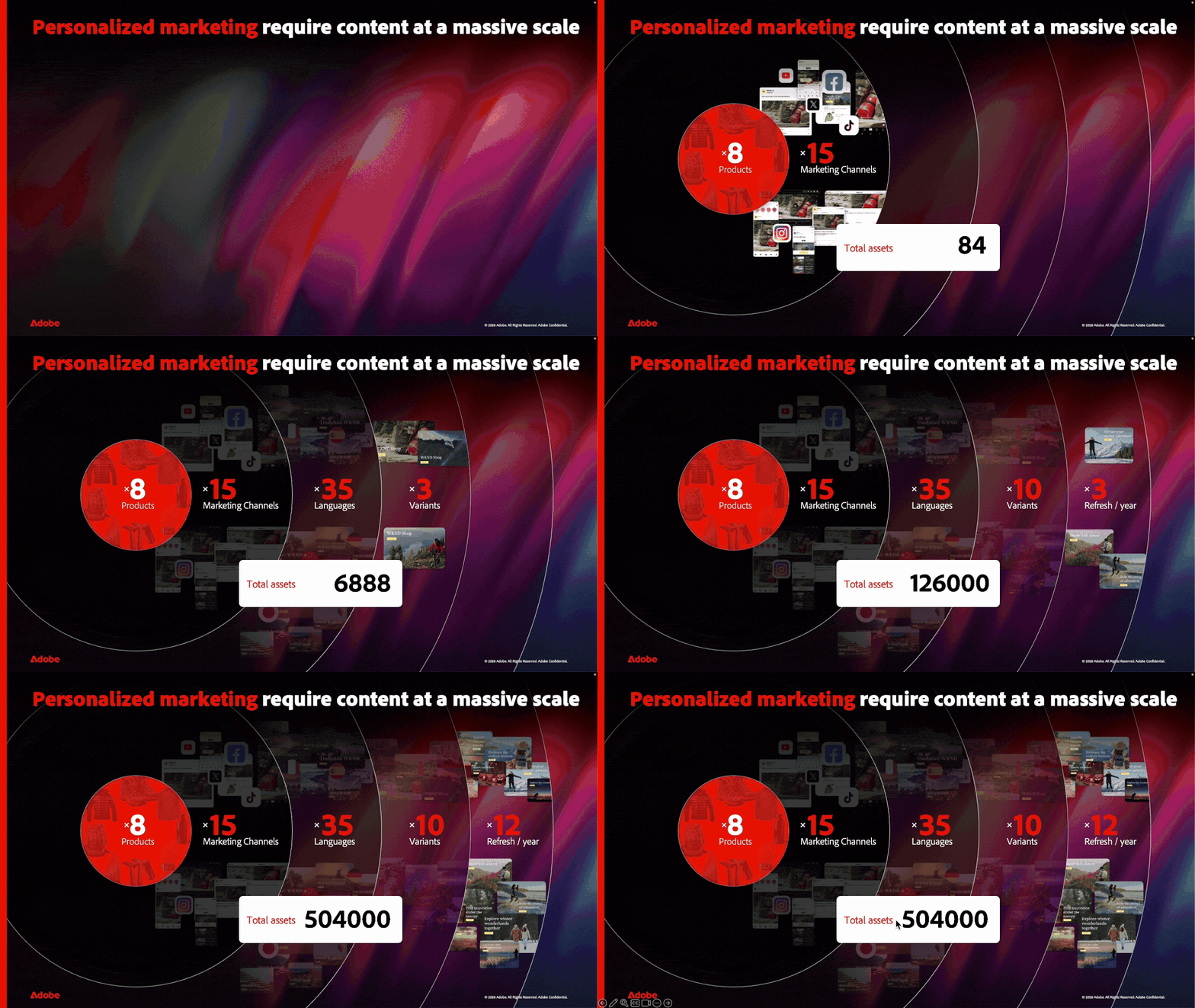
Personalized marketing demands creative at a scale no design team can hand-produce. Every product needs creative for every channel, in every language, for every audience, refreshed every campaign - and those factors don't add up, they multiply. Run the numbers for a single year:
8 products × 15 channels × 35 languages × 10 audience variants × 12 refreshes = 504,000 assets.
The unfulfilled ambition of personalization
A team might need half a million on-brand assets a year. So they ship a fraction, target the "important" combinations, and call it personalization.
Most teams produce a few hundred. The gap between what's needed and what's possible is where personalization ambitions quietly die.
The ambition was never the problem — the production model is.
How do you produce 10× the content without 10× the cost?
One URL, many variants
The answer is Adobe Dynamic Media Templates. Instead of producing a finished file for every combination, you build the creative once and let a single URL generate every version on demand.
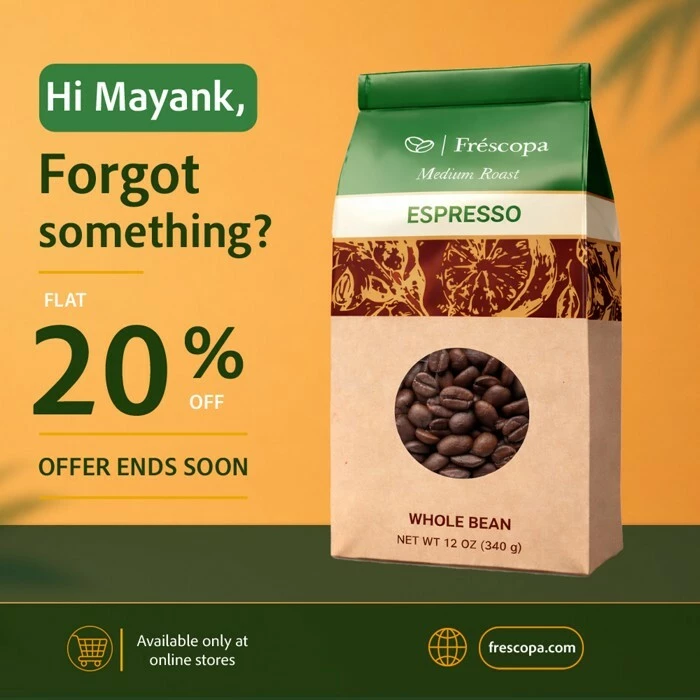
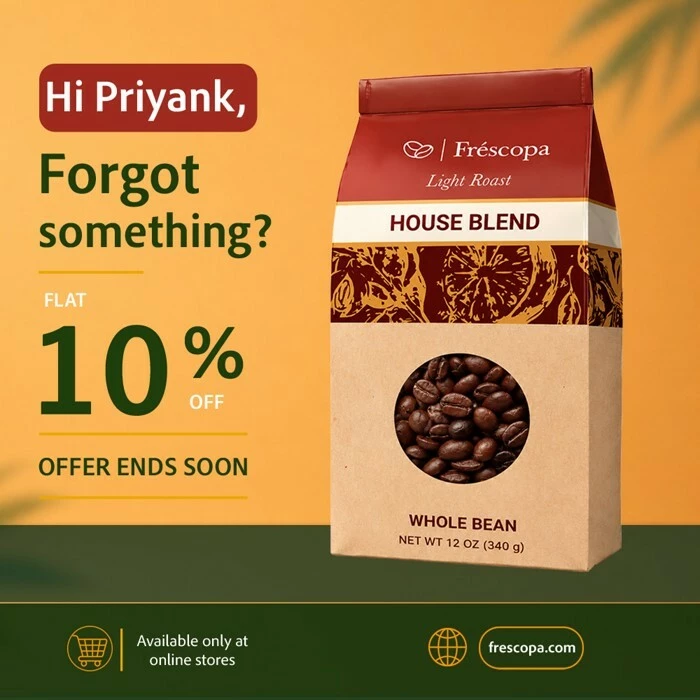
Here's one in action - a Frescopa cart-abandonment banner. Watch the greeting, the offer, and the coffee change for each recipient while the layout, branding, and structure stay locked. Every frame is the same template:

Every one of those banners comes from the same URL. Think of the template as a form: the part after the ? is its set of inputs, and each combination renders a different, fully on-brand image. Same skeleton, different values:
https://s7d1.scene7.com/is/image/Viewers/Frescopa-Coffee-Banner?$name={name}&$product={product}&$discount={discount}&$cta_color={cta_color}&wid=700&qlt=100
| Inputs (the parameters) | Rendered output |
|---|---|
|
| 
|
|
| 
|
|
| 
|
Each parameter maps to a variable layer, while wid sizes the same creative for any channel. This is parameterization - the template defines how the creative looks, and the parameters decide what it shows.
And you don't set those values by hand. They can come from a marketer, a spreadsheet, a personalization profile, an API or any rule or decisioning engine that returns the right value per customer at request time. That's hyper-personalization at scale: a true 1:1 creative for every individual - name, offer, product, colour - at effectively zero marginal cost.
A Dynamic Media Template isn't a file - it's a URL
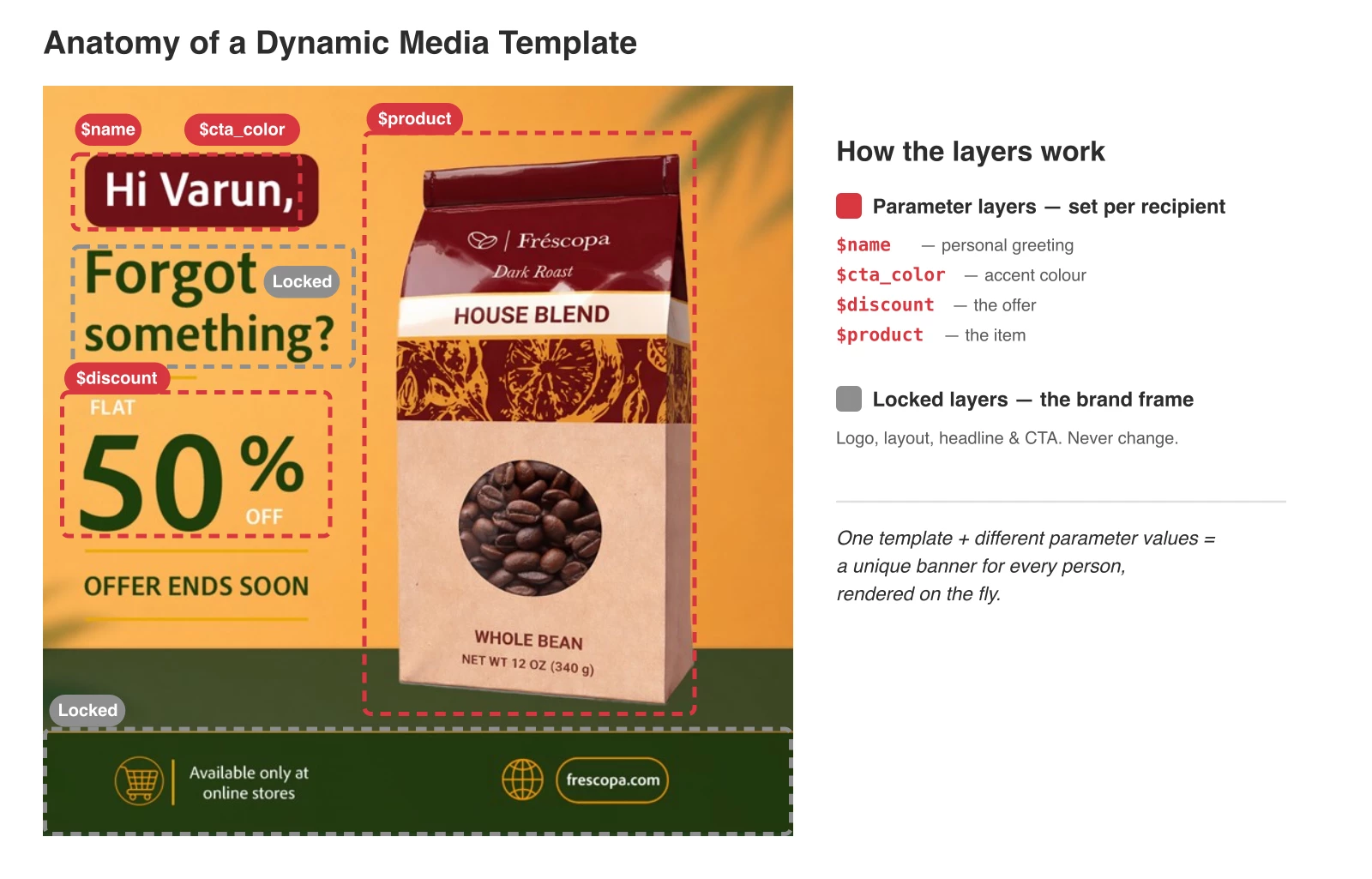
That's the real shift. A finished image is a dead end: one version, baked into pixels, so every new combination means a new file. A Dynamic Media Template is a layered creative you build once in Adobe Experience Manager (AEM) Assets, where every layer is one of two kinds:
- Locked layers - the brand frame that never changes: logo, layout, call-to-action, legal text. Every variant inherits these automatically.
- Parameter layers - the parts that differ per variant, exposed as named parameters the template accepts at render time.
You never export it. You reference the template by URL, pass the parameters in the link, and the right version is composed on the fly the moment it's requested. There's no file to export, version, or store — the combinations exist only as URLs.
Because it's delivered through AEM Dynamic Media - the same engine that serves responsive imagery at scale - the variant count stops being a production cost. A digital asset library has to store every exported variant; a Dynamic Media Template renders each one from a single URL, so going from three variants to three thousand changes nothing about how the creative is made.
Why build them in AEM Assets?
You could rig up template rendering with a design tool and a script - but then you own the governance, the asset library, and the infrastructure yourself. In AEM Assets, your templates live in the same DAM as your approved brand assets, reusing the logos, product shots, and fonts that are already managed there. They inherit AEM's access controls, versioning, and review/approval workflows, so the locked brand frame stays locked and nothing ships without sign-off - and they're delivered through AEM Dynamic Media's global, cached delivery network built for scale. The render is the easy part; AEM is what makes it safe to do at enterprise scale.
A few ways to use Dynamic Media Templates
These are some of the most common patterns - not a fixed list. Anywhere a layout stays consistent while the content changes, a Dynamic Media Template fits.
|
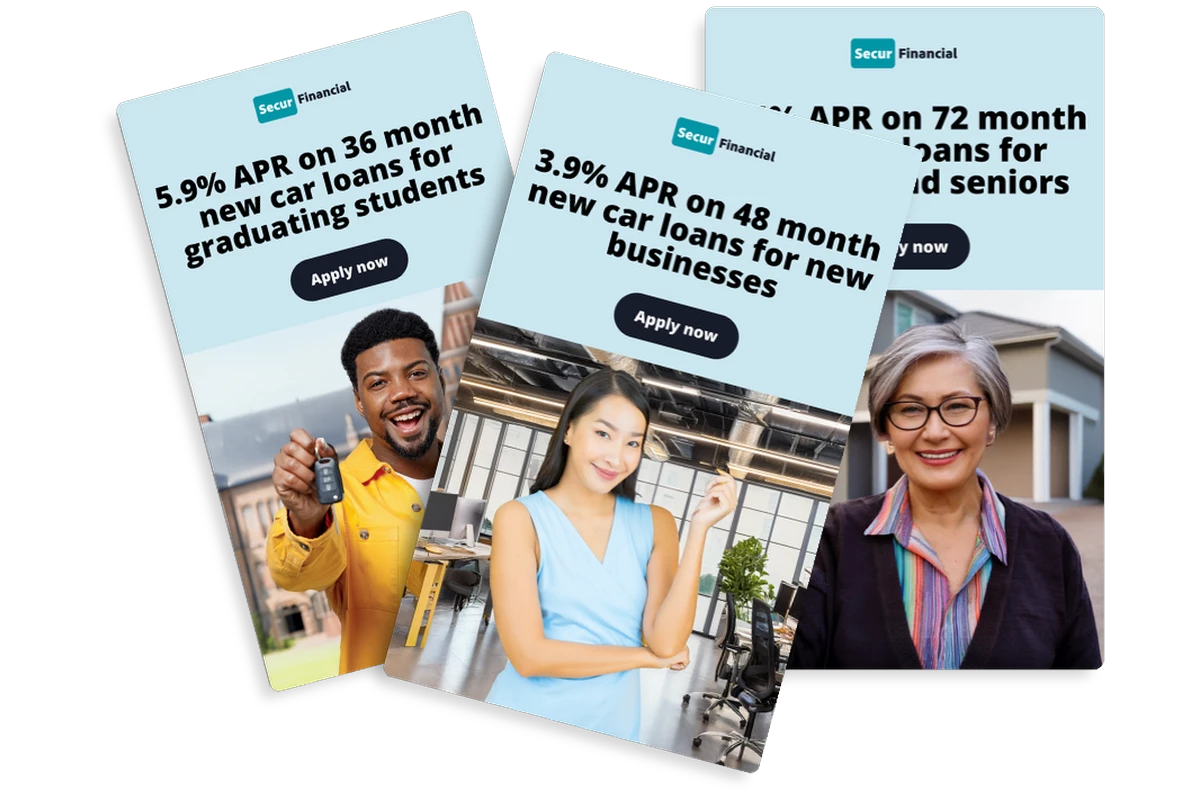 Dynamic Pricing & Promotion One template, every customer's price — set by $rate and $segment.
| 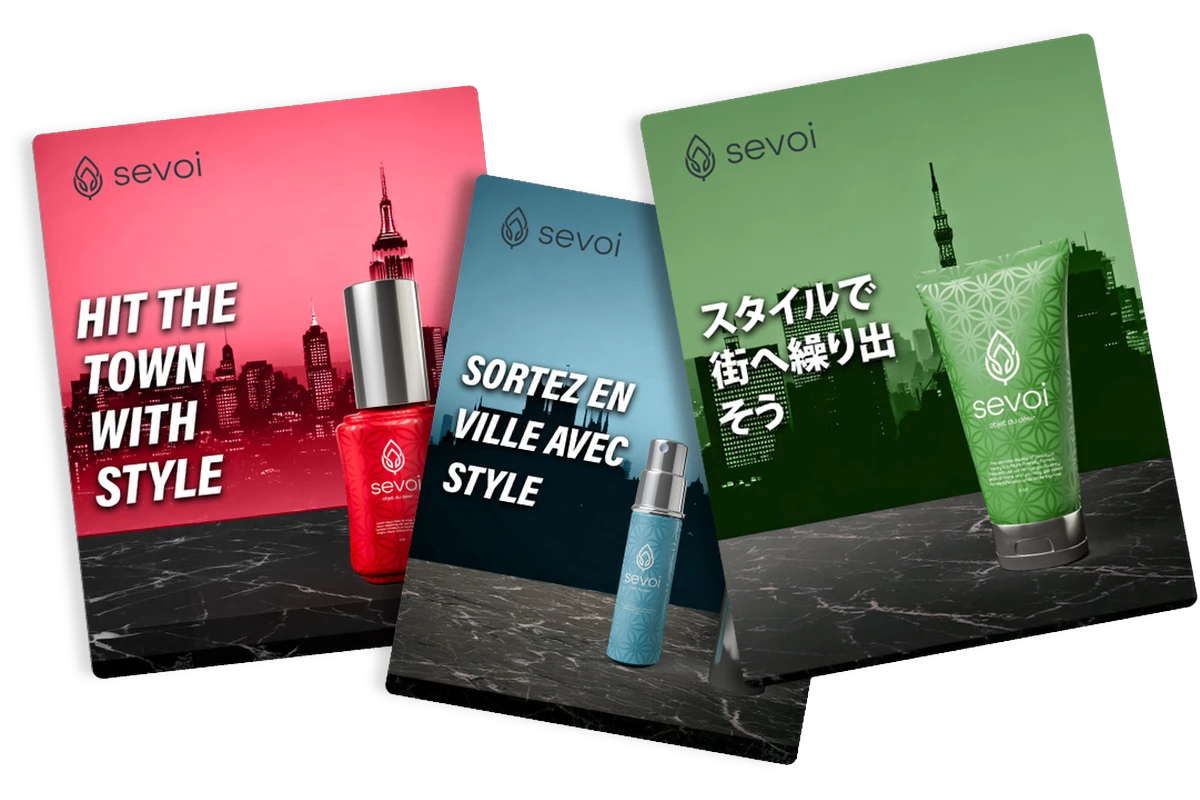 Localization at Scale One master template → every market's language, via AI Auto Translate.
|
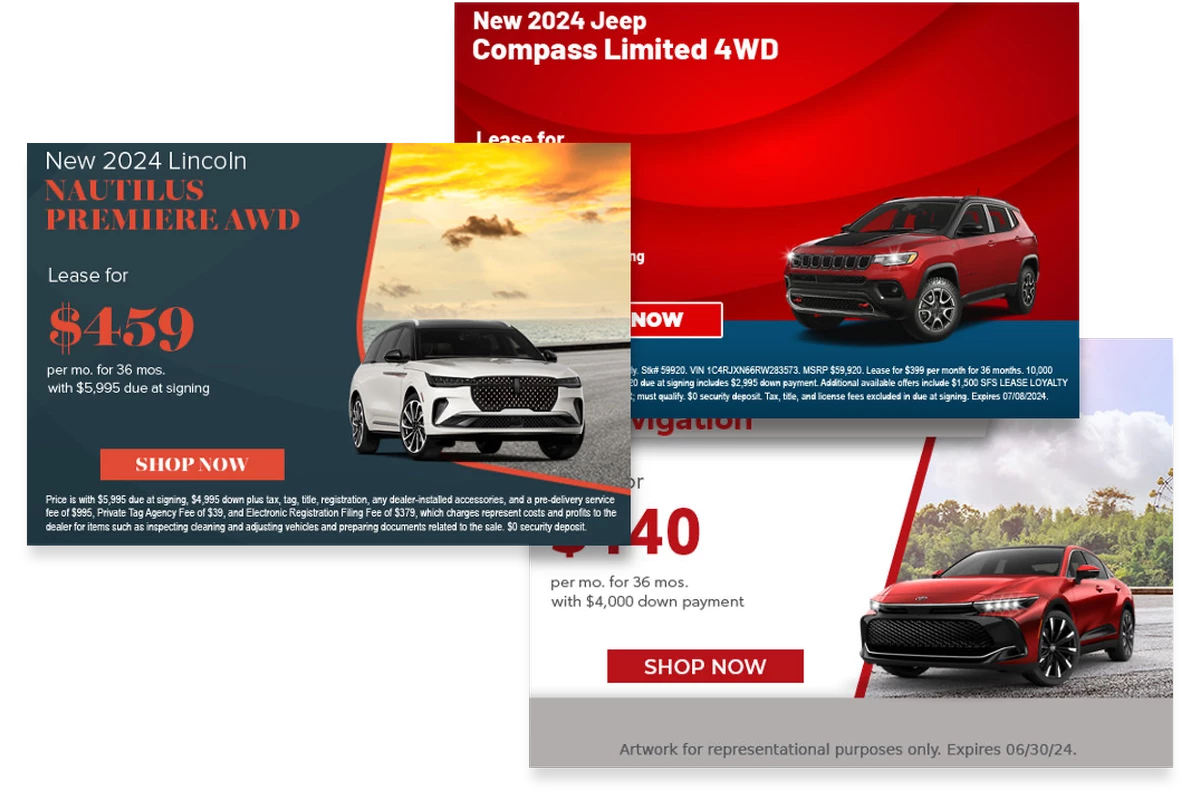 Product Merchandising Swap the product, keep the layout — any SKU in seconds.
| 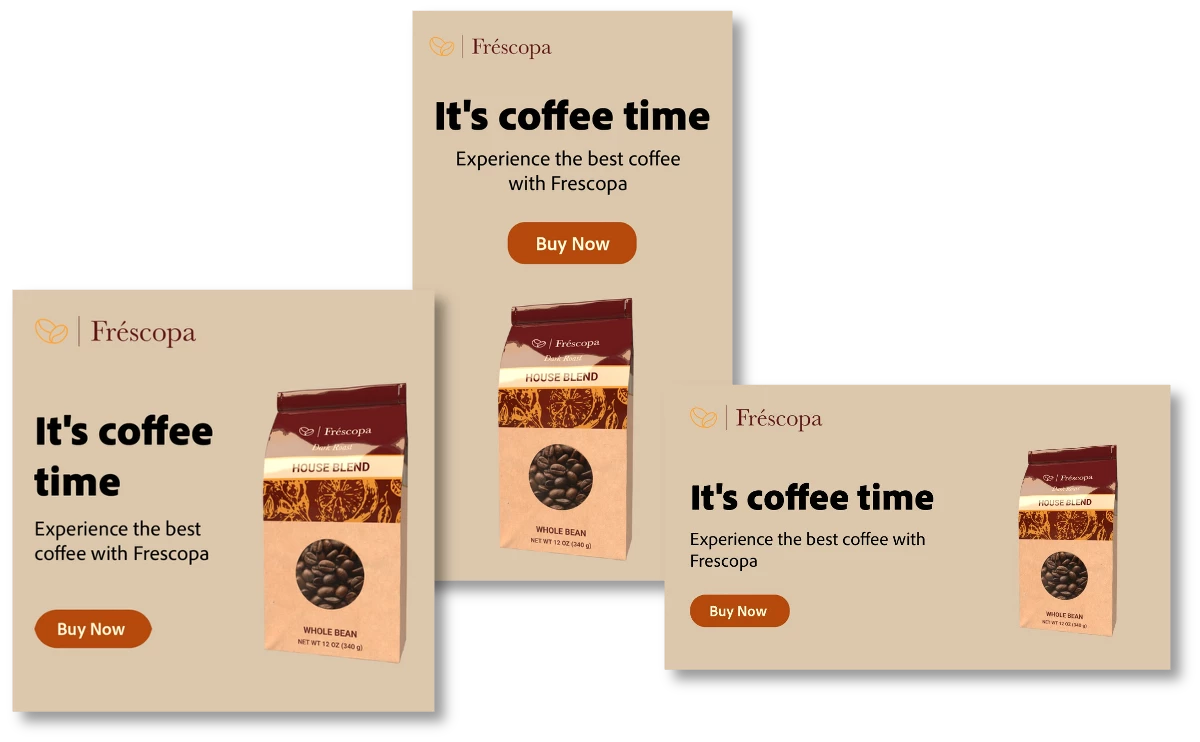 Adapt Across Channels One creative, resized for web, email, mobile, and social.
|
What this means for your team
Personalization at scale only works when three roles meet around one template:
- Designers build the master template once and lock the brand frame - and stop being a per-variant production line.
- Marketers spin up any variant by setting parameter values - no design request, no waiting in the queue.
- Developers wire the template URL into each channel once - every future variant flows through the same integration.
Closing the personalization gap
The personalization gap was never a creativity problem or an ambition problem - it's a production problem. When every variant is a file, scale is impossible. When every variant is a URL, scale is essentially free. Dynamic Media Templates turn content from something you manufacture and store into something you describe and render - one template, infinite on-brand variants, driven by whatever system already decides what each customer should see. Build it once, govern it in AEM, and the gap between what's needed and what's possible simply closes.
Learn more
- Get started with Dynamic Media — Adobe Experience League
- Dynamic Media Templates — Adobe Experience League documentation