
The .ics file cannot be downloaded on the publish instance. | Community
Skip to main content
MayurSatav
Community Advisor and Adobe Champion
April 28, 2023
Solved

The .ics file cannot be downloaded on the publish instance.

  • April 28, 2023
  • 2 replies
  • 2049 views

hi,


We are having download button which download .ics file (calendar file). In author, it works fine, but in publish, it does not.

path of .ics file /content/dam/test/WeekendMay2023.ics

in Author if you click on download calendar button it will download .ics file.

 

but In publish, clicking the download button results in a 404 error.
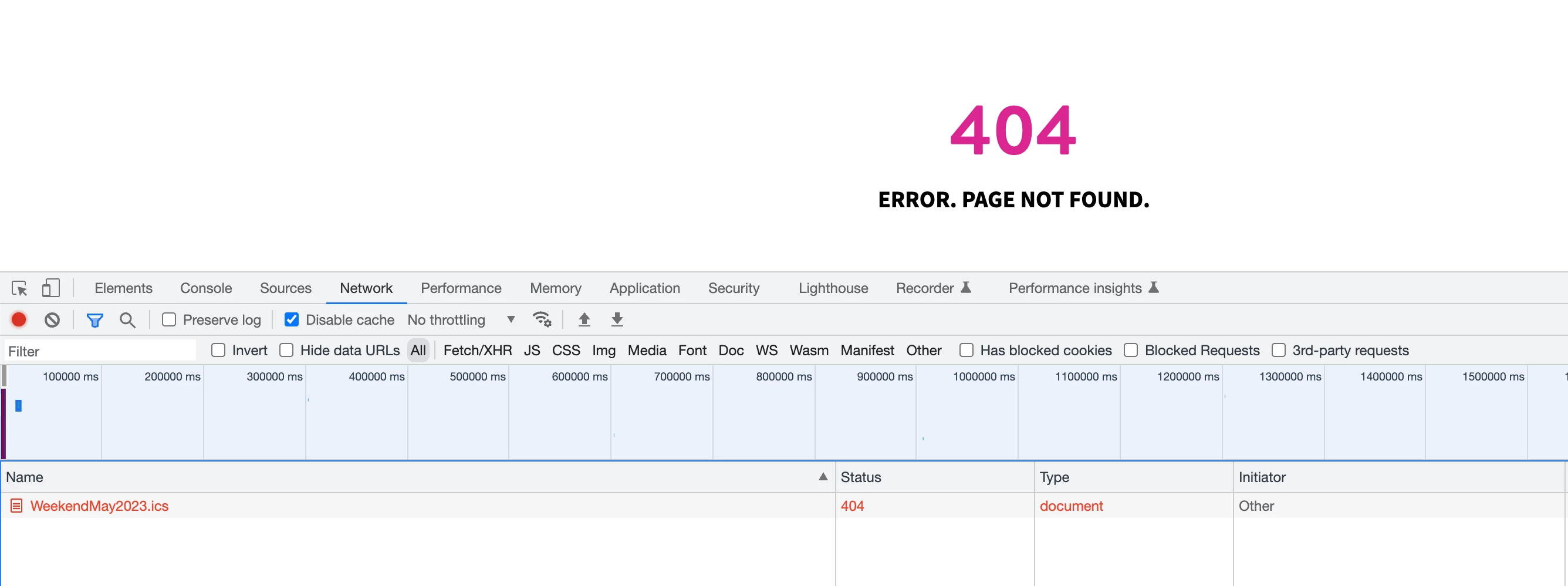
 

I tried allowing .ics  extension in filters.any but still it is not working.


/type "allow" /extension '(css|eot|gif|ico|jpeg|jpg|js|gif|pdf|png|svg|swf|ttf|woff|woff2|html|mp4|mov|m4v|ics)


Does anyone know what could be the issue?

This post is no longer active and is closed to new replies. Need help? Start a new post to ask your question.
Best answer by nitesh_kumar-1

Hi @mayursatav ,


There are two possible causes for this.


/0103 { /type "allow" /extension '(ics)' /path "/content/dam/*" }


Hope this helps!


Regards,

Nitesh


2 replies

Sady_Rifat
Community Advisor
Community Advisor
April 28, 2023

Is the ICS comes from the DAM link? If so please make sure the ICS file is also published.

MayurSatav
Community Advisor and Adobe Champion
April 28, 2023

yes, it. is coming from dam and published also

nitesh_kumar-1
Adobe Employee
nitesh_kumar-1Adobe EmployeeAccepted solution
Adobe Employee
April 28, 2023

Hi @mayursatav ,


There are two possible causes for this.


/0103 { /type "allow" /extension '(ics)' /path "/content/dam/*" }


Hope this helps!


Regards,

Nitesh


MayurSatav
Community Advisor and Adobe Champion
April 29, 2023

Thanks @nitesh_kumar-1 , above rule worked