Template Editor - Multiple component policies | Community
Skip to main content
July 11, 2019
Solved

Template Editor - Multiple component policies

  • July 11, 2019
  • 4 replies
  • 2684 views

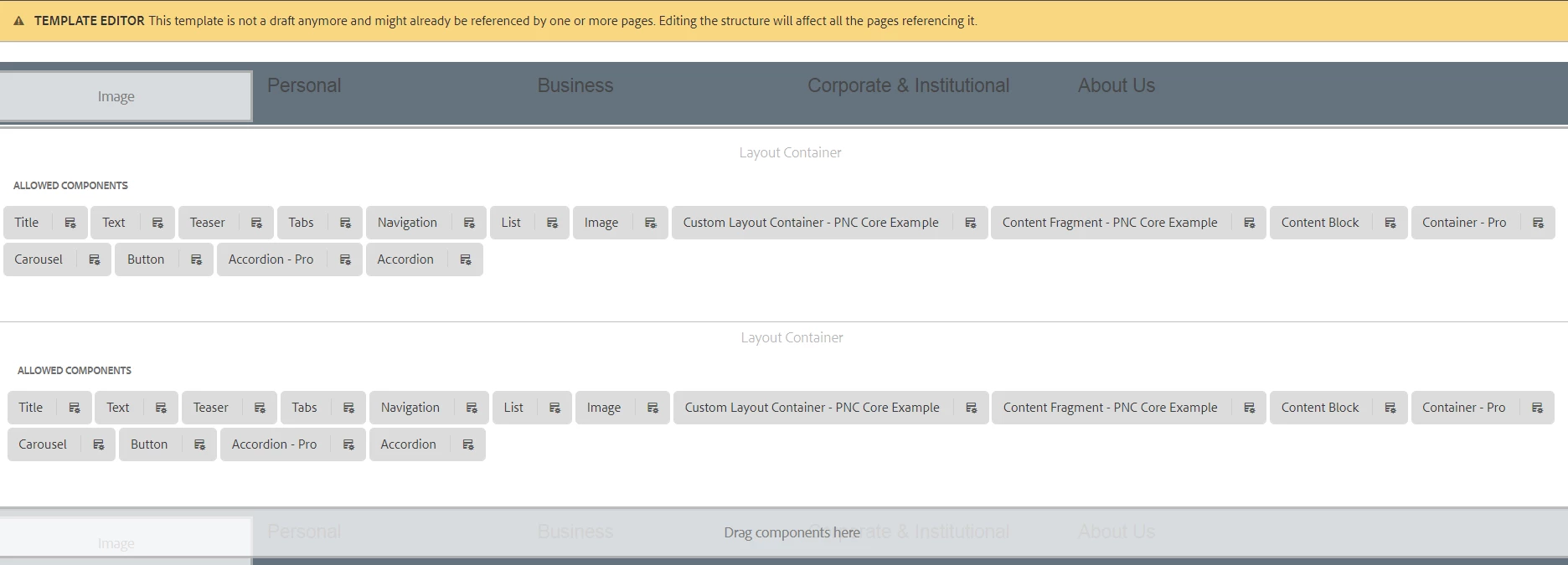
Is it possible within the Template Editor to have multiple layout containers, allowing for different component policies within those different containers?

Screenshot attached for clarity.

Specific example:

In the top container, I want to create a policy for the Title to only allow H1, H2.

In the bottom container, I want to create a policy for the Title to only allow H2+.
This post is no longer active and is closed to new replies. Need help? Start a new post to ask your question.
Best answer by mrobinson-1

I figured it out. Just needed to create another responsivegrid node on the templates structure XML.

This will allow me to have the different Title component policies outlined in my original post, which would prevent the inadvertent application of multiple H1 tags on a page.

4 replies

arunpatidar
Community Advisor
Community Advisor
July 11, 2019

Hi,

I think it is possible, you just need to create and save different policies.

Arun Patidar
July 12, 2019

But how can I create the 2 different layout containers to create those different policies within?

July 14, 2019

That looks like bad practice. I have never seen or read about this approach from Adobe.

mrobinson-1AuthorAccepted solution
July 15, 2019

I figured it out. Just needed to create another responsivegrid node on the templates structure XML.

This will allow me to have the different Title component policies outlined in my original post, which would prevent the inadvertent application of multiple H1 tags on a page.