swapping text and image side by side using aem | Community
Skip to main content
This post is no longer active and is closed to new replies. Need help? Start a new post to ask your question.
Best answer by SahrudayaB

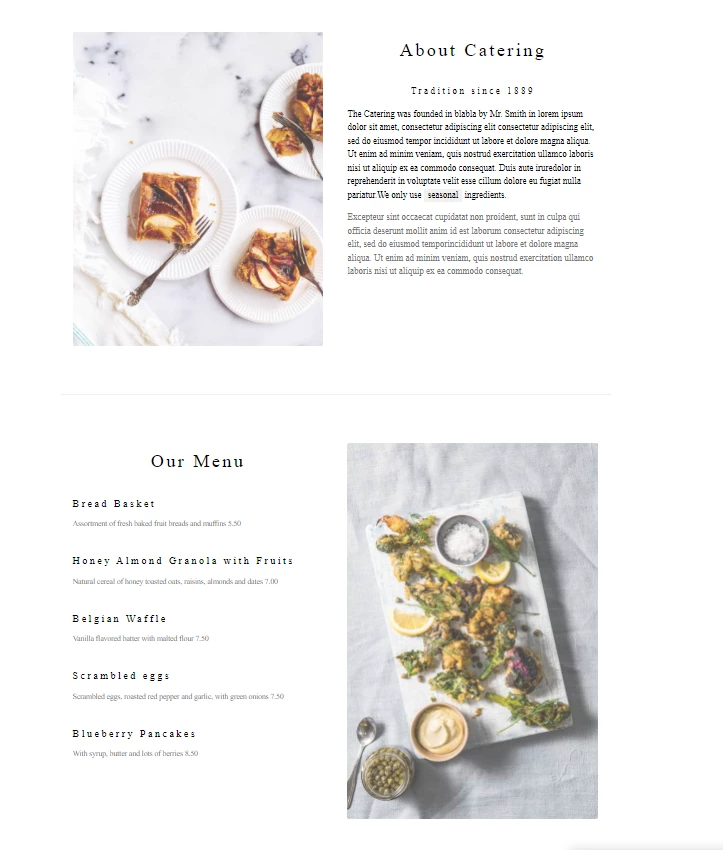
swapping text and image side by side in single component.

2 replies

SahrudayaB
SahrudayaBAuthorAccepted solution
Level 2
December 13, 2021

swapping text and image side by side in single component.

Kiran_Vedantam
Community Advisor
Community Advisor
December 13, 2021
SahrudayaB
Level 2
December 13, 2021

can I put image and text side by side in one component by choosing the alignment of text (either left  or right of image) in dialog box. Based on the input chosen in the dialog box, can I change the position of text and image.

Pavan_Kalyan-1
Level 3
December 13, 2021

hello @sahrudayab 

do you need the code for the above mentioned component.??

this is a teaser component with two css classed with extension (.less).

we then add the classes to the component by editing it in the page template.

just le me know what help do you need.


SahrudayaB
Level 2
December 15, 2021

yes