
Support Image and Video in OTB AEM Teaser Component | Community
Skip to main content
NageshRaja
Level 5
September 25, 2024
Solved

Support Image and Video in OTB AEM Teaser Component

  • September 25, 2024
  • 2 replies
  • 1155 views

hey guys,


I have a requirement to basically create a teaser component from both image and video in AEM.

The OTB teaser component works very well for images. But not sure what's the best approach to do when it comes to supporting video too.


I was thinking creating a new component which has sling:resourceSuperType pointing to the parent teaser. And then this component can have its own video tab for dialog and a checkbox for media type based on which sightly can be conditional.

But the default "Asset" tab for Images is still rendered in that case.


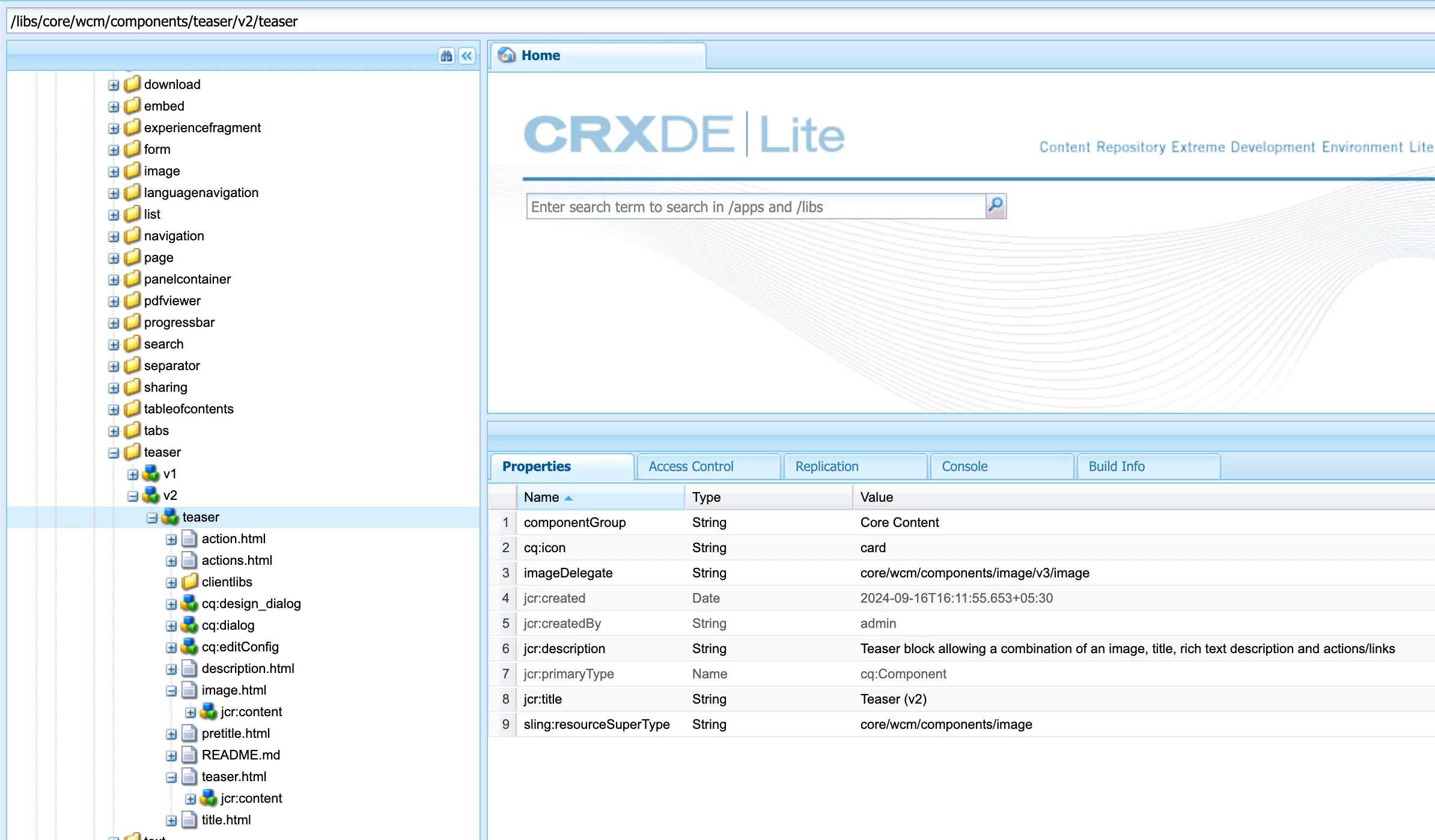
I think it might be because of a tight coupling between Teaser and Image as seen from below configs -

imageDelegate - core/wcm/components/image/v3/image

sling:resourceSuperType - core/wcm/components/image
 

I had an alternate idea to let use the OTB Teaser for Image and then create a "Teaser Video" component just for the video.
Anyways, what's the best approach to go ahead with for teaser with both video and image?

This post is no longer active and is closed to new replies. Need help? Start a new post to ask your question.
Best answer by arunpatidar

Hi @nageshraja 
You can extend the Teaser component and update the existing Assets tab, you can rename the Title but you have to keep the node name same.

https://github.com/adobe/aem-core-wcm-components/blob/d2a7b02405db241fadbad02a4878f8770b36e246/content/src/content/jcr_root/apps/core/wcm/components/teaser/v2/teaser/_cq_dialog/.content.xml#L357 


you need to add image as before and add video as new node, you can also change the ordering of elements


Please check https://experienceleague.adobe.com/en/docs/experience-manager-65/content/implementing/developing/platform/sling-resource-merger 

2 replies

arunpatidar
Community Advisor
arunpatidarCommunity AdvisorAccepted solution
Community Advisor
September 25, 2024

Hi @nageshraja 
You can extend the Teaser component and update the existing Assets tab, you can rename the Title but you have to keep the node name same.

https://github.com/adobe/aem-core-wcm-components/blob/d2a7b02405db241fadbad02a4878f8770b36e246/content/src/content/jcr_root/apps/core/wcm/components/teaser/v2/teaser/_cq_dialog/.content.xml#L357 


you need to add image as before and add video as new node, you can also change the ordering of elements


Please check https://experienceleague.adobe.com/en/docs/experience-manager-65/content/implementing/developing/platform/sling-resource-merger 

Arun Patidar
NageshRaja
Level 5
September 26, 2024

so the idea is to have 2 tabs - one default one "Asset" which can cater to "Image" and the other one for "Video"
But then we have to add a drop-down to show hide these tabs which means there would be another tab required

Rohan_Garg
Community Advisor
Community Advisor
September 25, 2024

Hey @nageshraja,

Creating a separate component seems to be an overkill - using Sling resource merger to extend the teaser and add provision for video seems to be the best way as suggested by @arunpatidar

As for ImageDelegate if you check Teaser Component Documentation :-
Image Delegate - Informational display indicating to which component the Teaser delegates image handling.


Hope this helps!