SPA Editor: Custom Container Model Not Being Fetched Until Edit | Community
Skip to main content
November 15, 2023

SPA Editor: Custom Container Model Not Being Fetched Until Edit

  • November 15, 2023
  • 3 replies
  • 954 views

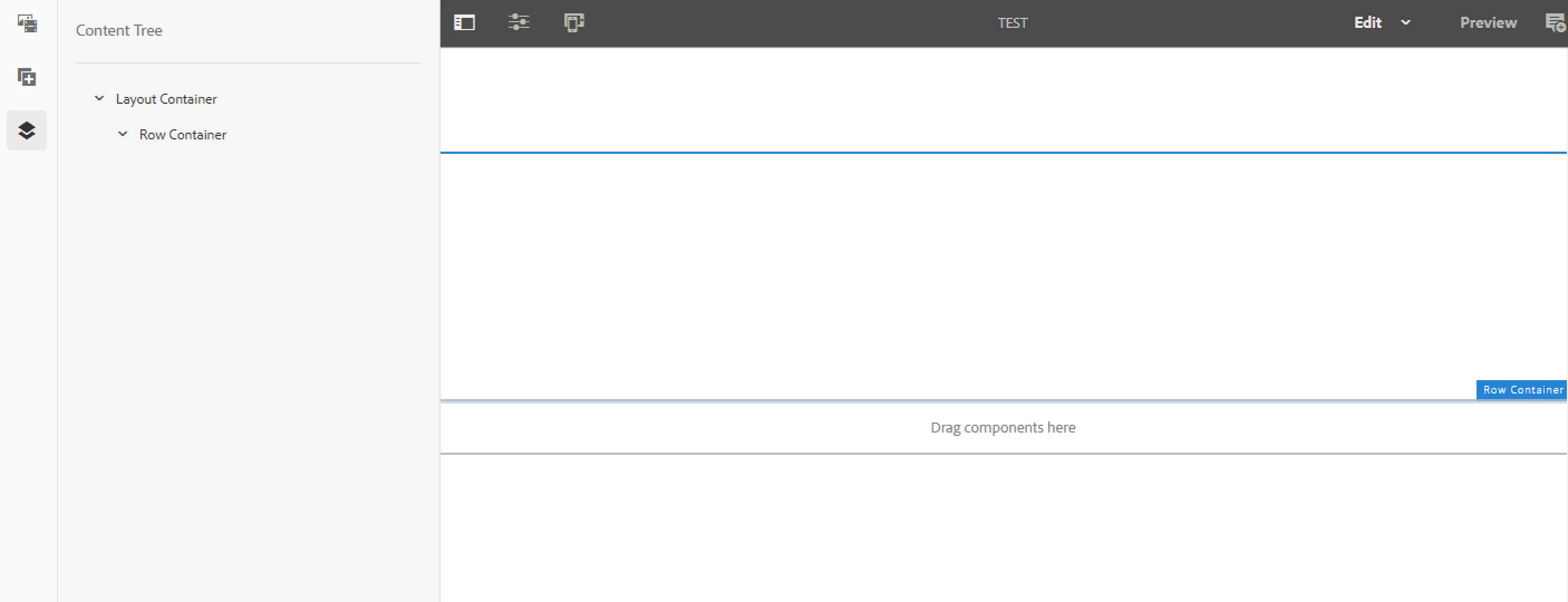
I have a custom container that implements the LayoutContainer in my sling model, and extends the Container on my frontend in my React class. Everything is working, however, when the page initially loads in the SPA editor, the child components don't show.  Although they do show after I open the dialog of my container, and confirm changes. 


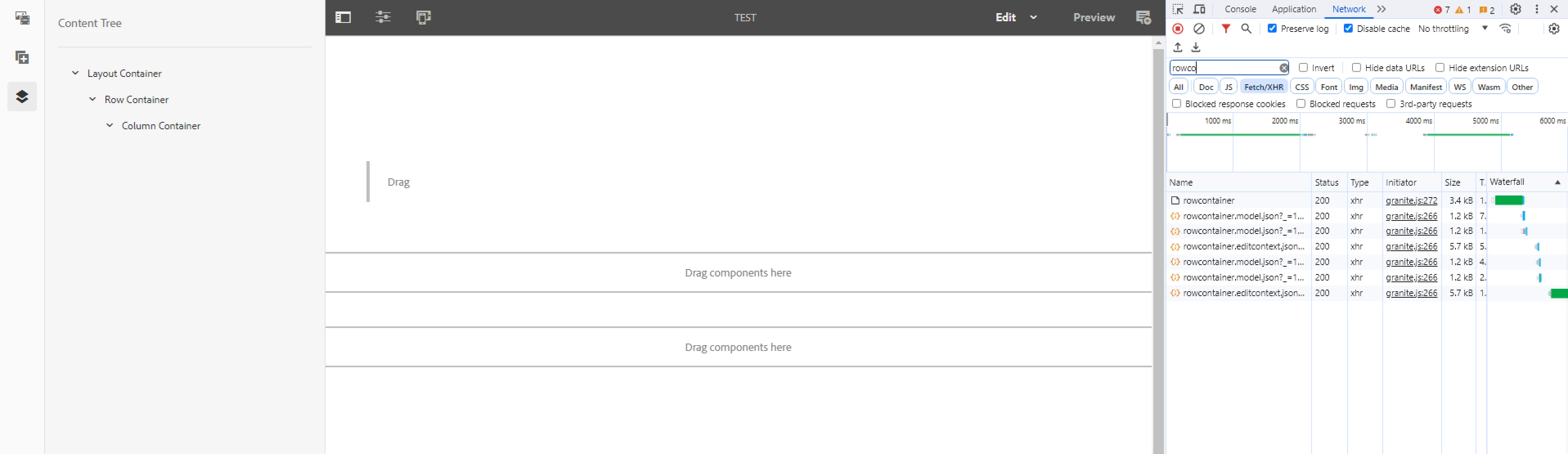
It appears as though the GET request to the components model does not happen upon the initial load of the editor page, but does happen after I confirm changes from the dialog, thus the children show and are editable after that:
This post is no longer active and is closed to new replies. Need help? Start a new post to ask your question.

3 replies

Mahedi_Sabuj
Community Advisor
Community Advisor
November 15, 2023

The child component won't be added to JCR when you drop a component into the parsys unless you configure the dialog. This is default behaviour in AEM.

To ensure that the child component is added upon dropping, you can use the cq:template functionality. By adding the child node in the cq:template, child component will be added to JCR when you drop the component into the parsys. This cq:template content serves as default values whenever you drop a new instance of the component into the parsys.

<?xml version="1.0" encoding="UTF-8"?> <jcr:root xmlns:cq="http://www.day.com/jcr/cq/1.0" xmlns:jcr="http://www.jcp.org/jcr/1.0" jcr:primaryType="nt:unstructured"> <column_container jcr:primaryType="nt:unstructured" sling:resourceType="myapp/component/column-container"/> </jcr:root>


Mahedi Sabuj
awo1Author
November 15, 2023

I should clarify:  The Column Container component doesn't show when it has already been added within the Row Container.  For instance, these are the steps I took:


1. Add the Row Container to the page

2. Add the Column Container within that

    - everything is authorable at this point

3. Refresh the page

   - only the row container is authorable after refresh and the column container no longer shows (Row Container model was not fetched)

4. Open the Row Container dialog and confirm changes

   - The Column Container now shows and is authorable at this point 

kautuk_sahni
Community Manager
Community Manager
November 23, 2023

@awo1 Did you find the suggestions from users helpful? Please let us know if more information is required. Otherwise, please mark the answer as correct for posterity. If you have found out solution yourself, please share it with the community.

Kautuk Sahni
January 19, 2024

Hello, could you please tell me how did you manage to create a custom container?