Adobe Employee
January 9, 2023
Solved

SMTP Configuration

Hi Team,


We have SMTP configured in our AEM environment and we are using gmail smtp server for sending emails. We have the below configuration


smtp.host="smtp.gmail.com"
smtp.ssl="{Boolean}true"
smtp.starttls="{Boolean}false"
debug.email="{Boolean}false"
smtp.port="465"
smtp.user="xyz@gmail.com"
smtp.password="password"
from.address="xyz@gmail.com"

When we are performing the below options for assets - like download asset
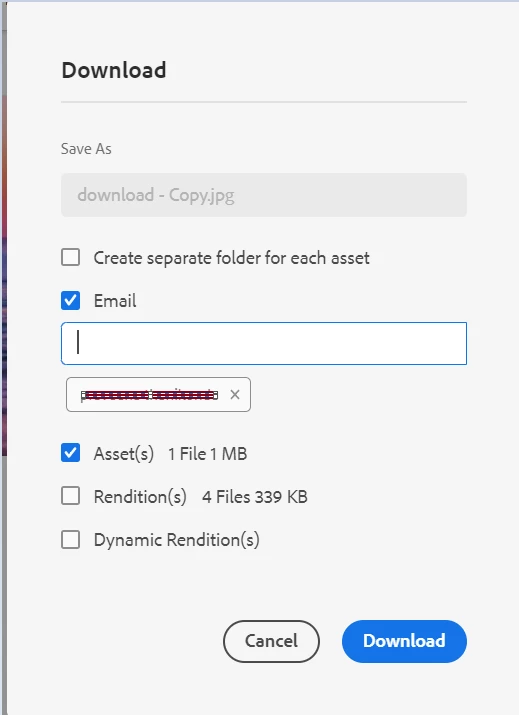
and share link 
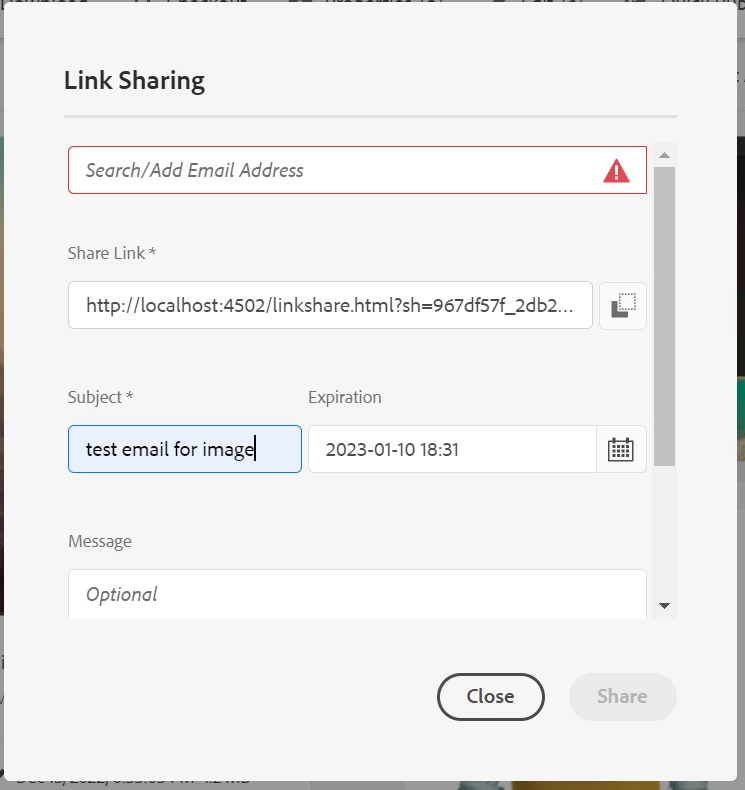
 

from our AEM environment we are receiving error as

Caused by: org.apache.commons.mail.EmailException: Sending the email to the following server failed : smtp.gmail.com:465
at org.apache.commons.mail.Email.sendMimeMessage(Email.java:1469)
at org.apache.commons.mail.Email.send(Email.java:1496)
at com.day.cq.mailer.impl.DefaultMailService.send(DefaultMailService.java:331)
... 11 more
Caused by: javax.mail.AuthenticationFailedException: 535-5.7.8 Username and Password not accepted. Learn more at
535 5.7.8 https://support.google.com/mail/?p=BadCredentials j1-20020a170902c3c100b001891ea4d133sm5479329plj.12 - gsmtp

at com.sun.mail.smtp.SMTPTransport$Authenticator.authenticate(SMTPTransport.java:965)
at com.sun.mail.smtp.SMTPTransport.authenticate(SMTPTransport.java:876)
at com.sun.mail.smtp.SMTPTransport.protocolConnect(SMTPTransport.java:780)
at javax.mail.Service.connect(Service.java:388)
at javax.mail.Service.connect(Service.java:246)
at javax.mail.Service.connect(Service.java:195)
at javax.mail.Transport.send0(Transport.java:254)
at javax.mail.Transport.send(Transport.java:124)
at org.apache.commons.mail.Email.sendMimeMessage(Email.java:1459)
... 13 more


But we are able to login the configured user Gmail account and able to see inbox as well. When i tried to enable secure apps i am not seeing the option for my Gmail account.

Any solution/ pointers for this issue to be fixed.

Thanks,

This post is no longer active and is closed to new replies. Need help? Start a new post to ask your question.
Shiv_Prakash_Patel
Shiv_Prakash_PatelAccepted solution
Community Advisor
January 9, 2023

Hi @thanikon ,

As we all know google put a ban on less secure apps feature last year. 

Sendinblue is an alternative approach to use SMTP in local AEM.

Please check out the full article - https://unlocklearning.in/day-cq-mail-service-configuration-sendinblue/

Hope this could help you to solve the issue !!!

Regards,

Shiv


Shiv Prakash

6 replies

Siva_Sogalapalli
Community Advisor
Community Advisor
January 9, 2023

1. Here is a working configuration for GMail :

smtp.host=smtp.gmail.com
smtp.port=587
smtp.ssl=yes
smtp.user="me@gmail.com"
smtp.password="myPassword"

You must use port 587 (and so activate SSL)

2. Also ensure that Two factor authentication is not activated (otherwise you must generate a new application password)

3. Another cause of connection fail : it can be seemed like a suspect connection.


So check mails received from google on your account to ensure the connection has not been blocked by google. 

Translate
thanikonAdobe EmployeeAuthor
Adobe Employee
January 9, 2023

Thanks @siva_sogalapalli for your response. I have tried using 587 port and i am seeing 2 step verification is already OFF.  Now i am seeing error with respect to SSL --

Caused by: javax.net.ssl.SSLException: Unsupported or unrecognized SSL message


Translate
Siva_Sogalapalli
Community Advisor
Community Advisor
January 9, 2023

Can you try with port 25 instead of 587 and see if that works? 

smtp.port=25

Also, check below and see if that helps?

 https://www.positioniseverything.net/unrecognized-ssl-message-plaintext-connection/  

Translate
Shiv_Prakash_Patel
Community Advisor
Shiv_Prakash_PatelCommunity AdvisorAccepted solution
Community Advisor
January 9, 2023

Hi @thanikon ,

As we all know google put a ban on less secure apps feature last year. 

Sendinblue is an alternative approach to use SMTP in local AEM.

Please check out the full article - https://unlocklearning.in/day-cq-mail-service-configuration-sendinblue/

Hope this could help you to solve the issue !!!

Regards,

Shiv


Translate
Shiv Prakash
thanikonAdobe EmployeeAuthor
Adobe Employee
January 11, 2023

Hi @shiv_prakash_patel . Thank you for your response. I have followed the article and created an account in sendinblue.com and i have tested(yesterday) email option in my local AEM instance. It worked. Now the issue with the same configuration i am getting error today.

Caused by: org.apache.commons.mail.EmailException: Sending the email to the following server failed : smtp-relay.sendinblue.com:587
at org.apache.commons.mail.Email.sendMimeMessage(Email.java:1469)
at org.apache.commons.mail.Email.send(Email.java:1496)
at com.day.cq.mailer.impl.DefaultMailService.send(DefaultMailService.java:331)
... 11 more
Caused by: com.sun.mail.util.MailConnectException: Couldn't connect to host, port: smtp-relay.sendinblue.com, 587; timeout 60000;
nested exception is:
java.net.ConnectException: Connection timed out: connect
at com.sun.mail.smtp.SMTPTransport.openServer(SMTPTransport.java:2209)


please share if you have any suggestions/pointers on this issue.


Thanks,

Translate