Running BPA on local Cloud SDK | Community
Skip to main content
Level 3
July 26, 2024
Solved

Running BPA on local Cloud SDK

  • July 26, 2024
  • 2 replies
  • 976 views

hey guys,


I recently started working on a migration project wherein the codebase is already having a skeleton cloud compatible repo.

They ran the BPA report on AMS Production and then manually did a lift-and-shift from AMS repo to Cloud compatible repo.


The expectation is to resolve the issues highlighted in BPA on the cloud compatible repo directly which seemed weird.
The first query would be like is this way feasible to do the cloud migration?


Currently I am referring to the BPA report and then making changes in the cloud repo. We have already resolved the Build based blocker issues w.r.t Asset Update workflow which were reported by the build pipeline.


Secondly, the cloud-based repo is actually highlighting more issues than the AMS based repo which seemed odd.

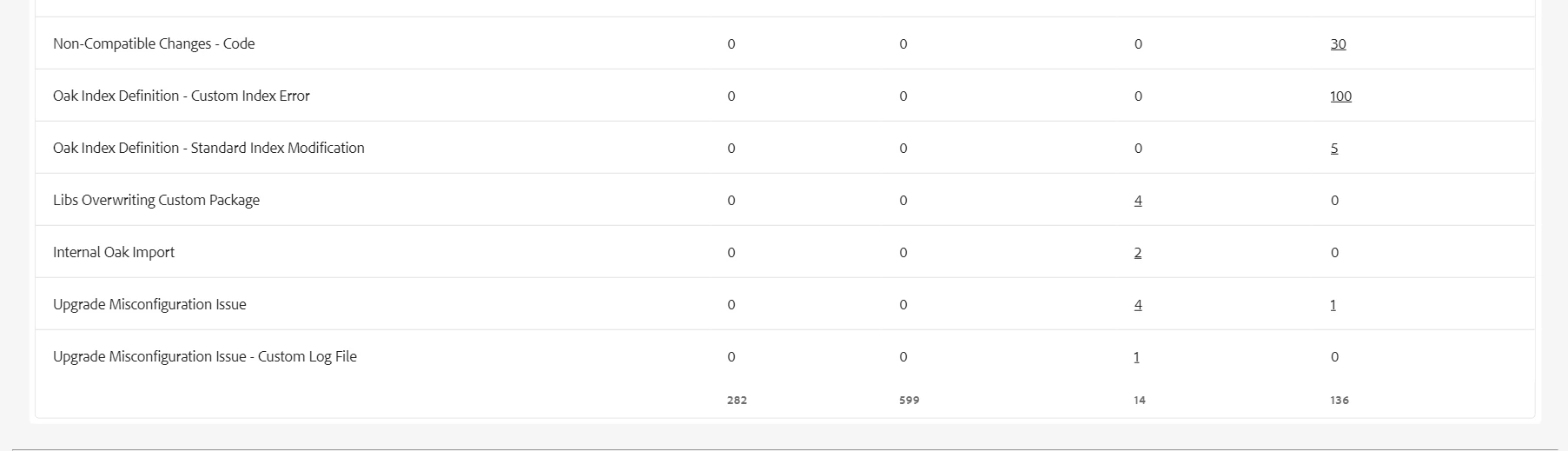
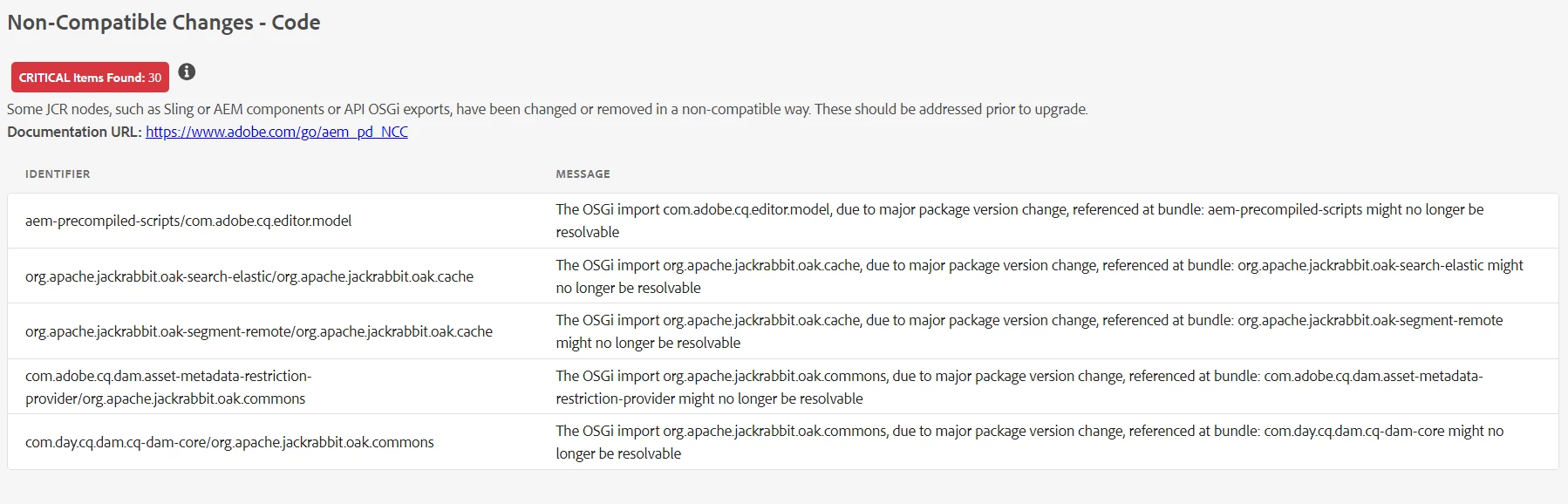
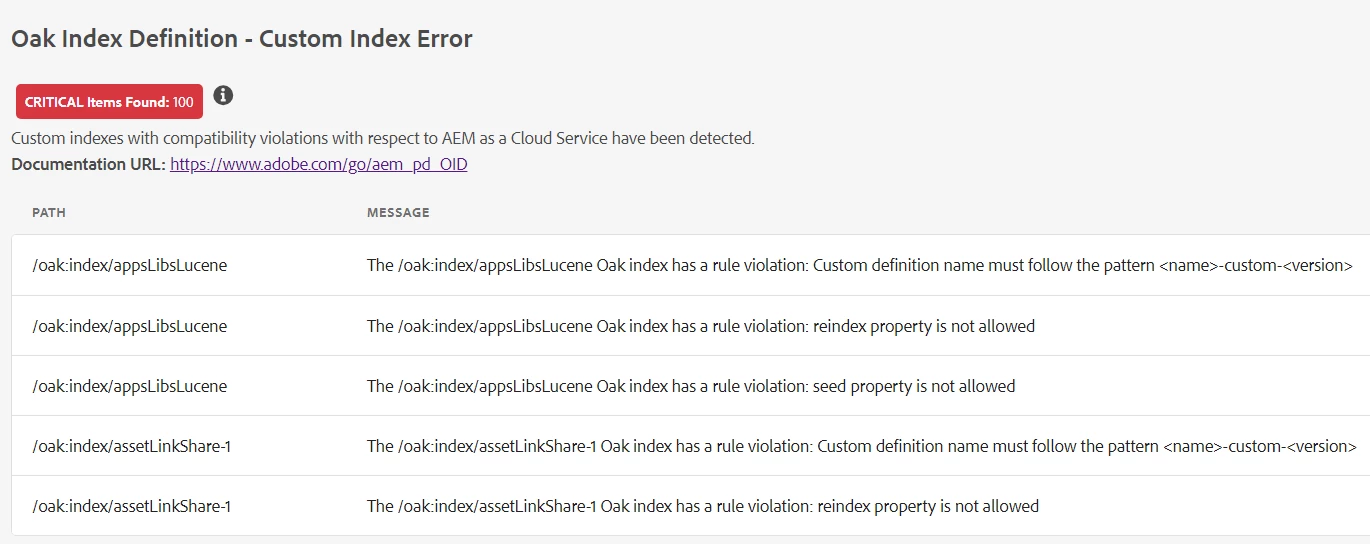
So I ran the BPA report on a local cloud sdk instance with the below results - 
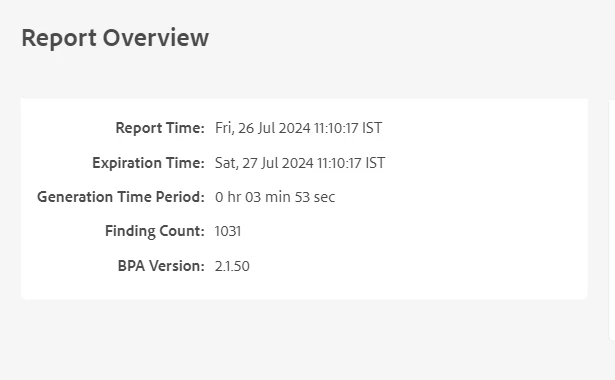


Are these results to be expected on a local cloud sdk version 2024.07?

++ @arunpatidar@estebanbustamante@aanchal-sikka@rohan_garg@mohan_dugganab


This post is no longer active and is closed to new replies. Need help? Start a new post to ask your question.
Best answer by Rohan_Garg

@gallaghan6 - As far as I know, the BPA report is supposed to be run on non-cloud instances (local or otherwise). Not sure, running the BPA on Cloud SDK is endorsed by Adobe considering the whole objective is to assess the upgrade complexity using pattern detector.

However, seeing the list of errors - I think these are ignorable.

The whole idea is to identify custom features, code that are non-compatible with the cloud.

The ideal approach would be to run the BPA report on your AMS Production Instance (Stage preferably to avoid impact on your business services)

The issues highlighted in there should serve as baseline for your AMS repo. Fix the issues highlighted there and then move it to the Adobe Git repo for cloud deployment. 

Hope that helps!


2 replies

Shashi_Mulugu
Community Advisor
Community Advisor
July 27, 2024

@gallaghan6 when you say cloud vanilla instance? Is it a aem cloud online instance or local aem cloud sdk instance?

Level 3
July 29, 2024

hey @shashi_mulugu, its local cloud sdk - i will update the question to clarify that - thanks

Rohan_Garg
Community Advisor
Rohan_GargCommunity AdvisorAccepted solution
Community Advisor
July 29, 2024

@gallaghan6 - As far as I know, the BPA report is supposed to be run on non-cloud instances (local or otherwise). Not sure, running the BPA on Cloud SDK is endorsed by Adobe considering the whole objective is to assess the upgrade complexity using pattern detector.

However, seeing the list of errors - I think these are ignorable.

The whole idea is to identify custom features, code that are non-compatible with the cloud.

The ideal approach would be to run the BPA report on your AMS Production Instance (Stage preferably to avoid impact on your business services)

The issues highlighted in there should serve as baseline for your AMS repo. Fix the issues highlighted there and then move it to the Adobe Git repo for cloud deployment. 

Hope that helps!


Level 3
July 30, 2024

how do you move AMS repo to the git repo for cloud?