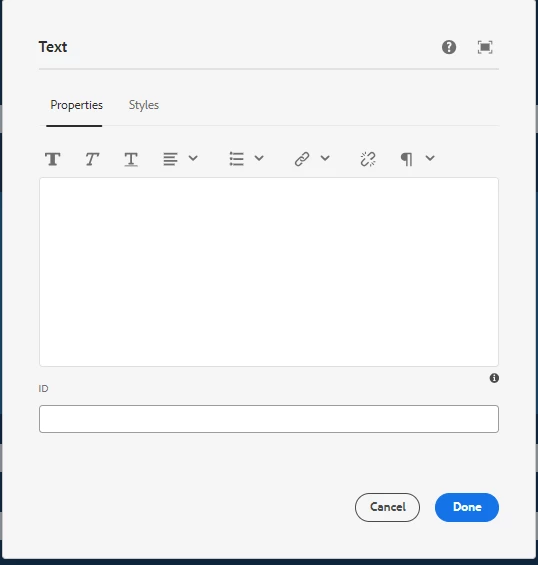
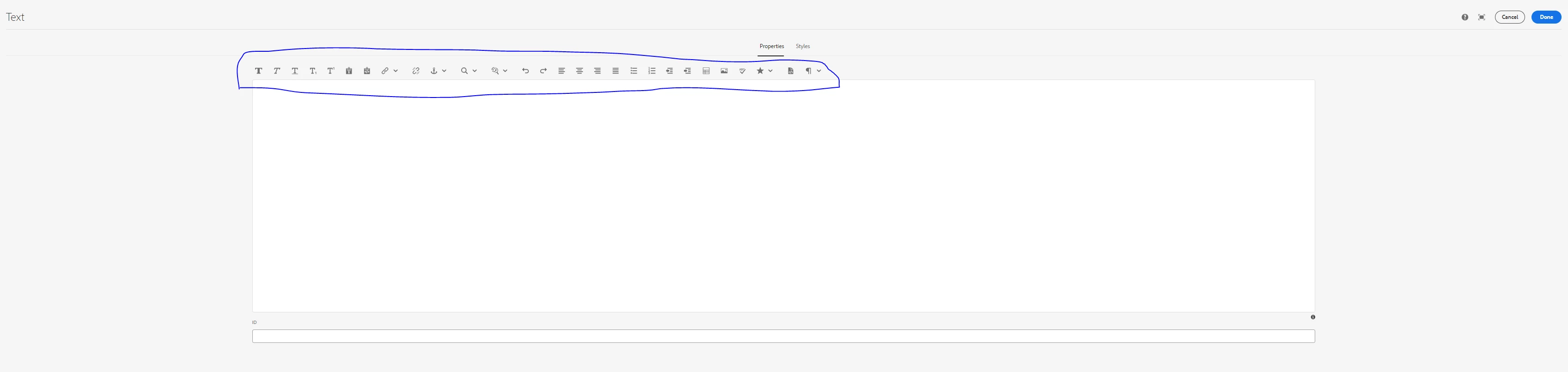
RTE full options not appearing in minimized view AEM 6.5 cloud | Community
Skip to main content
This post is no longer active and is closed to new replies. Need help? Start a new post to ask your question.
Best answer by AsifChowdhury

Hi @titus_roby 

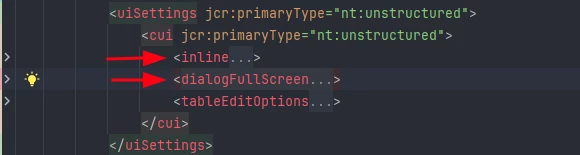
In the RTE component's dialog in the uiSettings there are 2 items called inline & dialogFullScreen like below:


The inline option is for you minimized RTE dialog.
In the inline section you can add the rte options in the toolbar like below:


As you add other options here you will see those tools in your minimized RTE dialog.


- Asif Chowdhury

1 reply

AsifChowdhury
Community Advisor
AsifChowdhuryCommunity AdvisorAccepted solution
Community Advisor
November 16, 2024

Hi @titus_roby 

In the RTE component's dialog in the uiSettings there are 2 items called inline & dialogFullScreen like below:


The inline option is for you minimized RTE dialog.
In the inline section you can add the rte options in the toolbar like below:


As you add other options here you will see those tools in your minimized RTE dialog.


- Asif Chowdhury

November 16, 2024

If its okay , could you ping the .content.xml for the file ?
In mine AEM 6.5 (aem-sdk-2024.10.18311.20241017T104455Z-240900)
I do not see the dialogFullScreen
In order for the inline to appear, i would have to end up making the changes in /libs/core/wcm/components/text/v2/text
So do you recommend extending this and then modifying the cq dialog ?

PRATHYUSHA_VP
Community Advisor
Community Advisor
November 17, 2024

Hi @titus_roby 


You can check the dialogFullScreen property in core components.


/apps/core/wcm/components/teaser/v2/teaser/cq:dialog/content/items/tabs/items/text/items/columns/items/column/items/descriptionGroup/items/description


As @asifchowdhury  mentioned, you have to add under inline dialog property as below to make it visible in minimized screen


Example  :


Dialog view : (Minimized screen)


Hope this helps


Thanks,

Prathyusha