Solved
Richtext "Paste from Word" (paste-wordhtml) issue with lists
Hello,
we are trying to include the "Paste from Word" (paste-wordhtml) feature into our (rich-)text component.
We are following the instructions in [1] and configuring htmlPasteRules like below.
All paste options, that we want to configure, are working. But only copy&pasting lists does not work.
This is reproducible in an AEM 6.5.20 Vanilla instance like this:
- Use following text-node configuration from [2] within this node:/apps/core/wcm/components/text/v2/text/cq:dialog/content/items/tabs/items/properties/items/columns/items/column/items/text
This has the htmlPasteRules and the list configuration included.
All other configuration like allowBasics or table are working, but only "list" seems to be ignored completely. - Open for example this page: http://localhost:8080/editor.html/content/we-retail/language-masters/en/men.html
Put a "text" component into the parsys and use the dialog for editing. - Use "Paste from Word" and copy a text from Word, which contains links, bold text and also lists, like ordered and unordered lists.
Paste that into the paste field and confirm.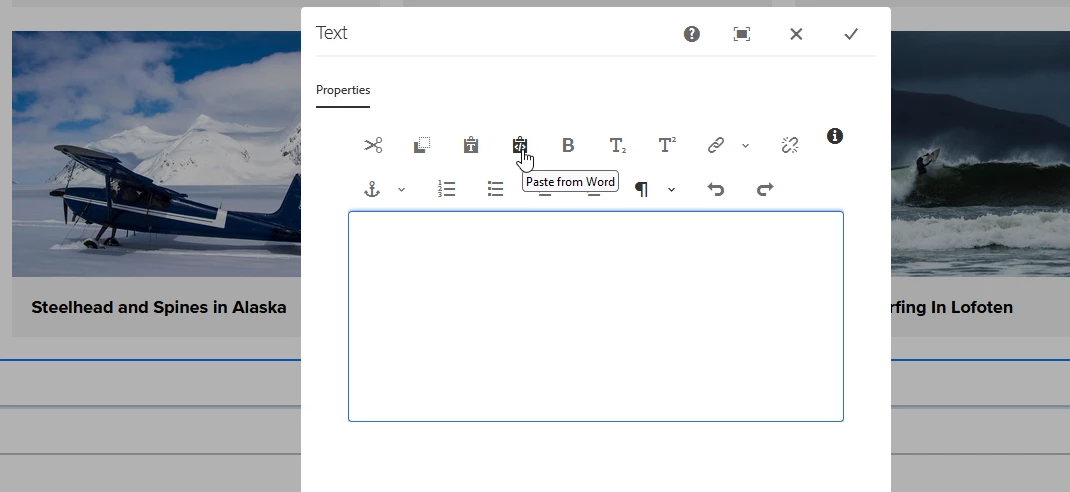
- After having copy&pasted, you see in the dialog, that all formats are taken over, like links, bold text, etc.
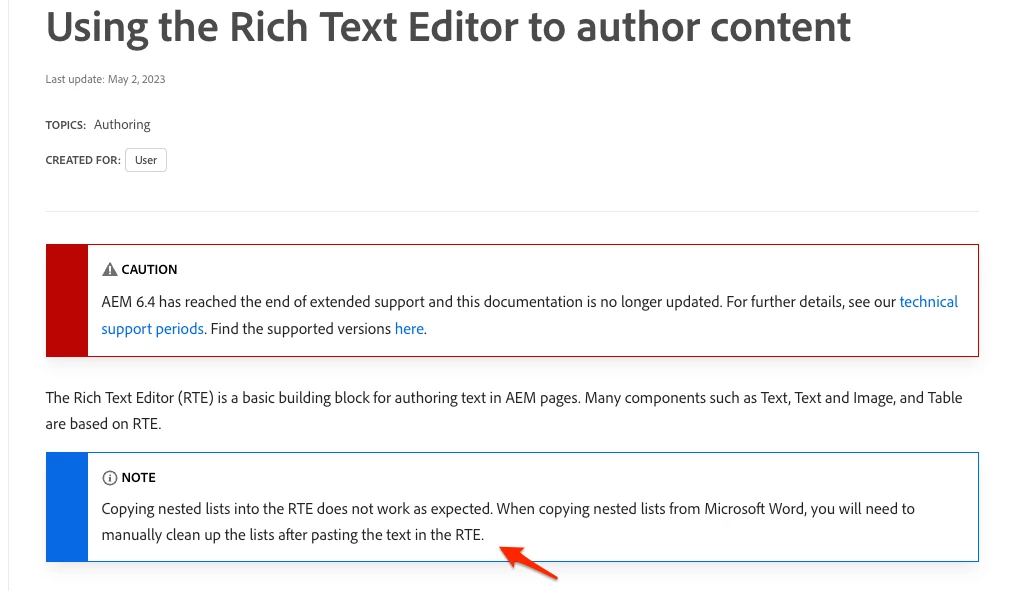
But the lists are not recognized as a list.
Is someone successfully using the "Paste from Word" with lists?
If yes, can you please let me know, how you configured it? Based on the documentation the "list" configuration seems not to work as expected.
Thank you in advance for you support.
Kind regards
Timo
[2]
<text
                                        jcr:primaryType="nt:unstructured"
                                        sling:resourceType="cq/gui/components/authoring/dialog/richtext"
                                        name="./text"
                                        required="{Boolean}true"
                                        useFixedInlineToolbar="{Boolean}true">
                                        <rtePlugins jcr:primaryType="nt:unstructured">
                                            <edit
                                                jcr:primaryType="nt:unstructured"
                                                defaultPasteMode="plaintext"
                                                features="[cut,copy,paste-plaintext,paste-wordhtml]"
                                                stripHtmlTags="{Boolean}true">
                                                <htmlPasteRules
                                                    jcr:primaryType="nt:unstructured"
                                                    allowBlockTags="[h1,h2,h3,p,ol,ul]"
                                                    fallbackBlockTag="p">
                                                    <allowBasics
                                                        jcr:primaryType="nt:unstructured"
                                                        anchor="{Boolean}true"
                                                        bold="{Boolean}true"
                                                        image="{Boolean}false"
                                                        italic="{Boolean}false"
                                                        underline="{Boolean}false"/>
                                                    <list
                                                        jcr:primaryType="nt:unstructured"
                                                        allow="{Boolean}true"/>
                                                    <table
                                                        jcr:primaryType="nt:unstructured"
                                                        allow="{Boolean}false"
                                                        ignoreMode="paragraph"/>
                                                </htmlPasteRules>
                                            </edit>
                                            <format
                                                jcr:primaryType="nt:unstructured"
                                                features="[bold]"/>
                                            <subsuperscript
                                                jcr:primaryType="nt:unstructured"
                                                features="*"/>
                                            <justify
                                                jcr:primaryType="nt:unstructured"
                                                features="[\0]"/>
                                            <links
                                                jcr:primaryType="nt:unstructured"
                                                features="[modifylink,unlink,anchor]"/>
                                            <lists
                                                jcr:primaryType="nt:unstructured"
                                                features="[ordered,unordered,indent,outdent]"/>
                                            <paraformat
                                                jcr:primaryType="nt:unstructured"
                                                features="*">
                                                <formats jcr:primaryType="cq:WidgetCollection">
                                                    <paragraph
                                                        jcr:primaryType="cq:WidgetCollection"
                                                        description="Paragraph"
                                                        tag="p"/>
                                                    <heading2
                                                        jcr:primaryType="cq:WidgetCollection"
                                                        description="Heading 2"
                                                        tag="h2"/>
                                                    <heading3
                                                        jcr:primaryType="cq:WidgetCollection"
                                                        description="Heading 3"
                                                        tag="h3"/>
                                                    <heading4
                                                        jcr:primaryType="cq:WidgetCollection"
                                                        description="Heading 4"
                                                        tag="h4"/>
                                                </formats>
                                            </paraformat>
                                            <undo
                                                jcr:primaryType="nt:unstructured"
                                                features="*"/>
                                        </rtePlugins>
                                        <uiSettings jcr:primaryType="nt:unstructured">
                                            <cui jcr:primaryType="nt:unstructured">
                                                <inline
                                                    jcr:primaryType="nt:unstructured"
                                                    toolbar="[edit#cut,edit#copy,edit#paste-plaintext,edit#paste-wordhtml,format#bold,subsuperscript#subscript,subsuperscript#superscript,-,links#modifylink,links#unlink,links#anchor,lists#ordered,lists#unordered,lists#indent,lists#outdent,#paraformat,undo#undo,undo#redo]">
                                                    <popovers jcr:primaryType="nt:unstructured">
                                                        <paraformat
                                                            jcr:primaryType="nt:unstructured"
                                                            items="paraformat:getFormats:paraformat-pulldown"
                                                            ref="paraformat"/>
                                                    </popovers>
                                                </inline>
                                                <dialogFullScreen
                                                    jcr:primaryType="nt:unstructured"
                                                    toolbar="[edit#cut,edit#copy,edit#paste-plaintext,edit#paste-wordhtml,format#bold,subsuperscript#subscript,subsuperscript#superscript,-,links#modifylink,links#unlink,links#anchor,lists#ordered,lists#unordered,lists#indent,lists#outdent,#paraformat,undo#undo,undo#redo]">
                                                    <popovers jcr:primaryType="nt:unstructured">
                                                        <paraformat
                                                            jcr:primaryType="nt:unstructured"
                                                            items="paraformat:getFormats:paraformat-pulldown"
                                                            ref="paraformat"/>
                                                    </popovers>
                                                </dialogFullScreen>
                                            </cui>
                                        </uiSettings>
                                    </text>