Restrict property loading from core component | Community
Skip to main content
Level 5
May 14, 2021
Solved

Restrict property loading from core component

  • May 14, 2021
  • 1 reply
  • 757 views

Hello - I am extending the OOTB core component by adding it in our project, say,  /apps/site/ and using sling:resourceSuperType pointing it to the core component. I wanted to remove some of the dialog fields and modify the behavior of the default selection of the radio or checkbox selection. Let us say, If I remove the field from the custom dialog, it is still loading from the OOTB core component as we are pointing to the core component using sling:resourceSuperType.


Is there any way to restrict the dialog property to load from the core component? I know we have the sling:hideProperties but not sure if this can be used to restrict my use case. 
This post is no longer active and is closed to new replies. Need help? Start a new post to ask your question.
Best answer by Asutosh_Jena_

Hi @v1101 


Yes, you can remove the fields which ever you want from the proxy component and add the new fields as required.


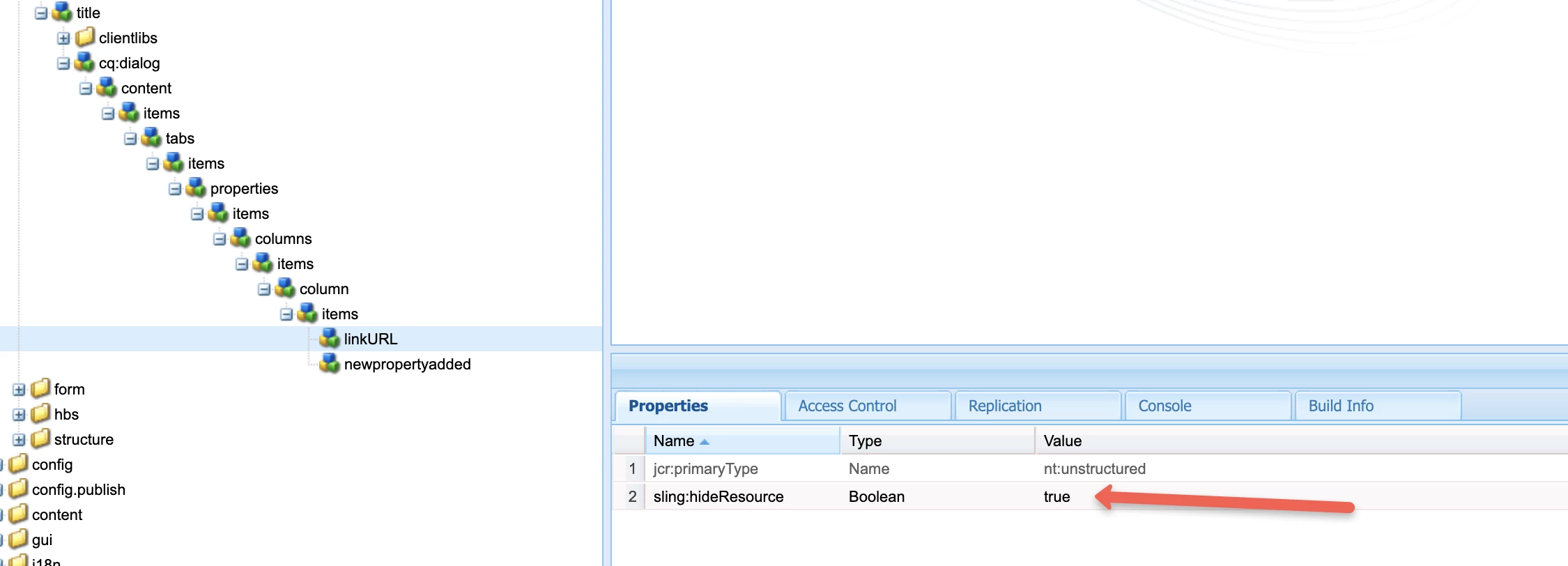
As you mentioned you will need to use the sling:resourcSuperType property to proxy the core component and add only the new properties that is required in the proxy component. Now to remove the fields which are loading from core component you need to add the property node in proxy component and add the sling:hideResource as true which will hide the current property.


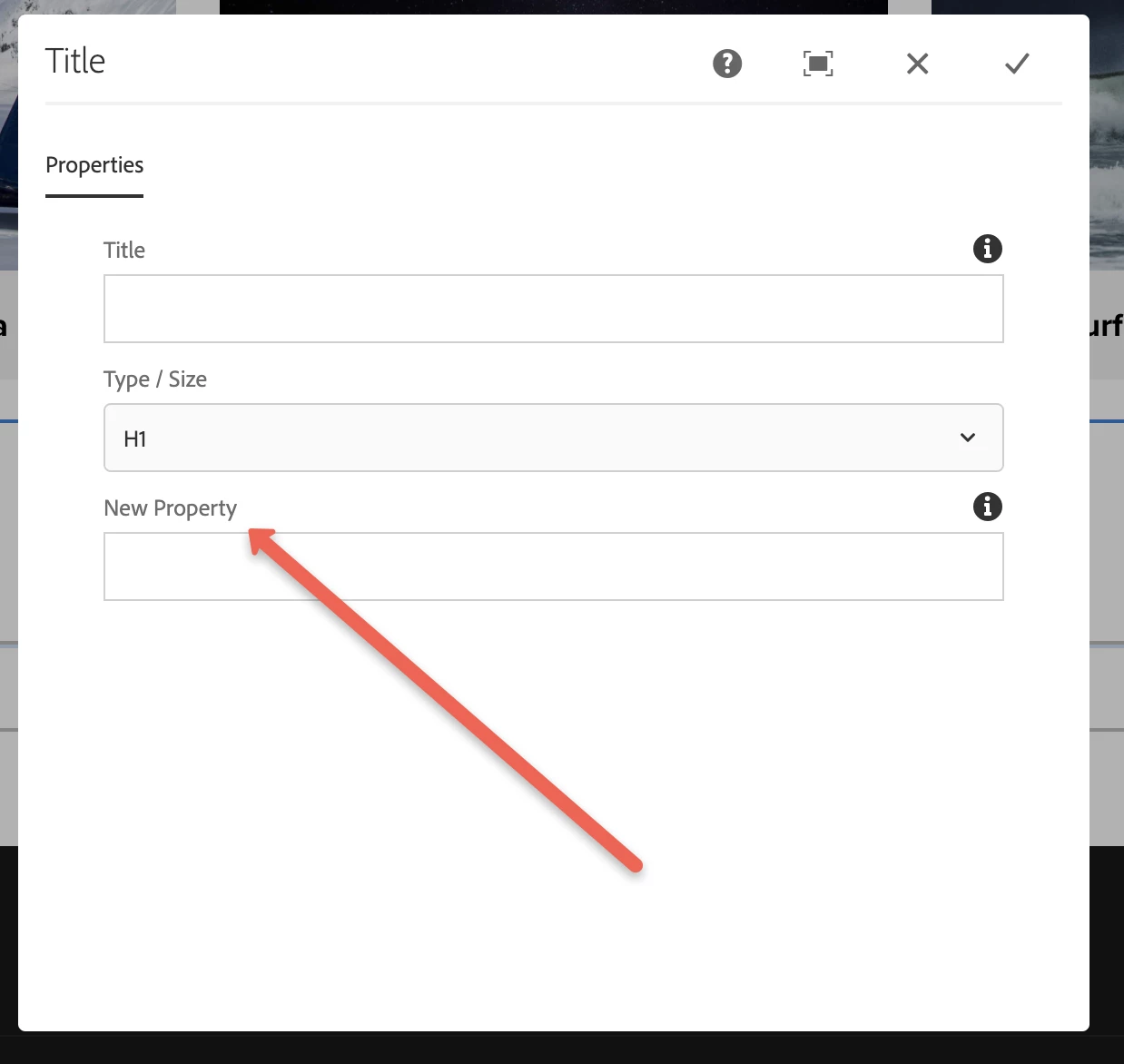
I have extended the title component from core in we-retail and added a new property 'New Property' and removed the existing 'LinkURL' property.


If you see below dialog, the new property is added and the exisitng property 'LinkURL' is removed from my proxy component dialog.


Hope this helps!

Thanks

1 reply

Asutosh_Jena_
Community Advisor
Asutosh_Jena_Community AdvisorAccepted solution
Community Advisor
May 14, 2021

Hi @v1101 


Yes, you can remove the fields which ever you want from the proxy component and add the new fields as required.


As you mentioned you will need to use the sling:resourcSuperType property to proxy the core component and add only the new properties that is required in the proxy component. Now to remove the fields which are loading from core component you need to add the property node in proxy component and add the sling:hideResource as true which will hide the current property.


I have extended the title component from core in we-retail and added a new property 'New Property' and removed the existing 'LinkURL' property.


If you see below dialog, the new property is added and the exisitng property 'LinkURL' is removed from my proxy component dialog.


Hope this helps!

Thanks