Request for Activation/Deactivation does not appear after denying users replication permission in useradmin | Community
Skip to main content
Level 3
January 7, 2021
Solved

Request for Activation/Deactivation does not appear after denying users replication permission in useradmin

  • January 7, 2021
  • 3 replies
  • 1998 views

So I have created this user in AEM 6.3 and I have specifically denied its replicate permission for content folder to see ho Request for Activation works. But all it does is removes the publish page option. There is no Request for activation open in the Page Information dropdown.
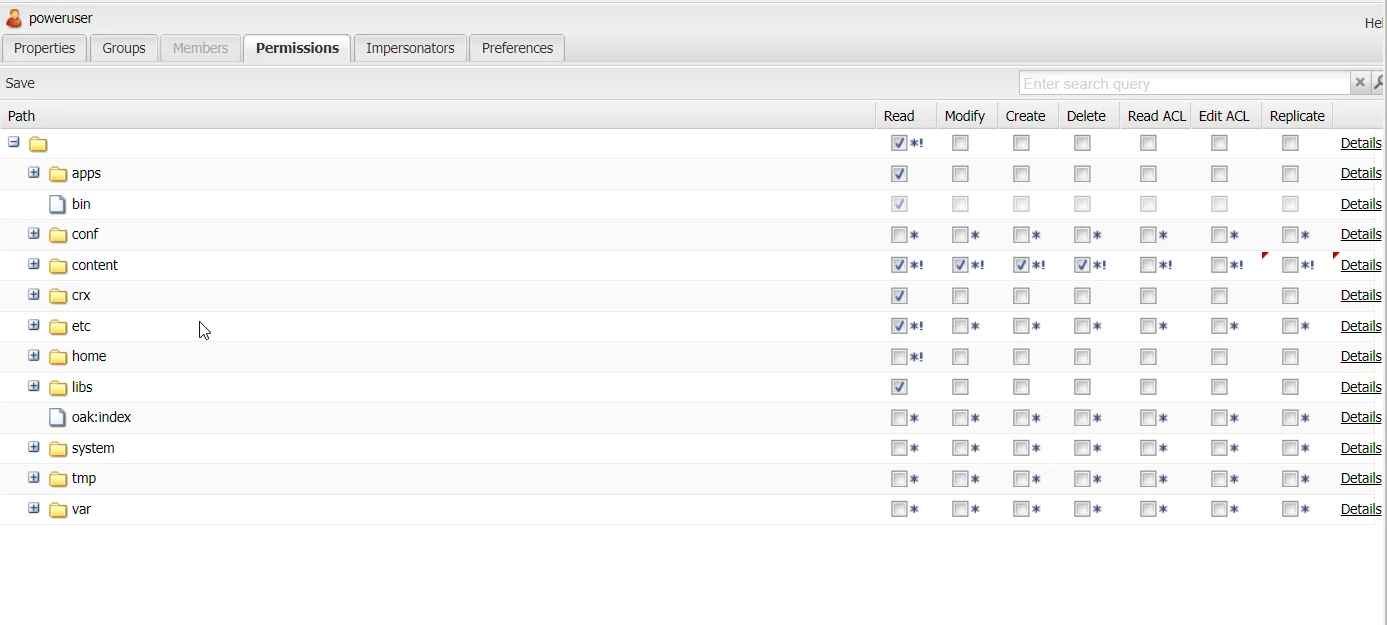
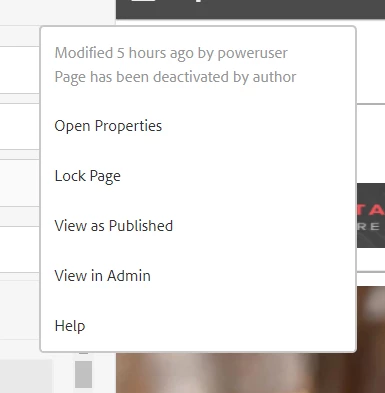
What am I missing?
This post is no longer active and is closed to new replies. Need help? Start a new post to ask your question.
Best answer by ChitraMadan

Hi @vinit_pillai,


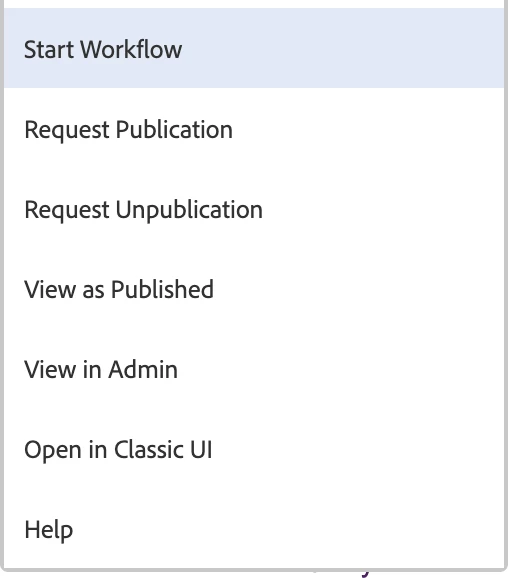
You need to add the user to workflow-administrators group. Then you will be able to see below options


Hope this helps!!


Regards,

Chitra


3 replies

Suraj_Kamdi
Community Advisor
Community Advisor
January 7, 2021

@vinit_pillai This happens mainly because of incorrect ACL's. Crate the User with proper permission and log in and check if those options are appearing or not.

Suraj Kamdi
ChitraMadan
Community Advisor
ChitraMadanCommunity AdvisorAccepted solution
Community Advisor
January 7, 2021

Hi @vinit_pillai,


You need to add the user to workflow-administrators group. Then you will be able to see below options


Hope this helps!!


Regards,

Chitra


New Member
January 7, 2021

This is expected behavior if you have specifically denied replicate permission for that path.