Remove permissions for deleting a page but keeping permission for modifying contents of the page | Community
Skip to main content
Level 1
July 2, 2026
Solved

Remove permissions for deleting a page but keeping permission for modifying contents of the page

  • July 2, 2026
  • 2 replies
  • 104 views

Hi,

I´m trying to revoke permisssions to certain users for deleting pages; so I am using the ACL deny for jcr:removeChildNodes and jcr:removeNode; however if I do this then the user is of permission for modifying the contents of a page (cut, paste, etc) but I want them to be able to modify pages.

Example::

/content/project/branch-of-pages/page1

/content/project/branch-of-pages/page2

I want the user to keep on being able to modify contents for page1 and page2, but I don´t want them to be able to remove any page under /content/project/branch-of-pages; is that possible?

I have been experimenting with pruning permissions at a top level (/content/project) and then in the leaf node adding permissions for jcr:removNode and jcr:removeChildNodes if the node has rep:glob *jcr:content*, but with no success.

Do you know what would be the combination of permissions I would need to do what I want?

Best answer by lukasz-m

Hi ​@EduardoMa9,

I was able to achieve, what you need using bellow setup. I have made it on we-retail content.

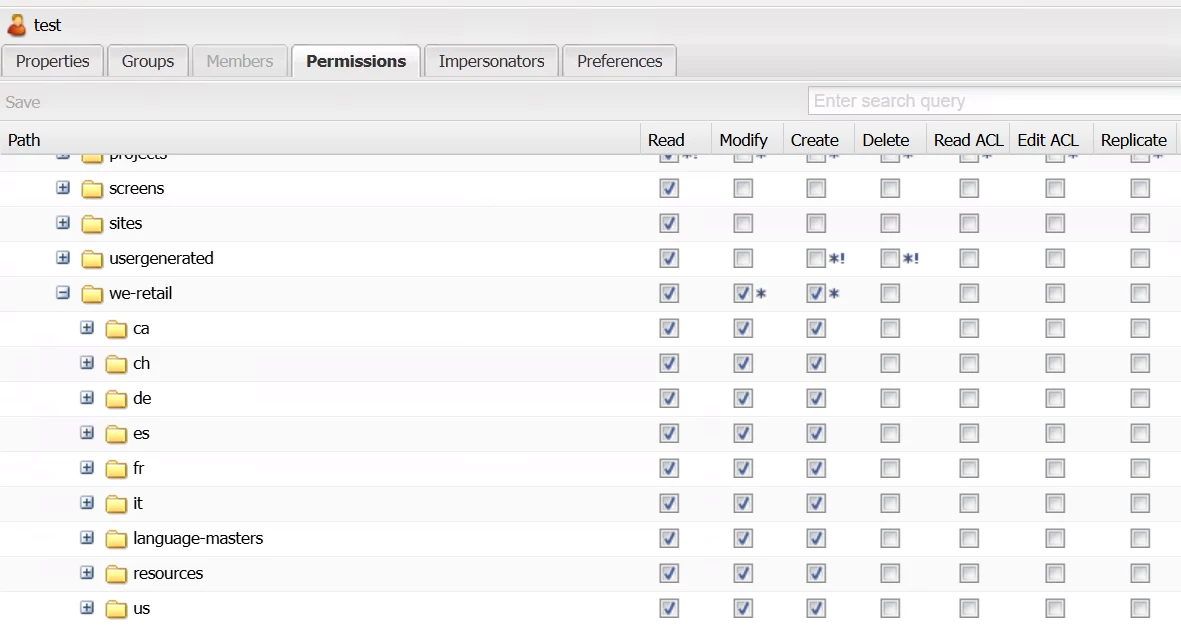
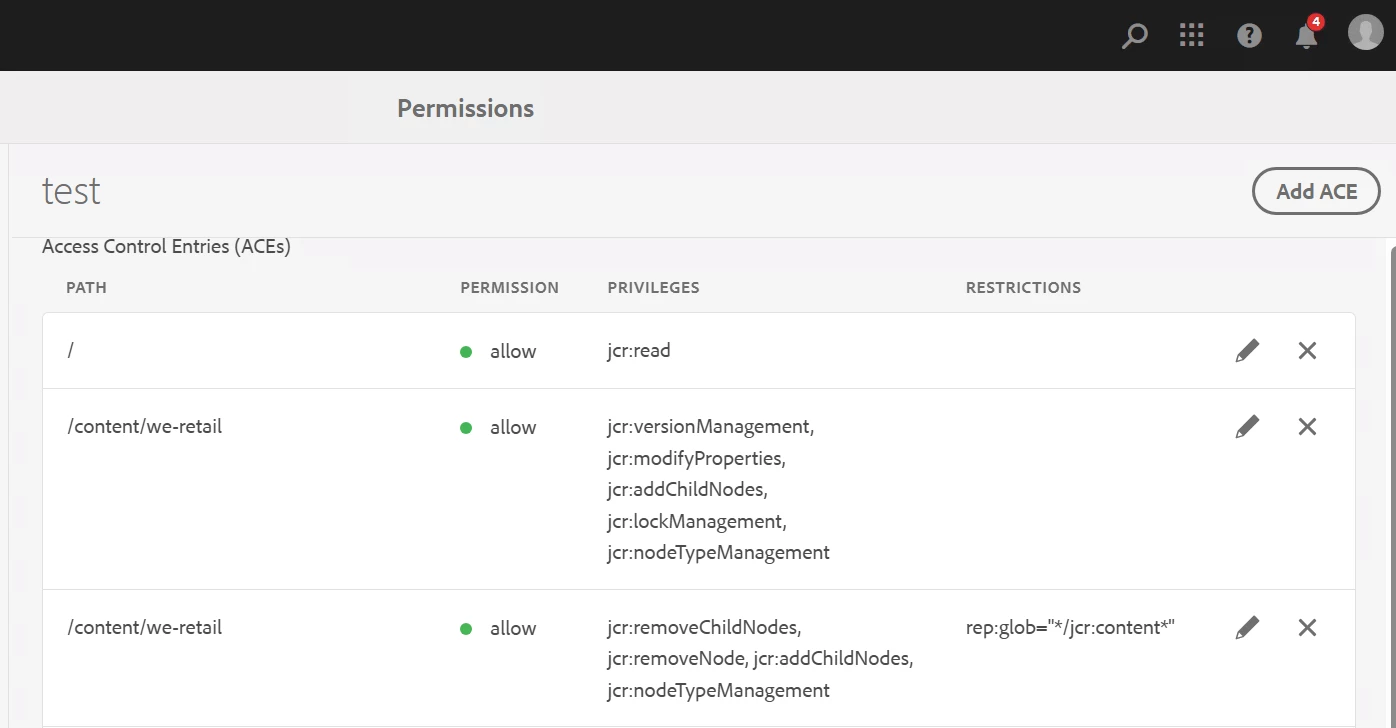
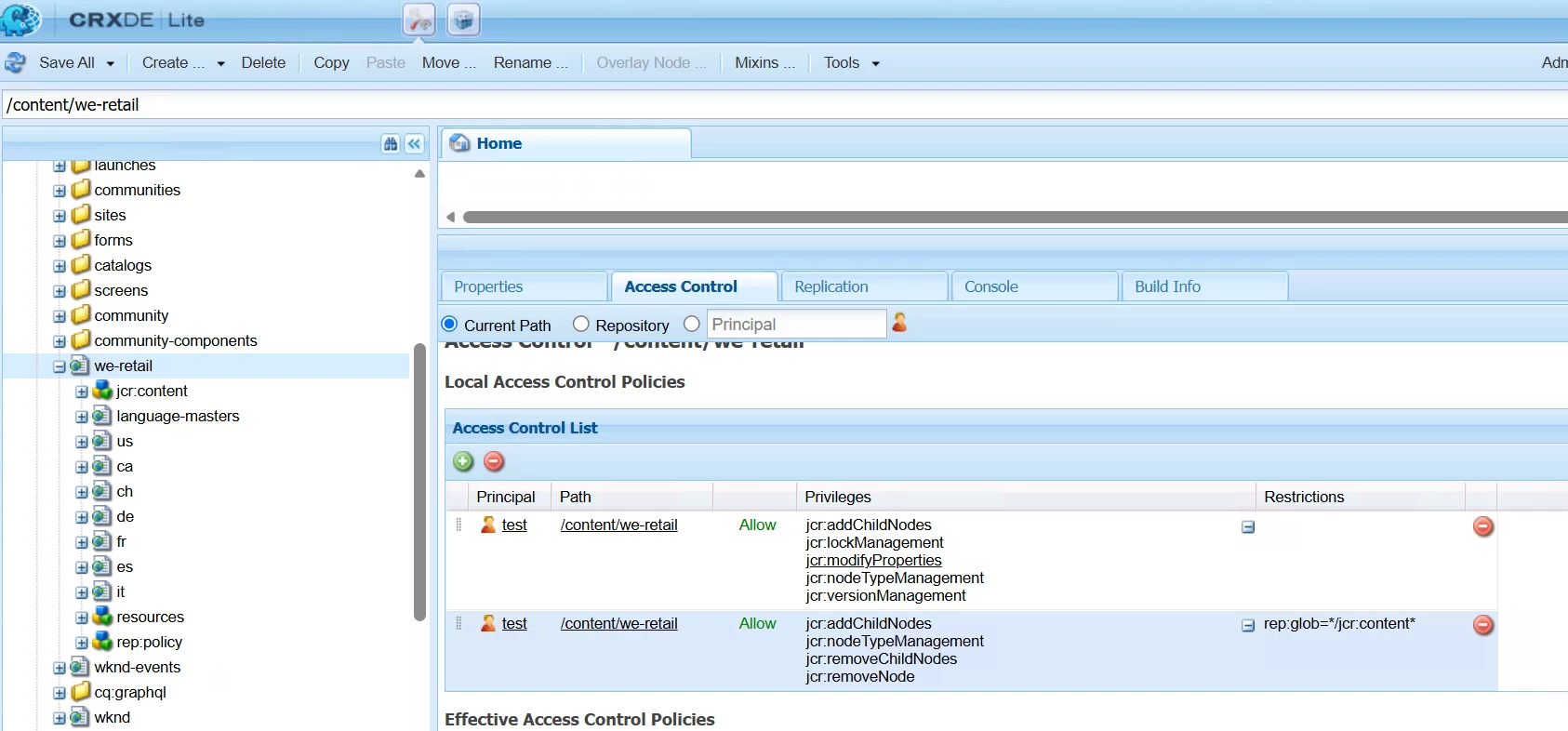
Here is permission definition:

  • User admin view:


  • Permissions view:


  • crx:


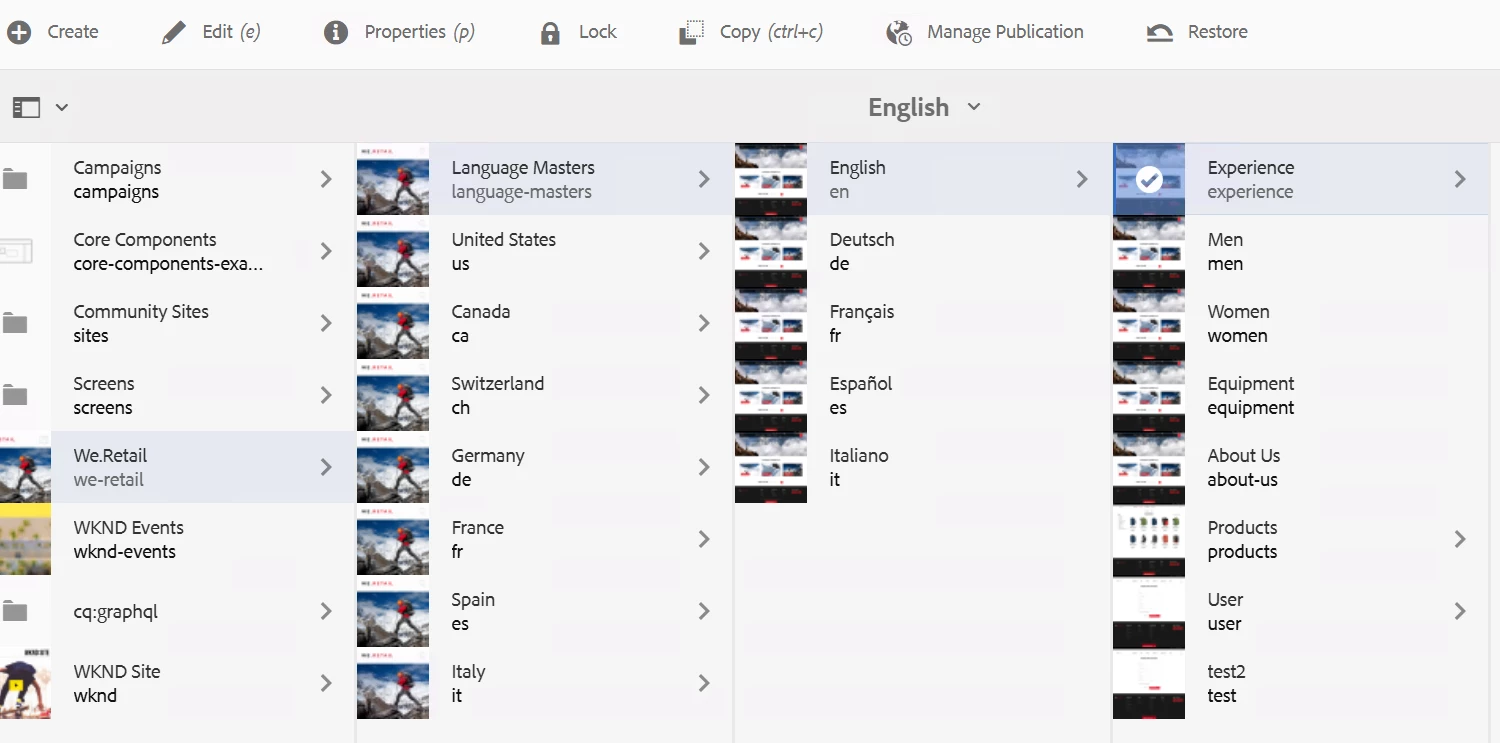
  • view of siteadmin - you can see Delete option is not visible, however I can add/modify/delete components as well as values under Page Properties.

Please not that I was using only Allow permission, as by default something which is not allowed will be recognized as denied. Check if you do not have some explicit Deny, and if so check the order of permissions under rep:policy node.

I would suggest to start it simple, you can try first to follow above setup creating new user. Once this will be done and you confirm it is working on your end, you can try to apply it on your specific paths.

2 replies

lukasz-m
Community Advisor
lukasz-mCommunity AdvisorAccepted solution
Community Advisor
July 4, 2026

Hi ​@EduardoMa9,

I was able to achieve, what you need using bellow setup. I have made it on we-retail content.

Here is permission definition:

  • User admin view:


  • Permissions view:


  • crx:


  • view of siteadmin - you can see Delete option is not visible, however I can add/modify/delete components as well as values under Page Properties.

Please not that I was using only Allow permission, as by default something which is not allowed will be recognized as denied. Check if you do not have some explicit Deny, and if so check the order of permissions under rep:policy node.

I would suggest to start it simple, you can try first to follow above setup creating new user. Once this will be done and you confirm it is working on your end, you can try to apply it on your specific paths.

Level 1
July 8, 2026

I´ve tried your suggestion and it is working! Many thanks ​@lukasz-m