Regex format not working properly | Community
Skip to main content
Level 2
December 3, 2022
Solved

Regex format not working properly

  • December 3, 2022
  • 2 replies
  • 1560 views

I created regex format in textfield and numberfield.In numberfield it works well but in textfield area its not working. i don't know where i did mistake.

This post is no longer active and is closed to new replies. Need help? Start a new post to ask your question.
Best answer by Nikita___Garg

hi @hagrid,

Can you check the resourceType of textfield ? Is it coralui2 or coral ui 3 ?

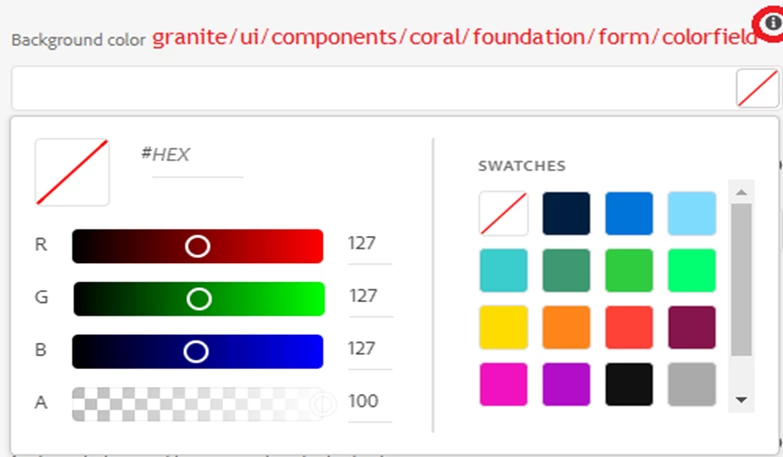
You can use colorpicker as well for this instead of regex. Please refer this

2 replies

Community Advisor
December 3, 2022

Hi @hagrid

What is your use case (expectations) .pls explain more .

Thanks

hagridAuthor
Level 2
December 4, 2022

Hi @knan 

I used these properties but i didn't get output in my page.

Nikita___GargAdobe EmployeeAccepted solution
Adobe Employee
December 5, 2022

hi @hagrid,

Can you check the resourceType of textfield ? Is it coralui2 or coral ui 3 ?

You can use colorpicker as well for this instead of regex. Please refer this

Adobe Employee
December 5, 2022

hi @hagrid ,

Please refer to @arunpatidar comments in the post Solved: Touch Ui Dialog || Regex validation of Dialog Fiel... - Adobe Experience League Community - 307660

which i have pasted here as well

"Hi,

Please check coral3 properties at TextField — Granite UI 1.0 documentation

Coral 2 at - TextField — Granite UI 1.0 documentation

I don't think so, there were regex validation supported by Adobe for touch UI in coral2.

Could you please share the link where you are referring?

granite:data node is used only to add custom data attribute for touch UI dailog fields.

In coral2, that was achieved by adding properties in field node itself. "

Hoping that this helps.

Thanks,

Nikita Garg

hagridAuthor
Level 2
December 6, 2022