Programatically trigger Scene7/Dynamic Media Workflow in AEM Cloud | Community
Skip to main content
Level 3
August 26, 2024

Programatically trigger Scene7/Dynamic Media Workflow in AEM Cloud

  • August 26, 2024
  • 2 replies
  • 739 views

Hi All,


I have a custom workflow which triggers another workflow after setting empty value to property "dam:dynamicMediaURL"

as seen below - 
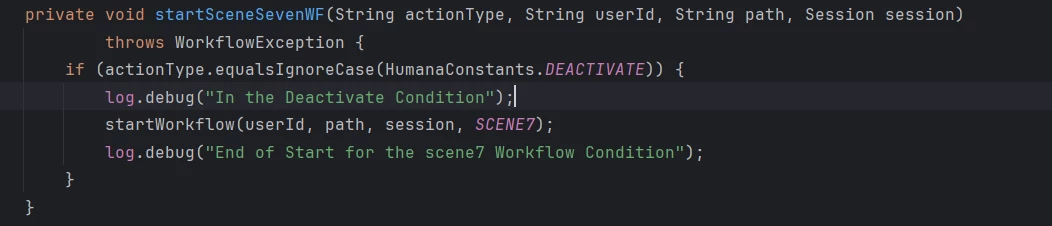
 

private static final String SCENE7 = "/var/workflow/models/scene7";

The workflow scene7 is no longer available on the cloud.
The process step involved is com.day.cq.dam.scene7.impl.process.Scene7Upload (Upload assets to configured remote Scene7 service for Dynamic Media delivery) 


We lifted the same workflow to Cloud, but it isn't working as expected as the Scene7 workflow is no longer available.
How can I programmatically trigger the equivalent step for the same?


thanks in advance,


This post is no longer active and is closed to new replies. Need help? Start a new post to ask your question.

2 replies

Shashi_Mulugu
Community Advisor
Community Advisor
August 27, 2024

@gallaghan6 check Dynamic Media Reprocess under workflows tab in tools section

Rohan_Garg
Community Advisor
Community Advisor
October 24, 2024

Hi @gallaghan6,


You can refer to Configure Dynamic Media - Scene7 mode 

  • When the Dynamic Media Reprocess assets workflow is triggered on a folder, it reprocesses any large assets that are already in sync with the Dynamic Media company. However, if any large assets are not yet synced in the folder, it does not upload the asset. Therefore, to sync existing large assets in Dynamic Media, you can run Dynamic Media Reprocess assets workflow on individual assets.

  • Reprocess Assets OOB workflow(/conf/global/settings/workflow/models/scene7_reprocess_assets.html) 

Hope this helps!


Thanks,

Rohan Garg