Problem with ue shortcuts when opening a modal | Community
Skip to main content
January 10, 2025
Solved

Problem with ue shortcuts when opening a modal

  • January 10, 2025
  • 2 replies
  • 727 views

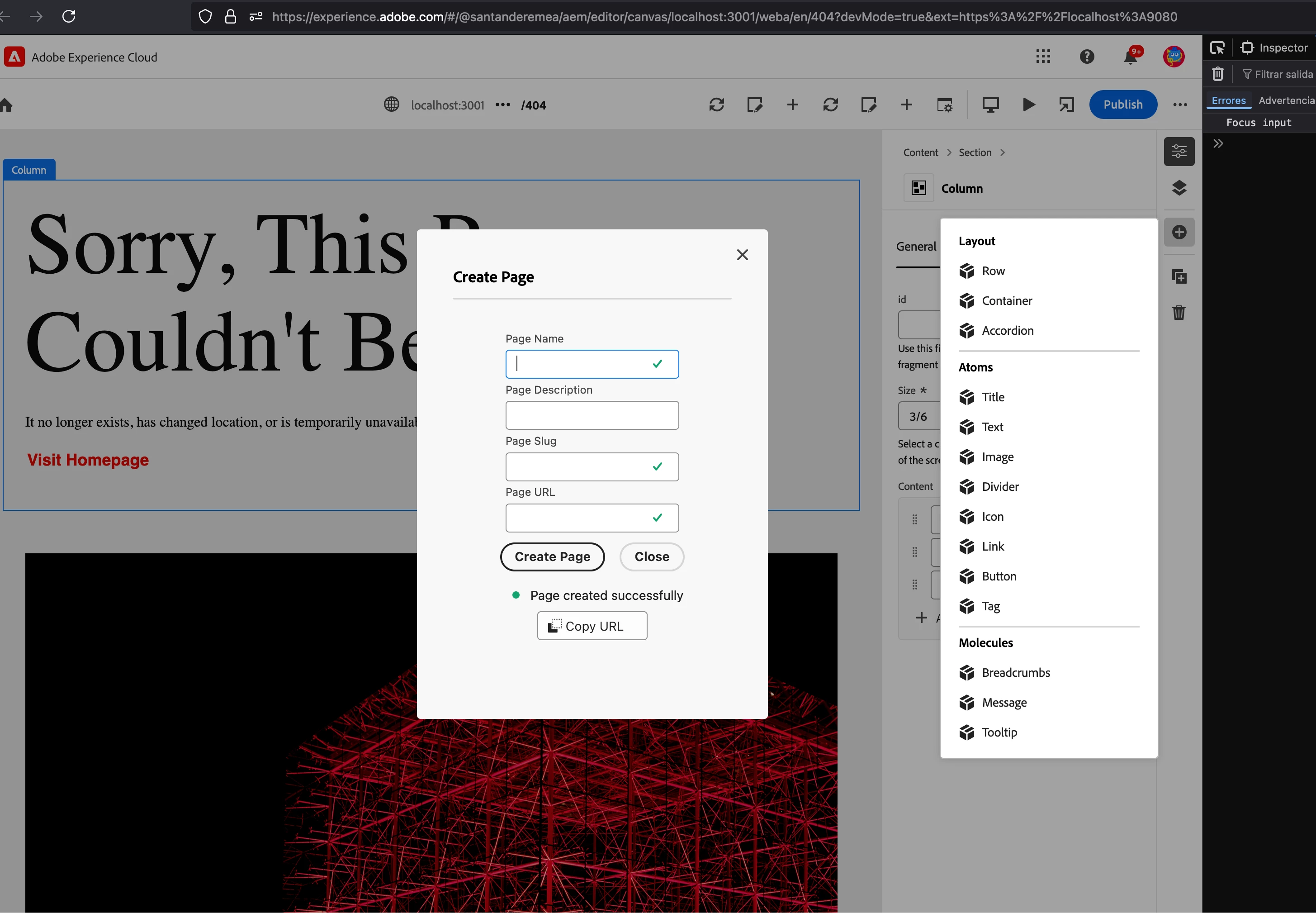
We have a problem that when extending the universal editor we create a modal with a form, but when we click or focus on the input of the form and for example write the letter, for example a, the sidebar with the options is activated and it is not writing in the input, you need to click on the input twice so that this does not happen.


Is there a way to avoid that? or is it a Universal Editor bug?
 

Best answer by arunpatidar

Hi @felixde 

I have noticed that while editing blocks in the Universal Editor, content editing is conflicting with keyboard shortcuts.

For instance, if I try to type text into a text field and press the letter 'd', it triggers the page property panel instead of entering the character into the text field.

2 replies

arunpatidar
Community Advisor
Community Advisor
January 10, 2025

Hi @ricardole4 

I have facsed this with normal block editing as well. However I am not sure if there is a workaround but you can ask Adobe at their slack channel or on discord

https://discord.com/channels/1131492224371277874 


Arun Patidar
Adobe Employee
January 14, 2025

Hey,


I'm part of the engineering team supporting this feature. I'm not sure that I understand the problem you face.


Would you have some code sample for us to test this behaviour?


Thanks.

arunpatidar
Community Advisor
arunpatidarCommunity AdvisorAccepted solution
Community Advisor
January 15, 2025

Hi @felixde 

I have noticed that while editing blocks in the Universal Editor, content editing is conflicting with keyboard shortcuts.

For instance, if I try to type text into a text field and press the letter 'd', it triggers the page property panel instead of entering the character into the text field.

Arun Patidar
Adobe Employee
January 21, 2025

This sounds like a bug, know I understand better. I am going to try to reproduce it on my side.