Solved
Problem Integrating Google Cloud Platform Computer Vision with AEM
I am trying to use GCP Computer Vision with AEM and I've added the following dependencies in the Maven pom.xml:
        <dependency>
		  <groupId>com.google.apis</groupId>
		  <artifactId>google-api-services-vision</artifactId>
		  <version>v1-rev20210423-1.32.1</version>
		</dependency>
		<dependency>
		  <groupId>com.google.auth</groupId>
		  <artifactId>google-auth-library-oauth2-http</artifactId>
		  <version>0.26.0</version>
		</dependency>
		<dependency>
		  <groupId>com.google.guava</groupId>
		  <artifactId>guava</artifactId>
		  <version>30.1.1-jre</version>
		</dependency>
		<dependency>
		  <groupId>com.google.http-client</groupId>
		  <artifactId>google-http-client-jackson2</artifactId>
		  <version>1.39.2</version>
		</dependency>
        <dependency>
            <groupId>com.google.api-client</groupId>
            <artifactId>google-api-client</artifactId>
            <version>1.32.1</version>
        </dependency>
and the following in core pom.xml
        <dependency>
		  <groupId>com.google.apis</groupId>
		  <artifactId>google-api-services-vision</artifactId>
		</dependency>
		<dependency>
		  <groupId>com.google.auth</groupId>
		  <artifactId>google-auth-library-oauth2-http</artifactId>
		</dependency>
		<dependency>
		  <groupId>com.google.guava</groupId>
		  <artifactId>guava</artifactId>
		</dependency>
		<dependency>
		  <groupId>com.google.http-client</groupId>
		  <artifactId>google-http-client-jackson2</artifactId>
		</dependency>
        <dependency>
            <groupId>com.google.api-client</groupId>
            <artifactId>google-api-client</artifactId>
        </dependency>
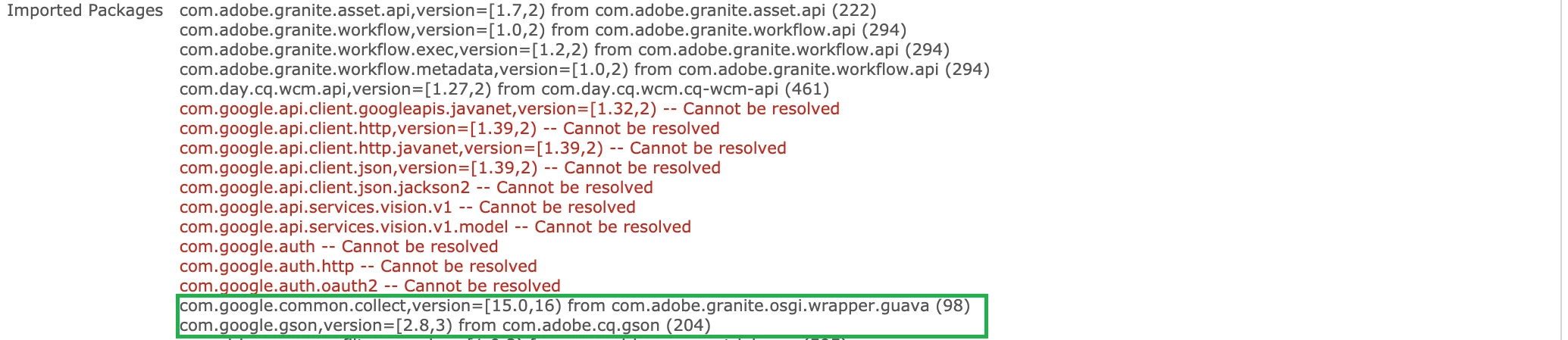
After installing the package/bundle, I see the following error messages in the Felix console and I'm not able to use the bundle.
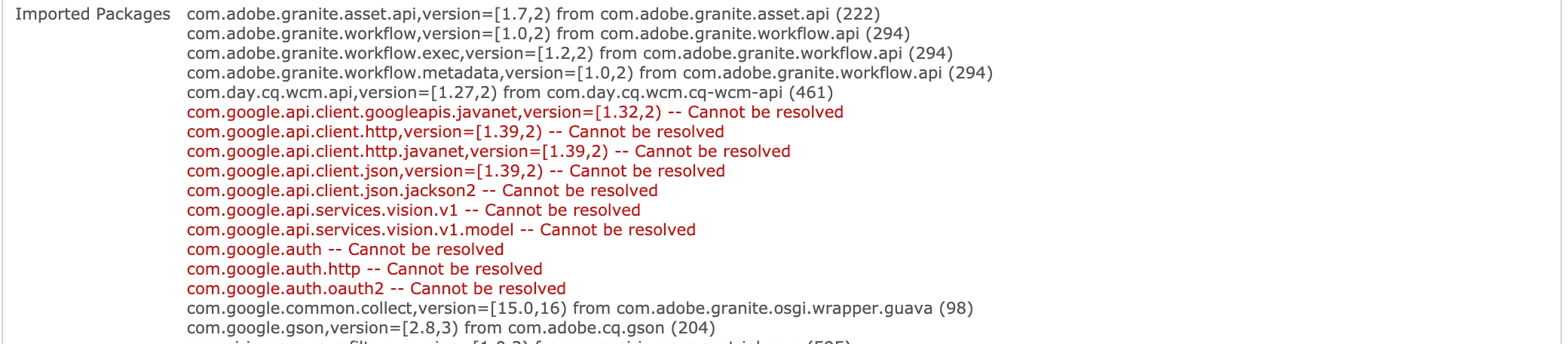
Moreover, the dependencies have been added during the build and is present in the .m2 directory and yet, it shows that it cannot be resolved.
I am using AEM 6.5.0 and the project archetype is 22.
Any suggestion would be much appreciated. Thanks