prior_notification_seconds in aem dam expriy notification doesn't work | Community
Skip to main content
Level 2
December 18, 2017
Solved

prior_notification_seconds in aem dam expriy notification doesn't work

  • December 18, 2017
  • 2 replies
  • 1258 views

Hi team,

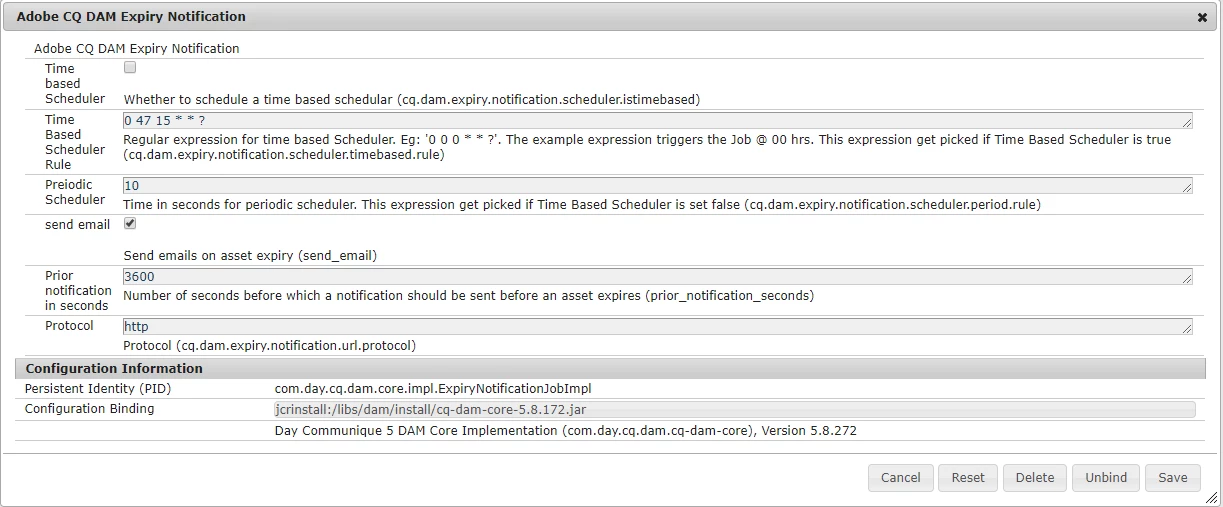
We would like to enable the DAM expiry email notification, but the "prior_notification_seconds" does't work, I can only receive the notification(subject: some of your assets are expired) when DAM asset hit the "expires" time, I can not receive notification before the DAM asset expires when the "Prior notification in seconds" is set, no matter use "Time Based Scheduler Rule" or "Preiodic Scheduler". I am using "Adobe Experience Manager, Version 6.1.0.SP2-CFP9". Can anybody advise on this? is this a AEM product bug? or any other hotfix can be applied?

Thanks in advance.

Hunter
This post is no longer active and is closed to new replies. Need help? Start a new post to ask your question.
Best answer by Techaspect_Solu

Hi Hunter,

We were successfully able to get "Subject: Some of your assets are about to expired" email before assets get expired. This is not a bug and no hotfix is required to make it work.

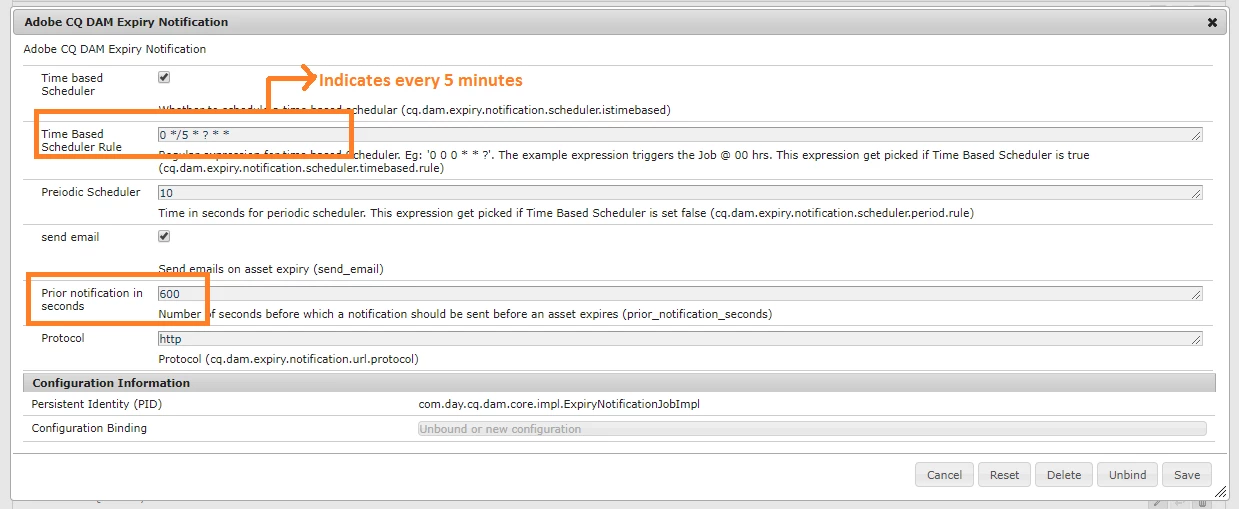
We faced the similar issue like yours when we set "Time Based Scheduler Rule" time as 5 minutes and "Prior notification in seconds" time as 2 minutes. However, we were able to resolve this issue by setting Time Based Scheduler Rule and Prior notification in seconds as shown in the below screenshot.

From the above screenshot, you can see that -

1) "Time Based Scheduler Rule" is set as 0 */5 * ? * *

This indicates that scheduler is scheduled to run every 5 minutes.

2) "Prior notification in seconds" is set as 600 seconds (i.e. 10 minutes)

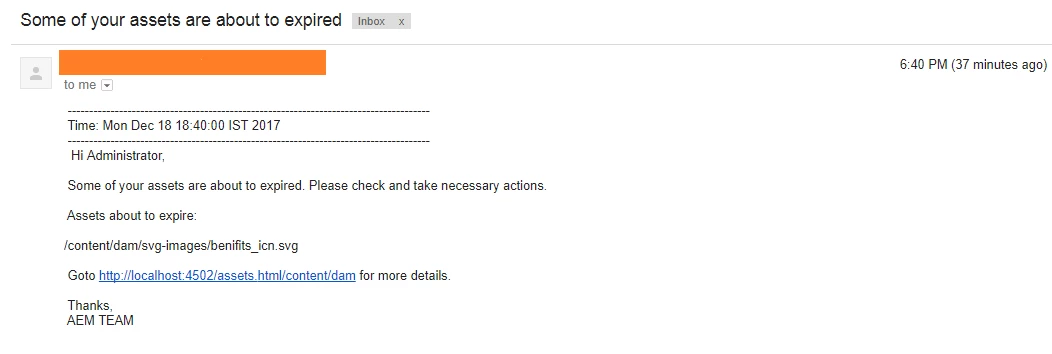
That is, "Time Based Scheduler Rule" time is less than "Prior notification in seconds" time (5<10). In this case we could see "Some of your assets are about to expired" email as shown in the below screenshot.

So possible reason behind your issue is, your scheduler is getting executed after the assets get expired. Hence please check your Time Based Scheduler Rule and make changes to it accordingly.

We hope this helps!

Regards,

TechAspect Solutions

2 replies

Techaspect_Solu
Techaspect_SoluAccepted solution
Level 7
December 18, 2017

Hi Hunter,

We were successfully able to get "Subject: Some of your assets are about to expired" email before assets get expired. This is not a bug and no hotfix is required to make it work.

We faced the similar issue like yours when we set "Time Based Scheduler Rule" time as 5 minutes and "Prior notification in seconds" time as 2 minutes. However, we were able to resolve this issue by setting Time Based Scheduler Rule and Prior notification in seconds as shown in the below screenshot.

From the above screenshot, you can see that -

1) "Time Based Scheduler Rule" is set as 0 */5 * ? * *

This indicates that scheduler is scheduled to run every 5 minutes.

2) "Prior notification in seconds" is set as 600 seconds (i.e. 10 minutes)

That is, "Time Based Scheduler Rule" time is less than "Prior notification in seconds" time (5<10). In this case we could see "Some of your assets are about to expired" email as shown in the below screenshot.

So possible reason behind your issue is, your scheduler is getting executed after the assets get expired. Hence please check your Time Based Scheduler Rule and make changes to it accordingly.

We hope this helps!

Regards,

TechAspect Solutions

Level 2
December 19, 2017

Hello TechAspect Solutions

Thanks for your explanation and hints.

Finally I just work this out, the "expires time" should be initiated greater than or equal with "Time Based Scheduler Rule" +"Prior notification in seconds", if the "expires time" is between the start of "time based schedule" and "Prior notification in seconds",  the notification will not be triggered.

Thanks,

Hunter