Policies tab not visible for DAM folders | Community
Skip to main content
July 30, 2024
Solved

Policies tab not visible for DAM folders

  • July 30, 2024
  • 1 reply
  • 561 views

Hi All,


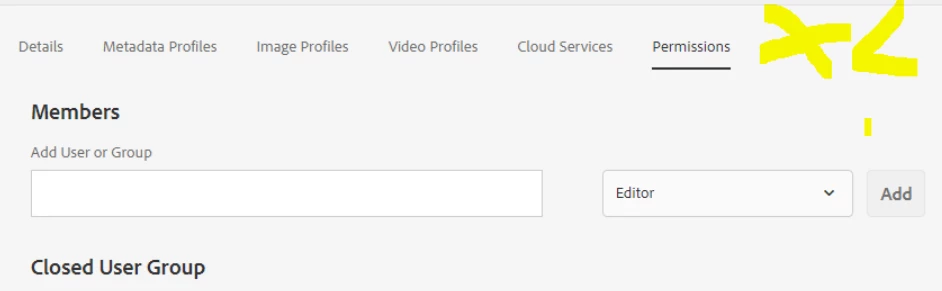
The "Policies" tab in the properties for DAM folder is missing in one of the environments. 

Couldn't find any difference in the permissions for the admin user as well.
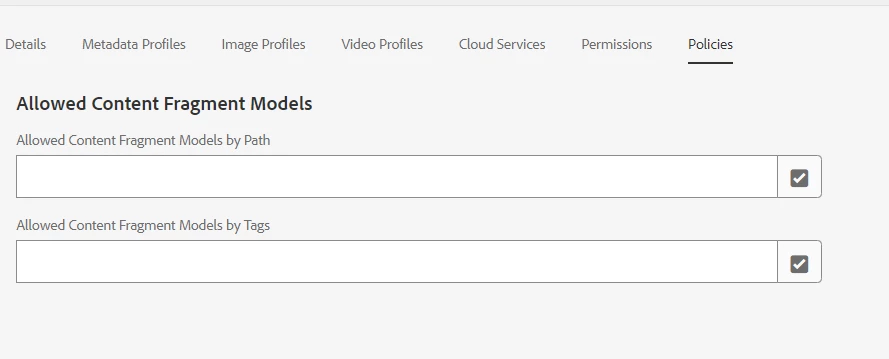


Could there be any other setting missing?


Kindly suggest.


Thank you

This post is no longer active and is closed to new replies. Need help? Start a new post to ask your question.
Best answer by arunpatidar

Hi @surbhi_p 


I recommend checking with Adobe, as the issue might be due to differences in product service packs or updates.

Packaging a node from stage to production may or may not work. Additionally, please verify using admin credentials, as it could be a permission issue that is hiding the node.

1 reply

arunpatidar
Community Advisor
Community Advisor
July 30, 2024

Hi @surbhi_p 
Please check if you have any folder metadata schema is created and overriding the tabs?

Also check if polices folder is not available only for few projects or all with same instance?


below is the polices JCR node

/libs/dam/gui/content/assets/v2/foldersharewizard/jcr:content/content/items/form/items/wizard/items/settingStep/items/fixedColumns/items/fixedColumn2/items/tabs/items/policies-tab 


Also check below thread if can help

https://experienceleaguecommunities.adobe.com/t5/adobe-experience-manager/asset-folders-unable-to-set-policies/m-p/458388/highlight/true 

Arun Patidar
Surbhi_PAuthor
July 30, 2024

Hi @arunpatidar 

Thank you for the directions. The node itself is missing from the libs structure, hence it is not coming for any project.

/libs/dam/gui/content/assets/v2/foldersharewizard/jcr:content/content/items/form/items/wizard/items/settingStep/items/fixedColumns/items/fixedColumn2/items/tabs/items


what do you suggest should be done in this case?
it is present for me on stage environment, but not on PROD.


Thank you

arunpatidar
Community Advisor
arunpatidarCommunity AdvisorAccepted solution
Community Advisor
July 30, 2024

Hi @surbhi_p 


I recommend checking with Adobe, as the issue might be due to differences in product service packs or updates.

Packaging a node from stage to production may or may not work. Additionally, please verify using admin credentials, as it could be a permission issue that is hiding the node.

Arun Patidar