Permission in Touch UI | Adobe Higher Education
Skip to main content
Level 4
August 20, 2020
Resuelto

Permission in Touch UI

  • August 20, 2020
  • 2 respuestas
  • 1613 visualizaciones

Hi All,

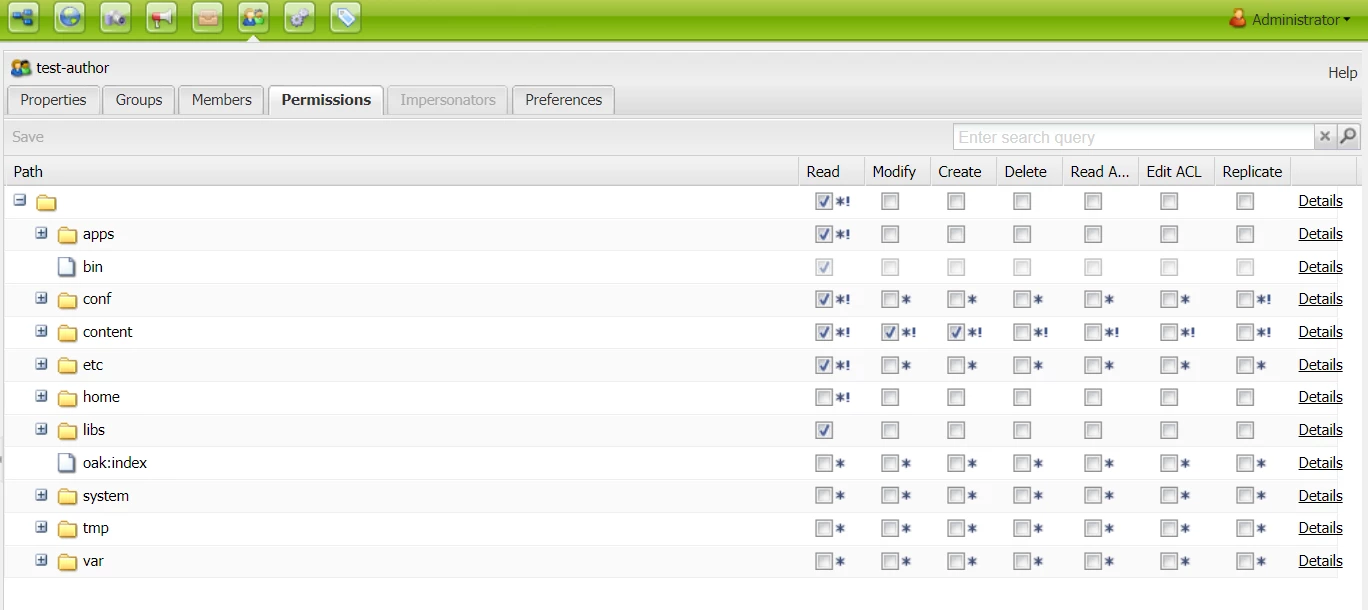
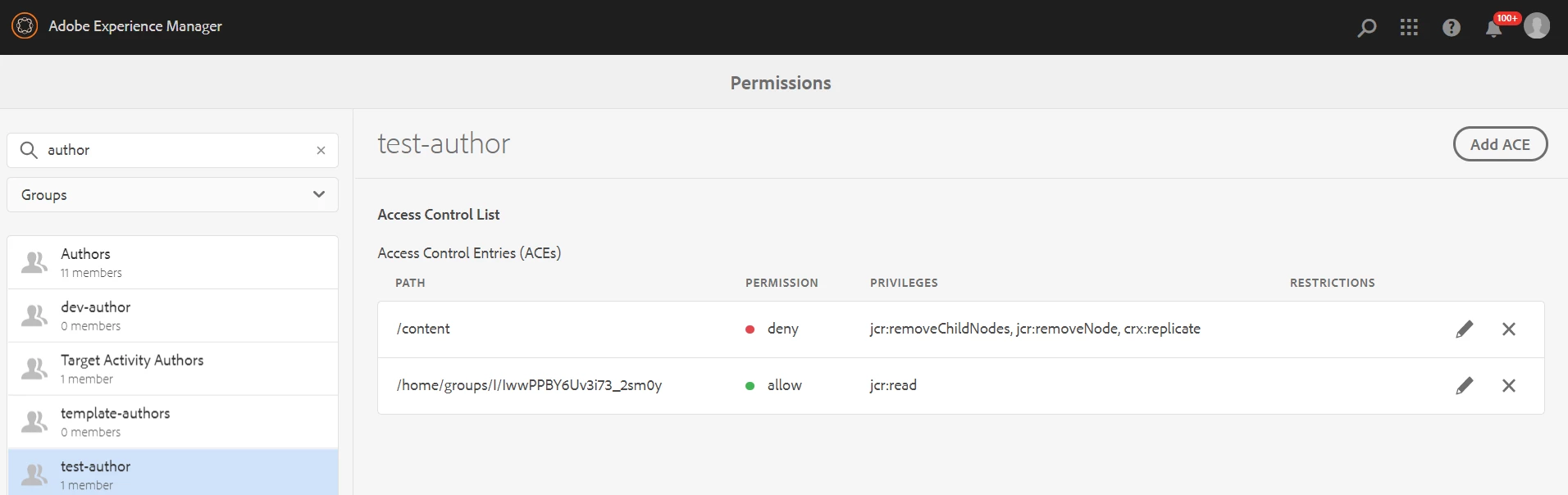
i wanted to work on permission for users/groups and i am using AEM 6.5.5. I am pretty much comfortable with useradmin console to do so, but when i want to do the same task in Touch UI, i am very much blank in it. In case of permission console in Touch UI, i am not able to see all the paths like we get to see in useradmin. 

consider the case, that my new group needs to inherit permissions from content-author and then add some extra permission and remover some existing permission (which is coming from content-author). But i am not able to see all the paths in touch ui, so does it mean to add/remove i have to manually choose the paths from ADD ACE button (there are several such paths that needs to be added/removed).
Este tema ha sido cerrado para respuestas.
Mejor respuesta de Nikhil-Kumar

@shaheena_sk 
Most of us use Classic UI version of useradmin till now, even me!!
I tried exploring the TouchUI version, I found that we need to add the ACE which are required and those gets added up and you can cross check in the Classic version.

2 respuestas

Nikhil-Kumar
Community Advisor
Nikhil-KumarCommunity AdvisorRespuesta
Community Advisor
August 20, 2020

@shaheena_sk 
Most of us use Classic UI version of useradmin till now, even me!!
I tried exploring the TouchUI version, I found that we need to add the ACE which are required and those gets added up and you can cross check in the Classic version.

Level 4
August 20, 2020
Sadly, I am facing the same issue. So, can i conclude that we need to work from claasic UI since Touch UI doesn't provide the flexibility to access all the paths to which permissions are given?
raghavc
Level 4
August 20, 2020

@shaheena_sk you can check the below tool,  looks pretty good.


https://websight.ds.pl/admin.html#user-manager