OOTB Asset report issue | Community
Skip to main content
vijayk87714775
Level 4
March 23, 2018
Solved

OOTB Asset report issue

  • March 23, 2018
  • 2 replies
  • 1649 views

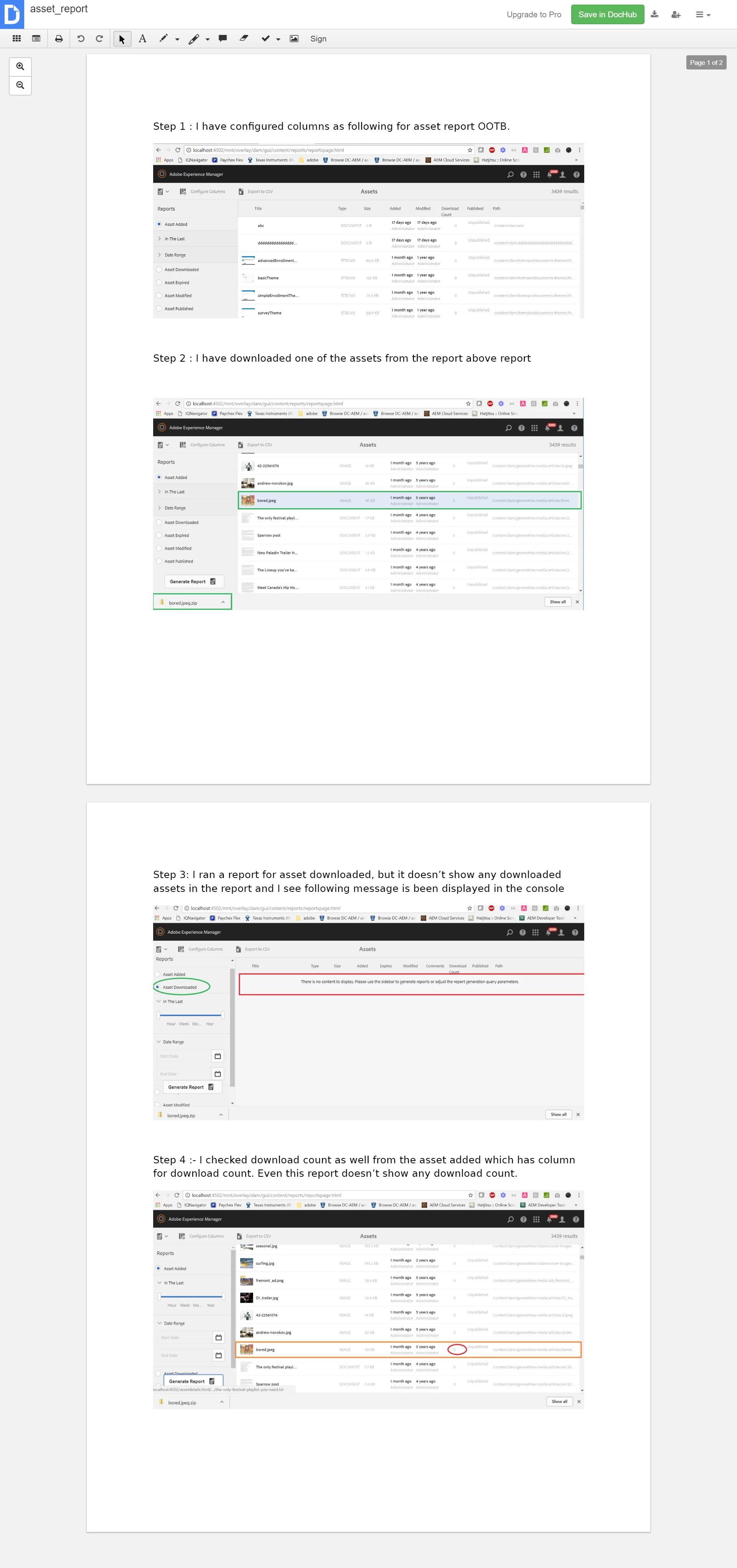
​I  am using OOTB for generating assets report on 6.2 . I have configured the columns as per the documentation provided in adobe docs. But I was not able to generate a report for downloaded assets , and also it does show download count as well. PFA
This post is no longer active and is closed to new replies. Need help? Start a new post to ask your question.
Best answer by Techaspect_Solu

Hi,

Once you configure the columns, to enable the data on reports, you will have to enable "Day CQ DAM Event Recorder" OSGI setting in configuration manager.

1) Go to http://localhost:4502/system/console/configMgr

2) Search for "Day CQ DAM Event Recorder"

3) Check all the event types you want to capture in asset reports

4) Check enable this service and click on save

Once you follow above steps, you can go back to the reports screen and verify. You should be seeing data in reports

We hope this information helps!

Regards,

TechAspect Solutions

2 replies

Techaspect_Solu
Techaspect_SoluAccepted solution
Level 7
March 23, 2018

Hi,

Once you configure the columns, to enable the data on reports, you will have to enable "Day CQ DAM Event Recorder" OSGI setting in configuration manager.

1) Go to http://localhost:4502/system/console/configMgr

2) Search for "Day CQ DAM Event Recorder"

3) Check all the event types you want to capture in asset reports

4) Check enable this service and click on save

Once you follow above steps, you can go back to the reports screen and verify. You should be seeing data in reports

We hope this information helps!

Regards,

TechAspect Solutions

vijayk87714775
Level 4
April 10, 2018

thanks Techaspect Solutions for replying. Issue got resolved after installing CFP-13