On click of Manage Tags for an Asset folder throws an error | Community
Skip to main content
samsundar23
Level 4
April 19, 2023

On click of Manage Tags for an Asset folder throws an error

  • April 19, 2023
  • 1 reply
  • 618 views

I'm using AEM 6.5.13 now.
We have performed the smart tags configuration at cloud services very recently. We have not done any customization in the OOTB Smart Tag workflow. I'm able to get smart tags when I subject the OOTB workflow to each individual assets. All good until this part.


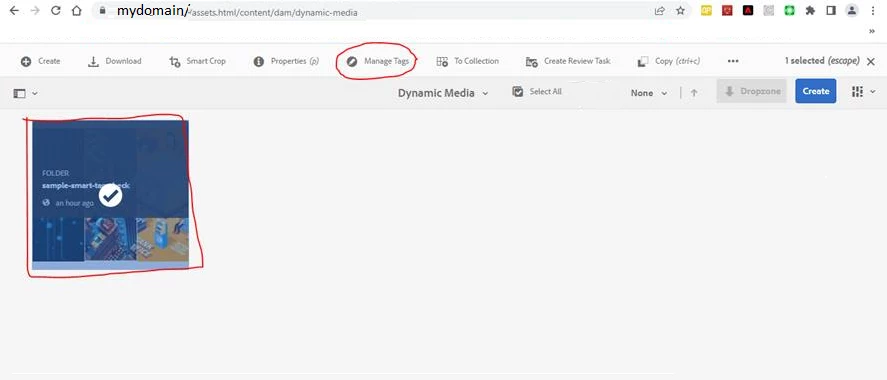
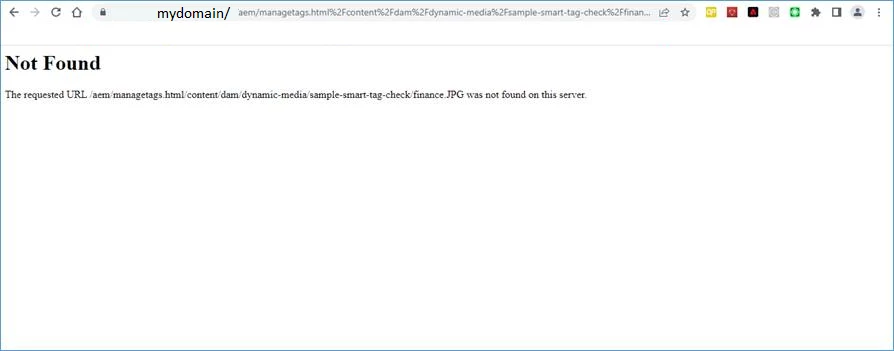
Now, when I click on Manage Tags for a particular folder(sample-smart-tag-check) which contains images with smart tags in it as per screenshot-1. I'm experiencing an unusual error (refer screenshot-2).

Can someone help me with your expertise in solving this problem.


  • screenshot-1

  • screenshot-2


Thanks and Regards
SHYAMSUNDAR TK

This post is no longer active and is closed to new replies. Need help? Start a new post to ask your question.

1 reply

DPrakashRaj
Community Advisor
Community Advisor
April 21, 2023

Is manage tag for image inside folder is working for you? It seems in 2nd screenshot it’s looking for specific image 

samsundar23
Level 4
April 25, 2023

Yes.

Its working for me if I select the image and click on manage tags.

The problem arises when I click manage tag on selecting the folder.


I have raised the adobe daycare ticket for the same.
Adobe support team could replicate the issue in the fresh AEM instance and they agreed on providing a workaround of hot-fix for the same.