Level 4
June 9, 2022
Solved

npm install failed error

Hi, 

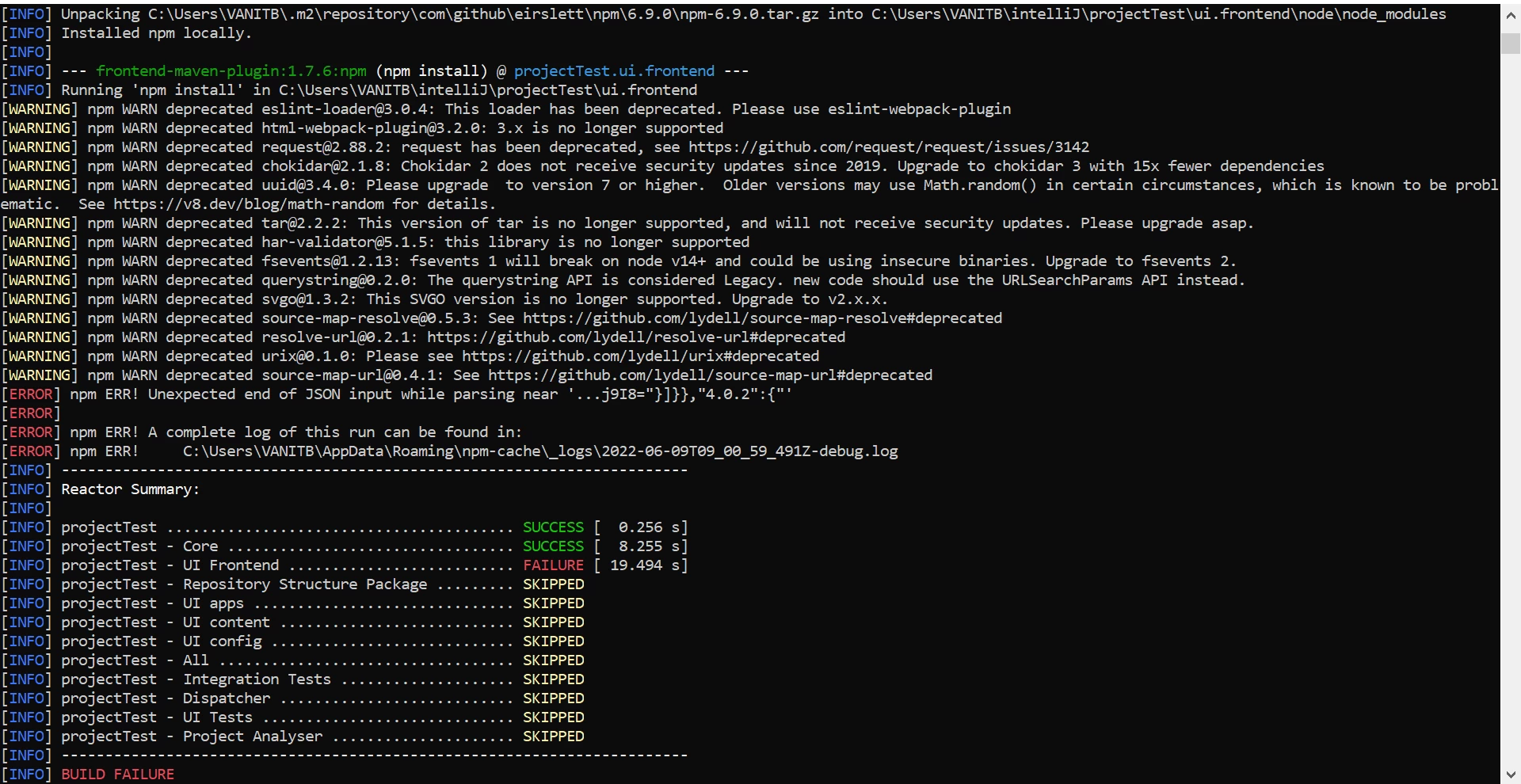
I am trying to run a maven project. But it throws the below error. I have tried many ways like changed the node verstion, installed new/updated node then ran npm install under ui.frontend but nothing works out. Can anyone tell me the solution for this ?

 

This post is no longer active and is closed to new replies. Need help? Start a new post to ask your question.
BrianKasingli
BrianKasingliAccepted solution
Adobe Champion and Community Advisor
June 10, 2022

Hello @tessa_learner1, 


It looks like you are using the latest Node and npm version which may not support some node modules that is installed from the package.json. Try to play around with the npm version and see if that works. From testing myself, I realize that the latest Node and NPM version do not work.


6 replies

arunpatidar
Community Advisor
Community Advisor
June 9, 2022

Can you try deleting and regenrating paclage-lock.json

Translate
Arun Patidar
Level 4
June 10, 2022

@arunpatidar  Thanks for the suggestion. As I was using latest node version, just changed the npm version to 3.10.8 and it got worked. Thanks for your time. 

Translate
SantoshSai
Community Advisor
Community Advisor
June 9, 2022
Level 4
June 10, 2022

Thank you @santoshsai  I have changed the npm version to 3.10.8 as mentioned in the link and it got success. Thanks for your time.

Translate
BrianKasingli
Adobe Champion and Community Advisor
BrianKasingliAdobe Champion and Community AdvisorAccepted solution
Adobe Champion and Community Advisor
June 10, 2022

Hello @tessa_learner1, 


It looks like you are using the latest Node and npm version which may not support some node modules that is installed from the package.json. Try to play around with the npm version and see if that works. From testing myself, I realize that the latest Node and NPM version do not work.


Translate
Level 4
June 10, 2022

Thank you. @briankasingli  Yes, I was using the latest node & npm version and I have changed only the npm version in main pom.xml and it got resolved. 

Translate