NPM error during mvn clean install code is run | Community
Skip to main content
Level 2
April 30, 2025

NPM error during mvn clean install code is run

  • April 30, 2025
  • 4 replies
  • 1140 views

Hi Community,
I have created a project in aem and during the maven build and project deployment I am getting an npm error.
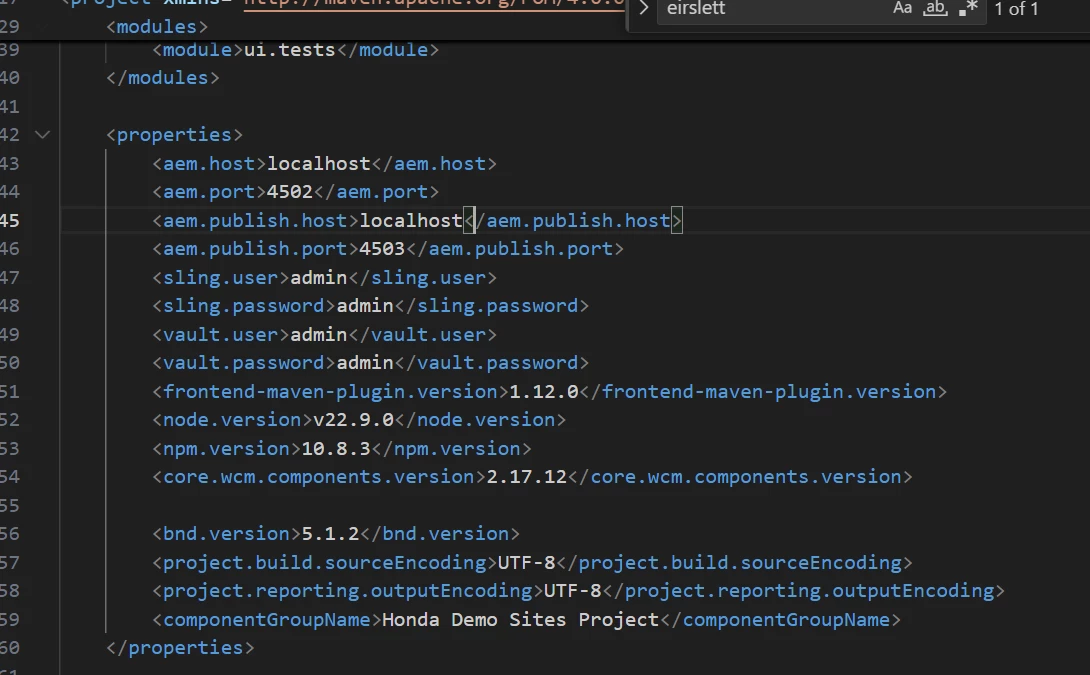
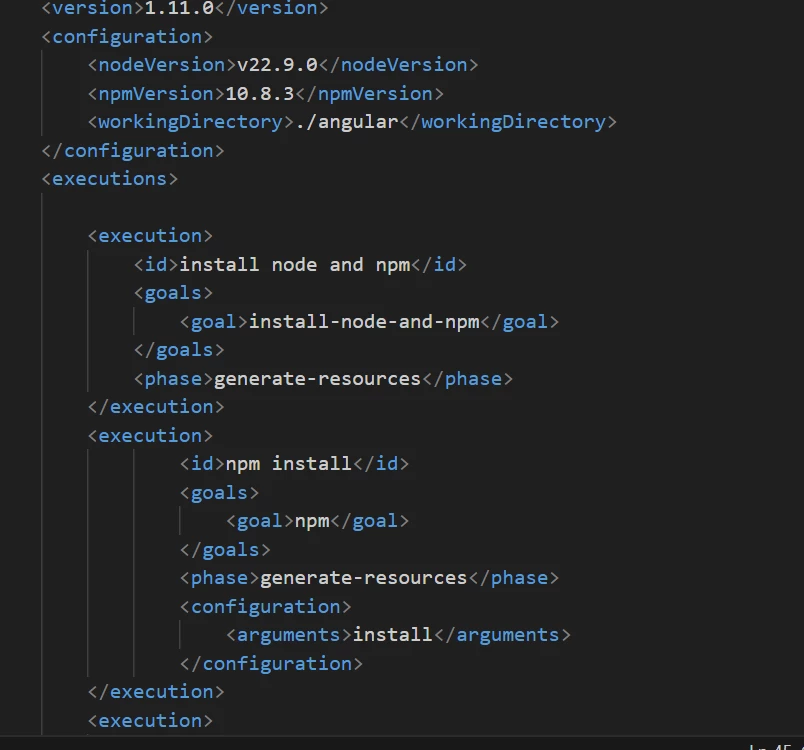
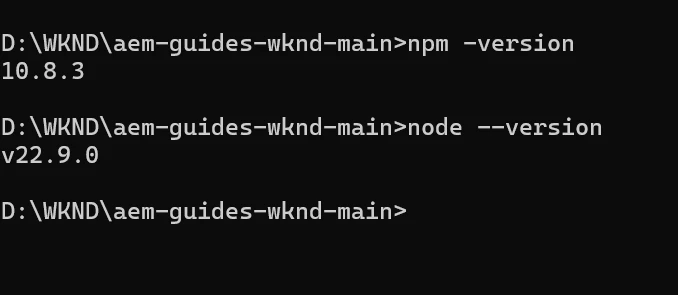
The versions I have checked and updated as per the version available in system. 
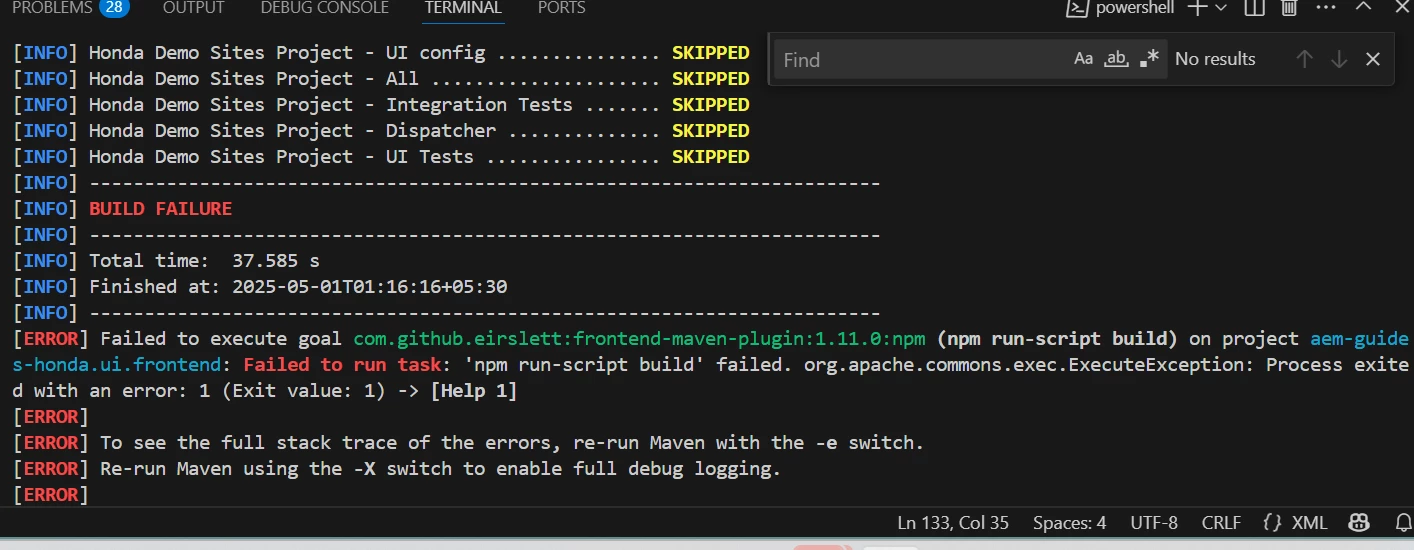
The specific error is:

"Failed to execute goal com.github.eirslett:frontend-maven-plugin:1.11.0:npm (npm run-script build) on project aem-guides.ui.frontend: Failed to run task: 'npm run-script build' failed" - and the maven build is failing. Can anyone please provide some insights.

This post is no longer active and is closed to new replies. Need help? Start a new post to ask your question.

4 replies

SantoshSai
Community Advisor
Community Advisor
April 30, 2025

Hi @rekhara4,

Can you try below steps:

  1. Run the frontend build manually to see the real cause:
    cd ui.frontend npm install npm run build

    This will likely show a more descriptive error like a missing dependency, syntax error, or misconfigured Webpack plugin.

  2. Missing dependencies: Run npm install to ensure all dependencies are downloaded.
  3. Scripts in package.json: Ensure build script is correctly defined.

  4. Sometimes corrupted node_modules or lock files can cause issues:

    rm -rf node_modules package-lock.json
    npm cache clean --force
    npm install
    npm run build

Please refer similar issues: https://experienceleaguecommunities.adobe.com/t5/adobe-experience-manager/failed-to-execute-goal-com-github-eirslett-frontend-maven-plugin/m-p/671895

https://experienceleaguecommunities.adobe.com/t5/adobe-experience-manager/help-failed-to-execute-goal-com-github-eirslett-frontend-maven/m-p/567500


Hope that helps!

Santosh Sai
AmitVishwakarma
Community Advisor
Community Advisor
May 2, 2025

Hi @rekhara4 ,

Thanks for sharing the images and context. The key error you're encountering is:

Failed to run task: 'npm run-script build' failed.

This indicates the npm run build command inside the ui.frontend module is failing, but Maven doesn’t show exactly why. Here's how you can resolve it:

1. Run Build Manually

Go to the frontend directory and run the build manually:

cd ui.frontend npm install npm run build

This should show the exact error (e.g., missing dependencies, syntax errors, config issues).

2. Clean Cache and Reinstall

Sometimes node_modules or lock files cause weird issues:

rm -rf node_modules package-lock.json npm cache clean --force npm install npm run build

3. Check Your package.json

Make sure scripts.build is defined correctly in ui.frontend/package.json, like:

"scripts": { "build": "webpack --mode production" }

If the build script is missing or broken, it will fail.

4. Node/NPM Compatibility

You are using:

Node: v22.9.0

NPM: 10.8.3

These are very new versions and may cause issues with some dependencies. Consider using a more stable version like:

Node: 16.x or 18.x

NPM: 8.x or 9.x

You can use Node Version Manager (nvm) to easily switch versions:

nvm install 18 nvm use 18

Then try the build again.

Regards,
Amit

MukeshYadav_
Community Advisor
Community Advisor
May 2, 2025

Hi @rekhara4 ,

Actual error message displayed  above the message SUCCESS/SKIPPED message, the error message displayed in the screenshot is error code. If you can share the first error message which are not displayed in screenshot, people may be able to help more accurately.

Thanks

RekhaRa4Author
Level 2
May 6, 2025

Hi @santoshsai , @amitvishwakarma - Thanks for your suggestions, I have tried using these, but the error still persists - some dependencies I was able to resolve but still this error persists. I just did a mvn build and found two new errors:

"npm test failed" and "autoInstallPackage command not recognized"

Both of these errors are appearing whenever I am trying to run the mvn clean install -PautoInstallPackage command. Would like to get some more suggestions or maybe next steps.