Not able to search assets based on custom metadata property. | Community
Skip to main content
Level 3
April 3, 2024
Solved

Not able to search assets based on custom metadata property.

  • April 3, 2024
  • 2 replies
  • 686 views

As per https://experienceleague.adobe.com/en/docs/experience-manager-cloud-service/content/assets/manage/search-assets , I am trying to search assets using "GQL search using specific values in metadata fields". But it is not returning results. 
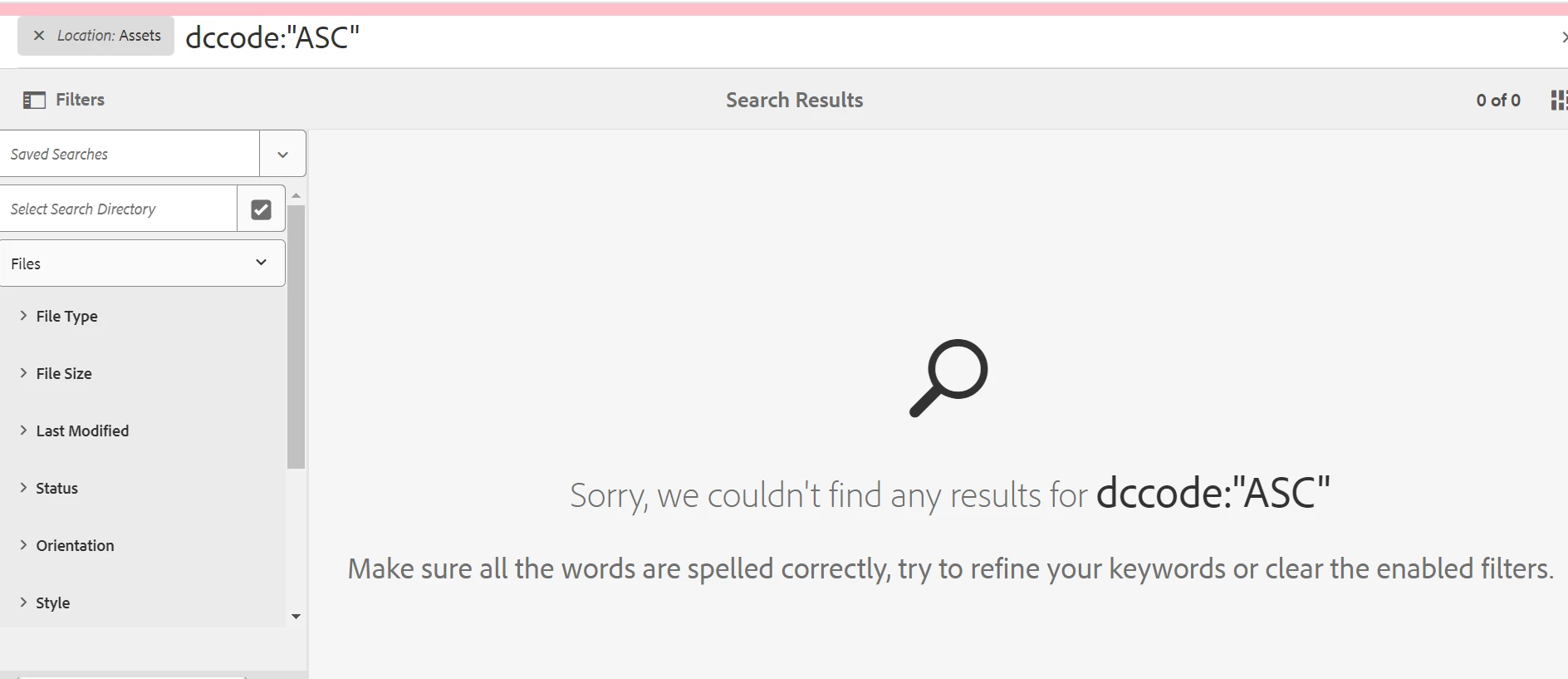
 

property : jcr:content/metadata/dc:dcCode

value: ASC


please help.

Best answer by sangrampatil111

The issue is now resolved. 

I used "jcr:content/metadata/dc:dcCode":ASC.


2 replies

Rohan_Garg
Community Advisor
Community Advisor
April 3, 2024

Hi @sangrampatil111,

See if the below resources can help for GQL Search Query-

GQL Full-text Search {#gql-full-text-search}

Class GQL


But you can always use the standard query builder to extract assets which have custom metadata property.

Reference - Find AEM JCR Nodes with Full Text Search


Sample Query - 

type=dam:AssetContent
path=/content/dam
p.property=jcr:content/metadata/dccode
p.property.value=ASC
p.limit=-1


Hope this helps!


Rohan Garg

Level 3
April 3, 2024

Thank you @rohan_garg,

I tried the above but it is not working. We are using AEM6.5 and SP16.  

Also, this is the client's requirement as they want an easy way to search assets having particular property and value.


sangrampatil111AuthorAccepted solution
Level 3
April 4, 2024

The issue is now resolved. 

I used "jcr:content/metadata/dc:dcCode":ASC.