Not able to login AEM as cloud service instance. | Community
Skip to main content
This post is no longer active and is closed to new replies. Need help? Start a new post to ask your question.
Best answer by Jagadeesh_Prakash

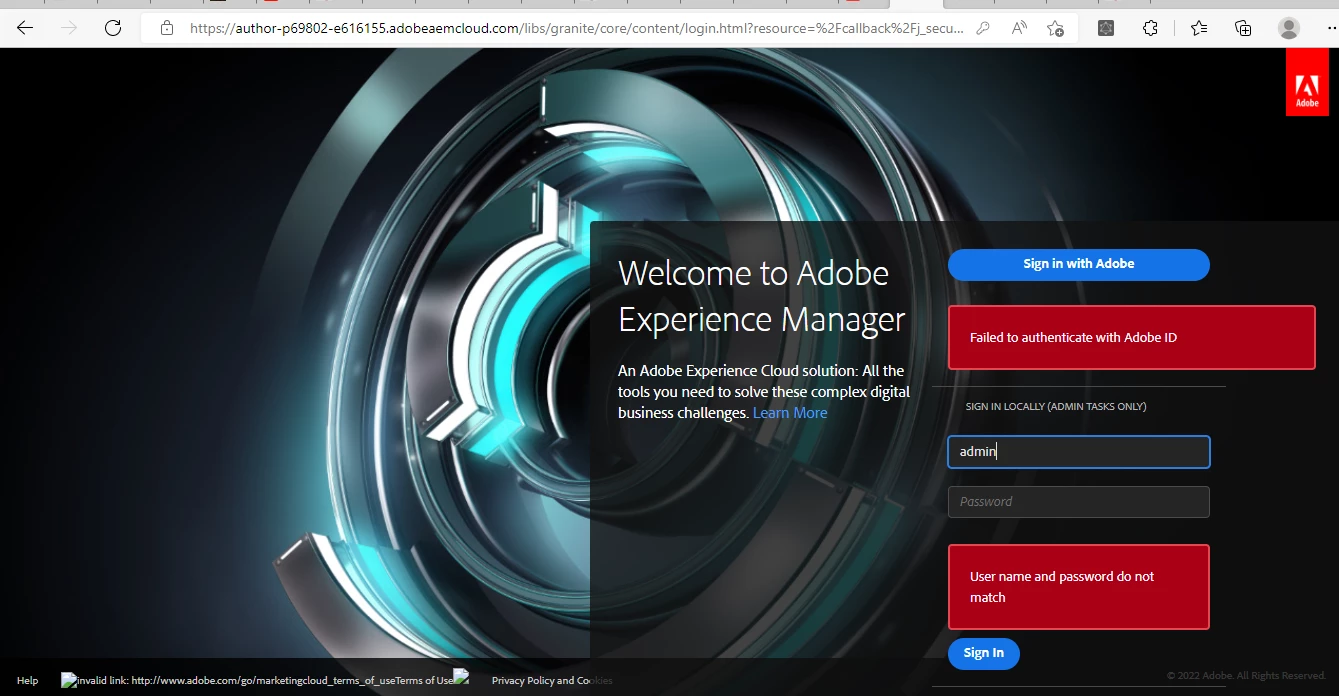
@akshaybhujbale  : We can see clearly from the screenshot that you are not having the access to the Adobe ID that you are using. 


You can get the access from the admin console Please contact your Cloud account admin. Account Admin can provide you the 'developer' and 'product access' and  'user groups' access and 'Administrative Rights'.  accordingly to the environment. 


And also it is never advised to create a use with name 'admin' in cloud. I hope it should be already present in cloud environment. Please create a local user with a different name other than 'admin'


Also on the first note, It is never advised to create a local user in cloud environment (Mainly in PROD environment). Until and unless if you are using the local user to inject any DAM assets or using it for some REST services for ingesting content data. Make sure the password is secure 😊

3 replies

Mohit_KBansal
Adobe Employee
Adobe Employee
July 5, 2022

Akshay, I wonder if you get admin access to AEMaaCS environment. You should create a user, either on AEM instance or via user manager in the admin console, and then log in.

Level 6
July 5, 2022

Hi @mohit_kbansal 

I have created the user in admin console but getting same error

Mohit_KBansal
Adobe Employee
Adobe Employee
July 5, 2022

Make sure that you create a user in the cloud manager admin console [1] and grant correct access and rights to the user.

Also, you have to add the same user in some group in AEM user manager to grant permissions.


[1] https://adminconsole.adobe.com/%3Corg%20id%3E/users

ShaileshBassi
Community Advisor
Community Advisor
July 5, 2022

@akshaybhujbale The user has to be added explicitly for individual environment for granting the access to login.

Navigate to that particular instance and then check your user being present over there and with the correct product profile access you require.

Post this you should be able to login


Hope this helps!

Thanks


Jagadeesh_Prakash
Community Advisor
Jagadeesh_PrakashCommunity AdvisorAccepted solution
Community Advisor
July 5, 2022

@akshaybhujbale  : We can see clearly from the screenshot that you are not having the access to the Adobe ID that you are using. 


You can get the access from the admin console Please contact your Cloud account admin. Account Admin can provide you the 'developer' and 'product access' and  'user groups' access and 'Administrative Rights'.  accordingly to the environment. 


And also it is never advised to create a use with name 'admin' in cloud. I hope it should be already present in cloud environment. Please create a local user with a different name other than 'admin'


Also on the first note, It is never advised to create a local user in cloud environment (Mainly in PROD environment). Until and unless if you are using the local user to inject any DAM assets or using it for some REST services for ingesting content data. Make sure the password is secure 😊