New Content Fragment Editor toggle | Community
Skip to main content
Best answer by daniel-strmecki

Hi @pavelku3,

I am sure Adobe can toggle the default CF editor with a feature flag. On my AEMaaCS project, the new CF editor became the default a few weeks back and we had to open a support ticket to temporarily make the old CF editor default again.

Therefore, I suggest you raise a ticket with Adobe Support and they should be able to quickly solve this for you. There is no need to do anything custom.


Good luck,

Daniel

3 replies

giuseppebaglio
Level 10
March 14, 2025

If you want to set a default editor for your organization or team, you might need to explore custom configurations or reach out to Adobe support for more detailed guidance, as this option is not directly mentioned in the standard documentation.

Another option could be to use browser plugins, such as "Custom JavaScript for Websites 2." This plugin allows you to run custom JavaScript on any website. Your scripts are saved using the Chrome sync API, enabling you to apply them across different domain URLs. You can also find the code on GitHub. 

Obviously, this solution is specific to your account and may not be applicable in a general context.

AmitVishwakarma
Community Advisor
Community Advisor
March 14, 2025

Hi @pavelku3 ,

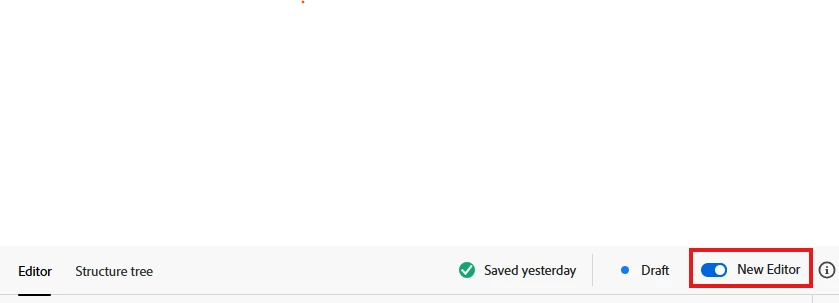
It looks like you're trying to set the new Content Fragment Editor as the default in AEM. The toggle in your screenshot suggests that the setting is user-specific, meaning it may not persist globally across all users unless explicitly configured.

Possible Solutions to Set New Content Fragment Editor as Default:

1. Check AEM User Preferences

     - Some features in AEM are saved on a per-user basis.
     - Try logging out and back in to see if the preference persists.
     - If not, the setting might need to be enforced via configuration.

2. Modify OSGi Configuration (If Available)

Go to AEM Web Console:

http://<AEM_HOST>:<PORT>/system/console/configMgr

     - Search for Content Fragment Editor Configuration (or similar).

     - If there’s an option for the default editor, update and save the configuration.

3. Use a Custom Client-Side Script (Temporary Fix)

     - If there's no built-in way, you can use a browser extension like "Custom JavaScript for Websites 2" to automatically enable the New Editor toggle whenever you open a Content Fragment.

4. Check with Adobe Support

     - If there is no admin-level setting available in AEM 6.5 or AEMaaCS, you may need to check with Adobe support or documentation updates.

Regards,
Amit Vishwakarma

daniel-strmecki
Community Advisor and Adobe Champion
daniel-strmeckiCommunity Advisor and Adobe ChampionAccepted solution
Community Advisor and Adobe Champion
March 16, 2025

Hi @pavelku3,

I am sure Adobe can toggle the default CF editor with a feature flag. On my AEMaaCS project, the new CF editor became the default a few weeks back and we had to open a support ticket to temporarily make the old CF editor default again.

Therefore, I suggest you raise a ticket with Adobe Support and they should be able to quickly solve this for you. There is no need to do anything custom.


Good luck,

Daniel