Multifield issue in touch ui dialog | Community
Skip to main content
November 9, 2022
Solved

Multifield issue in touch ui dialog

  • November 9, 2022
  • 3 replies
  • 1077 views

Hi,

My requirement was to migrate classic ui dialog to touch ui.
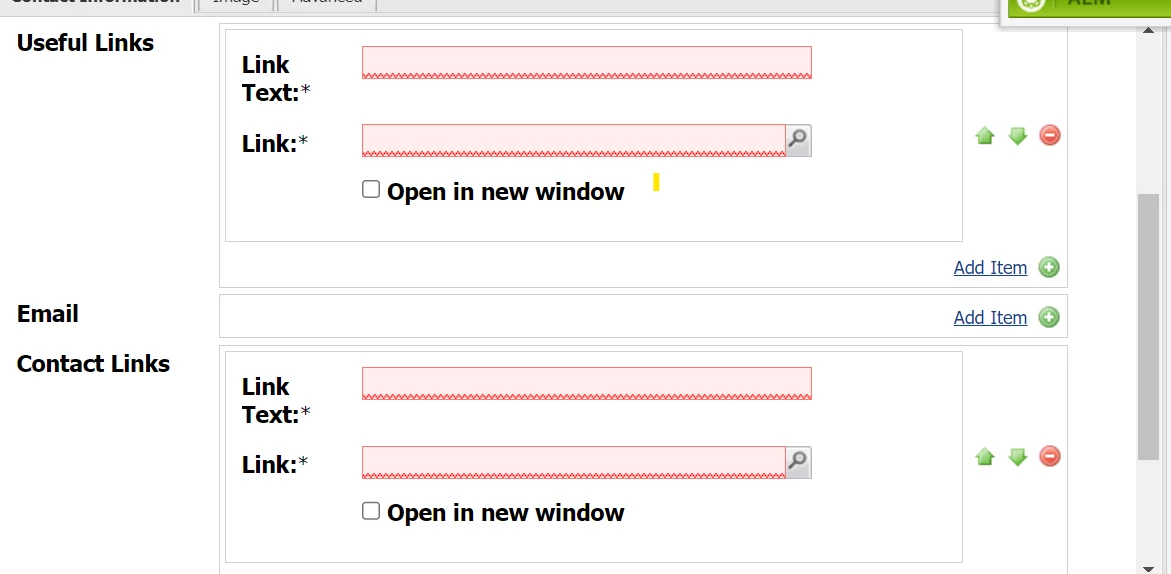
I have used granite multifield in touch ui, I given required properties to useful Links and contact Links.

But useful links showing required and submitting the dialog without giving values to the contact Links.
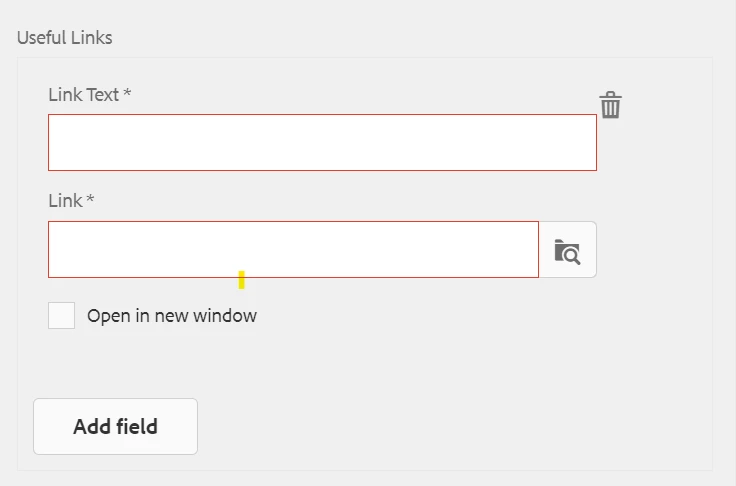
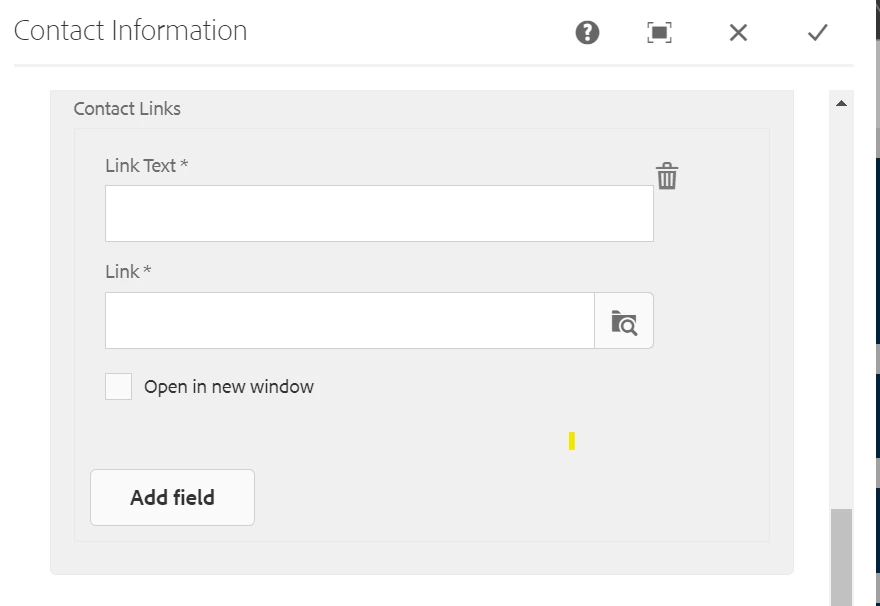
Issue not in properties, having two multifields is issue here. Please help me regarding this issue. Thanks in advance.

This post is no longer active and is closed to new replies. Need help? Start a new post to ask your question.
Best answer by aanchal-sikka

Please refer to this blog: https://medium.com/activate-aem/create-multifield-dialog-in-aem-f3e4a616f041


It shows step-by-step details on how to create mutifield with multiple input elements

3 replies

Manu_Mathew_
Community Advisor
Community Advisor
November 9, 2022

@553 Could you check if the name attribute is different for both?

something like - 

name="./usefulLinks/linkText"

name="./usefulLinks/link"


name="./contactLinks/linkText"

name="./contact Links/linkText"

Level 4
November 9, 2022

Hi @553 


Can you provide the dialog snippet for the multifield added for both fields ?


553Author
November 9, 2022

<usefulLinks
jcr:primaryType="nt:unstructured"
jcr:title="usefullinks"
sling:resourceType="granite/ui/components/coral/foundation/well"
margin="{Boolean}true">
<items jcr:primaryType="nt:unstructured">
<multifield
jcr:primaryType="nt:unstructured"
sling:resourceType="granite/ui/components/foundation/form/multifield"
class="full-width"
composite="{Boolean}true"
fieldLabel="Useful Links">
<field
jcr:primaryType="nt:unstructured"
sling:resourceType="granite/ui/components/foundation/form/fieldset"
acs-commons-nested="JSON_STORE"
checkbox-multifield=""
name="./usefulLink">
<items jcr:primaryType="nt:unstructured">
<column
jcr:primaryType="nt:unstructured"
sling:resourceType="granite/ui/components/coral/foundation/container">
<items jcr:primaryType="nt:unstructured">
<linkText
jcr:primaryType="nt:unstructured"
sling:resourceType="granite/ui/components/foundation/form/textfield"
fieldLabel="Link Text"
name="./linkText"
required="{Boolean}true"/>
<link
jcr:primaryType="nt:unstructured"
sling:resourceType="granite/ui/components/foundation/form/pathbrowser"
fieldLabel="Link"
name="./link"
required="{Boolean}true"
rootPath="/content"/>
<openLinkInNewWindow
granite:class="coral-Form-fieldwrapper"
jcr:primaryType="nt:unstructured"
sling:resourceType="granite/ui/components/foundation/form/checkbox"
name="./openLinkNewWindow"
text="Open in new window"
value="{Boolean}true">
<linkText
jcr:primaryType="nt:unstructured"
sling:resourceType="granite/ui/components/coral/foundation/form/textfield"
fieldLabel="Link Text"
name="./linkText"/>
</openLinkInNewWindow>
</items>
</column>
</items>
</field>
</multifield>
</items>
</usefulLinks>

553Author
November 9, 2022

<contactLinks
jcr:primaryType="nt:unstructured"
sling:resourceType="granite/ui/components/coral/foundation/well"
margin="{Boolean}true">
<items jcr:primaryType="nt:unstructured">
<multifield
jcr:primaryType="nt:unstructured"
sling:resourceType="granite/ui/components/foundation/form/multifield"
class="full-width"
composite="{Boolean}true"
fieldLabel="Contact Links">
<field
jcr:primaryType="nt:unstructured"
sling:resourceType="granite/ui/components/foundation/form/fieldset"
acs-commons-nested="JSON_STORE"
checkbox-multifield=""
name="./contactLink">
<items jcr:primaryType="nt:unstructured">
<column
jcr:primaryType="nt:unstructured"
sling:resourceType="granite/ui/components/coral/foundation/container">
<items jcr:primaryType="nt:unstructured">
<linkText
jcr:primaryType="nt:unstructured"
sling:resourceType="granite/ui/components/coral/foundation/form/textfield"
fieldLabel="Link Text"
name="./linkText"
required="{Boolean}true"/>
<link
jcr:primaryType="nt:unstructured"
sling:resourceType="granite/ui/components/coral/foundation/form/pathbrowser"
fieldLabel="Link"
name="./link"
required="{Boolean}true"
rootPath="/content"/>
<openLinkInNewWindow
granite:class="coral-Form-fieldwrapper"
jcr:primaryType="nt:unstructured"
sling:resourceType="granite/ui/components/coral/foundation/form/checkbox"
name="./openLinkNewWindow"
text="Open in new window"
value="{Boolean}true"/>
</items>
</column>
</items>
</field>
</multifield>
</items>
</contactLinks>

aanchal-sikka
Community Advisor
aanchal-sikkaCommunity AdvisorAccepted solution
Community Advisor
December 27, 2023

Please refer to this blog: https://medium.com/activate-aem/create-multifield-dialog-in-aem-f3e4a616f041


It shows step-by-step details on how to create mutifield with multiple input elements

Aanchal Sikka