Multifield Data is not loading into dialog | Community
Skip to main content
Level 2
August 22, 2024
Solved

Multifield Data is not loading into dialog

  • August 22, 2024
  • 4 replies
  • 902 views

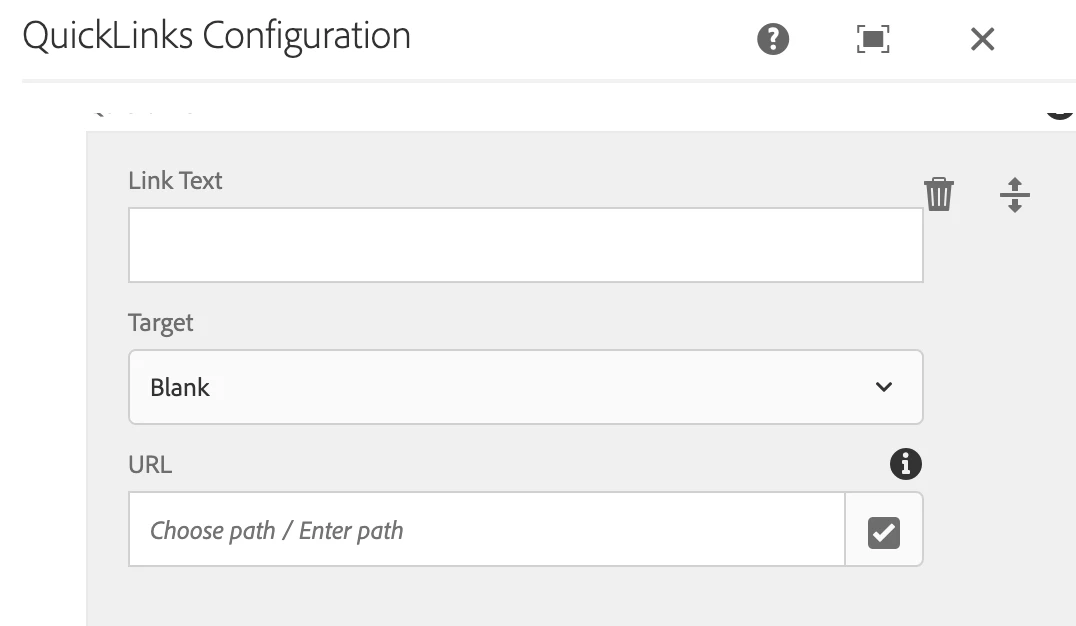
Having a multifiled component when we open the dialog the content is not loading into the dialog it is showing empty. But the data is present in node level as json. How we can make it work if we convert data into node the existing data is not showing. How to overcome this issue.
 

This post is no longer active and is closed to new replies. Need help? Start a new post to ask your question.

4 replies

ksh_ingole7
Community Advisor
Community Advisor
August 23, 2024

Hi @sudeepkonjeti ,


A few questions,


1. Have you migrated the component to Coral UI 3? If yes, have you added composite{Boolean} true property to the widget?

2. If above is true you should see multifield data in form of nodes and not as JSON.

3. If the data stored in JCR is still JSON format you need to convert it to JCR nodes. Please refer to the documentation provided by Arun in the thread.


Thanks.

pulkitvashisth
Community Advisor
Community Advisor
August 23, 2024

Hi @sudeepkonjeti 

  1. The composite attribute should be true if you’re storing multiple fields within each item.
  2. Make sure the name properties for the fields within the multifield are prefixed correctly (e.g., ./fieldName).
kautuk_sahni
Community Manager
Community Manager
August 30, 2024

@sudeepkonjeti Did you find the suggestions helpful? Please let us know if you require more information. Otherwise, please mark the answer as correct for posterity. If you've discovered a solution yourself, we would appreciate it if you could share it with the community. Thank you!

Kautuk Sahni