Missing refresh token. Please ensure that the 'refresh_token' scope is activated for your connected app in Salesforce. | Community
Skip to main content
thomasg11824170
October 3, 2018
Solved

Missing refresh token. Please ensure that the 'refresh_token' scope is activated for your connected app in Salesforce.

  • October 3, 2018
  • 5 replies
  • 3769 views

I'm trying to follow the tutorial for the salesforce CRM integration with AEM 6.3. Integrating with Salesforce

but I'm getting an expected result when click on connect:

Missing refresh token. Please ensure that the 'refresh_token' scope is activated for your connected app in Salesforce.

Nothing more interesting in the log files (set to debug) :

03.10.2018 10:14:37.314 *INFO* [sling-default-868-com.day.cq.replication.impl.ReverseReplicator.4160] com.adobe.granite.repository Service [7500, [org.apache.jackrabbit.oak.api.jmx.SessionMBean]] ServiceEvent UNREGISTERING 03.10.2018 10:14:43.057 *INFO* [0:0:0:0:0:0:0:1 [1538558082843] GET /libs/mcm/salesforce/customer.json HTTP/1.1] com.adobe.cq.mcm.salesforce.SalesforceClient ErrorCode not found meaning success hence ignoring exception  03.10.2018 10:15:52.004 *INFO* [oak-repository-executor-1] com.adobe.granite.repository Service [7501, [org.apache.jackrabbit.oak.api.jmx.SessionMBean]] ServiceEvent REGISTERED 0
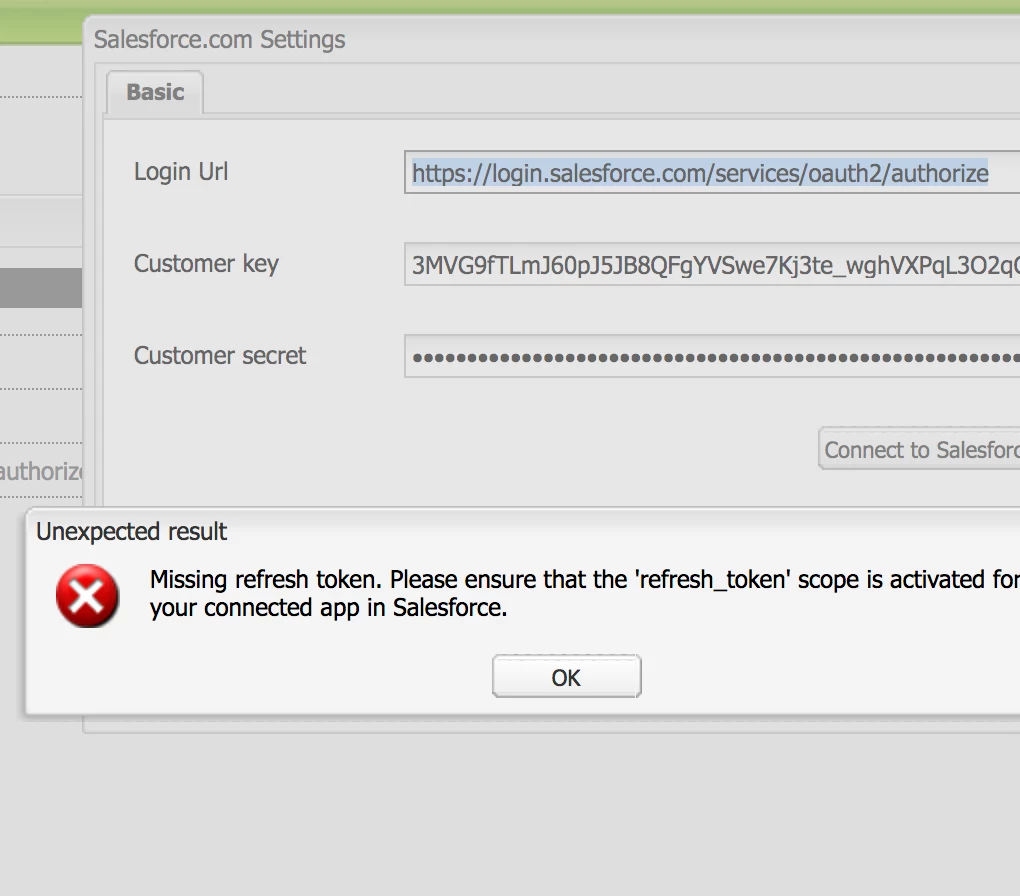
Any insight?

Thanks,

Thomas

This post is no longer active and is closed to new replies. Need help? Start a new post to ask your question.
Best answer by Peter_Puzanovs

Dear Thomas,

Not an AEM issue.

Kindly check the settings you have on your salesforce system, session timeout for an access token can be configured in Salesforce from Setup by entering Session Settings in the Quick Find box, then selecting Session Settings.[0].

[0]Salesforce Developers

Regards,

Peter

5 replies

Peter_Puzanovs
Community Advisor
Peter_PuzanovsCommunity AdvisorAccepted solution
Community Advisor
October 3, 2018

Dear Thomas,

Not an AEM issue.

Kindly check the settings you have on your salesforce system, session timeout for an access token can be configured in Salesforce from Setup by entering Session Settings in the Quick Find box, then selecting Session Settings.[0].

[0]Salesforce Developers

Regards,

Peter

thomasg11824170
October 3, 2018

Thanks for your answer Peter,

I've tried to change the session length but it doesn't help unfortunately.

smacdonald2008
Level 10
October 3, 2018

As peter suggests - issue appears to be on the SalesForce side.

Raffaele_De_Mat
Adobe Employee
Adobe Employee
October 30, 2018

Hi Thomas,

same issue for me. If you didn't solve it yet I was able to make it working adding all the in the Selected OAuth Scopes. Screenshot below:

Once the app is modified remember you need to wait some minutes before changes are applied.

HTH,

Raffaele

thomasg11824170
October 30, 2018

Thanks Raffaele,

I've stopped the tests, but that's good to know.

Thomas