Manage Permission for SAML Group/User | Community
Skip to main content
Level 5
October 16, 2022
Solved

Manage Permission for SAML Group/User

  • October 16, 2022
  • 1 reply
  • 656 views

Hi Team,


We have recently implemented SAML SSO using Azure IDP in AEM 6.5.


Few best practices we would like to understand:


1) How to manage permissions in AEM for Groups/user created in IDP ?

2) Shall we create a new local AEM group A and make IDP group B part of it, assign appropriate permission to A.?

3) Other Suggestions if any.

4) After SAML Implementation, are we supposed to work with our admin user which is in local, not part of IDP OR we only should work with IDP groups/users. In second case, Shall we create a new Admin group in IDP?


Regards,

KTNR



This post is no longer active and is closed to new replies. Need help? Start a new post to ask your question.
Best answer by DEBAL_DAS

Adobe Experience Manager has inbuilt support to use SAML based authentication mechanism. It has the option of creating users in it, if required, and assigning them to a group for permissions related stuff after receiving the details from the “App Federation Metadata URL”.


Please refer: https://blog.developer.adobe.com/saml-authentication-in-aem-using-microsoft-azure-active-directory-30d668338a8f


I just created only users at IDP. I had relevant AEM user group in which the created/logged in users were added after successful authentication.


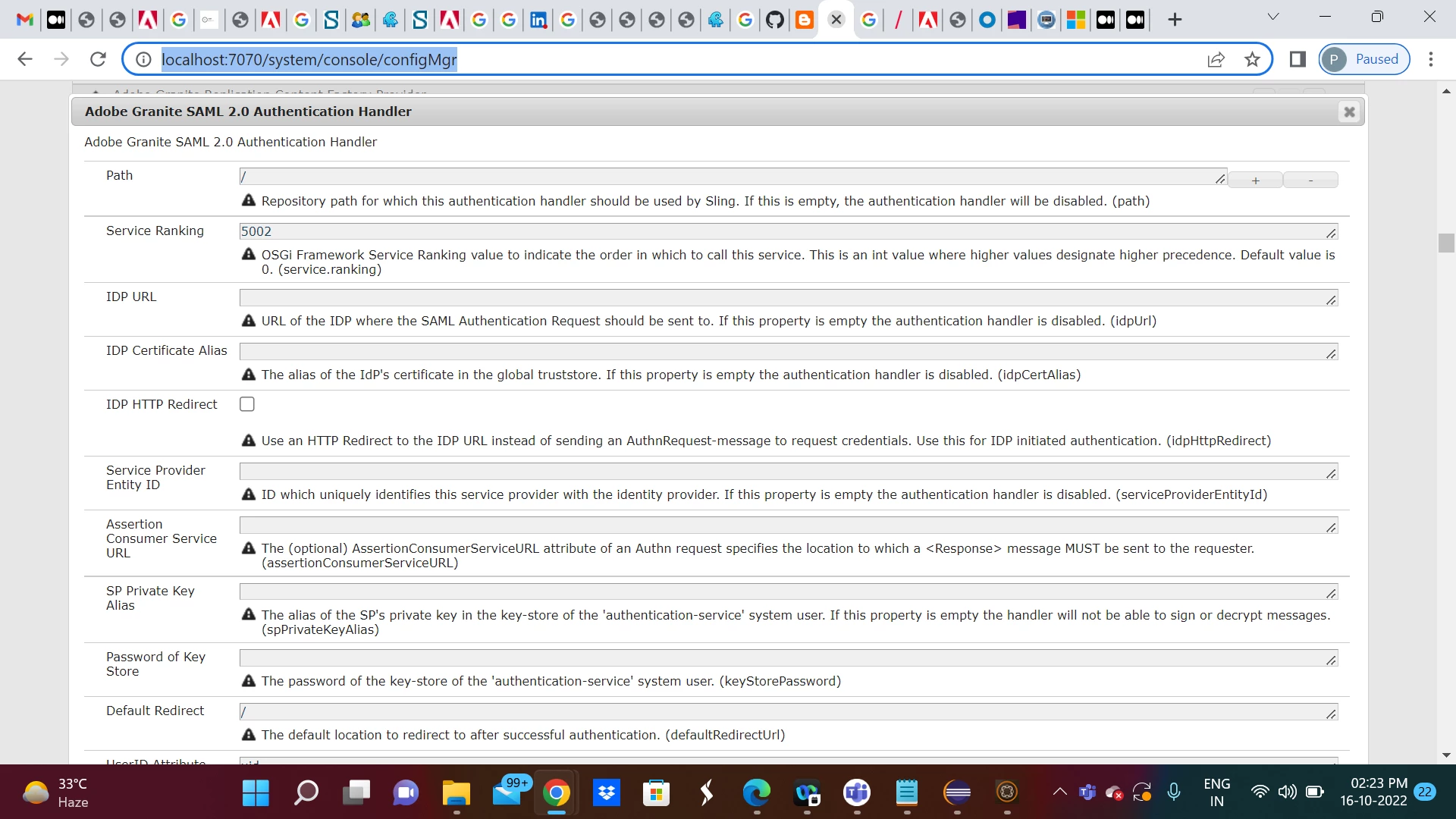
 If we take a look into the Adobe Granite SAML 2.0 Authentication Handler configuration as shown below [http://localhost:7070/system/console/configMgr] - 

This OSGi configuration has two properties as mentioned below -

  1. Add to Groups — Checking it will add the created/logged in users to the group name mentioned in the next property.
  2. Default Groups — The group name in which the created/logged in users will be added (after successful authentication). You can have a relevant AEM user group with appropriate permission and you need to add that user group name at Default Groups property.


After SAML implementation I didn't consider or create a new Admin group in IDP level


1 reply

DEBAL_DAS
DEBAL_DASAccepted solution
New Member
October 16, 2022

Adobe Experience Manager has inbuilt support to use SAML based authentication mechanism. It has the option of creating users in it, if required, and assigning them to a group for permissions related stuff after receiving the details from the “App Federation Metadata URL”.


Please refer: https://blog.developer.adobe.com/saml-authentication-in-aem-using-microsoft-azure-active-directory-30d668338a8f


I just created only users at IDP. I had relevant AEM user group in which the created/logged in users were added after successful authentication.


 If we take a look into the Adobe Granite SAML 2.0 Authentication Handler configuration as shown below [http://localhost:7070/system/console/configMgr] - 

This OSGi configuration has two properties as mentioned below -

  1. Add to Groups — Checking it will add the created/logged in users to the group name mentioned in the next property.
  2. Default Groups — The group name in which the created/logged in users will be added (after successful authentication). You can have a relevant AEM user group with appropriate permission and you need to add that user group name at Default Groups property.


After SAML implementation I didn't consider or create a new Admin group in IDP level


Debal Das, Senior AEM Consultant