Layout issue | Community
Skip to main content
Level 6
February 14, 2023
Solved

Layout issue

  • February 14, 2023
  • 2 replies
  • 793 views

Hi,

I have set breakpoints at templates for mobile and tablet like this

@518014_col: 12;

/* default breakpoint */
.aem-Grid {
.generate-grid(default, @518014_col);
}

/* phone breakpoint */
@590883 (max-width: 768px) {
.aem-Grid {
.generate-grid(phone, @518014_col);
}
}

/* tablet breakpoint */
@590883 (min-width: 769px) and (max-width: 1200px) {
.aem-Grid {
.generate-grid(tablet, @518014_col);
}
}

When I try to resize the component the controls are unstable (jumping too much) and not very usable for editors.
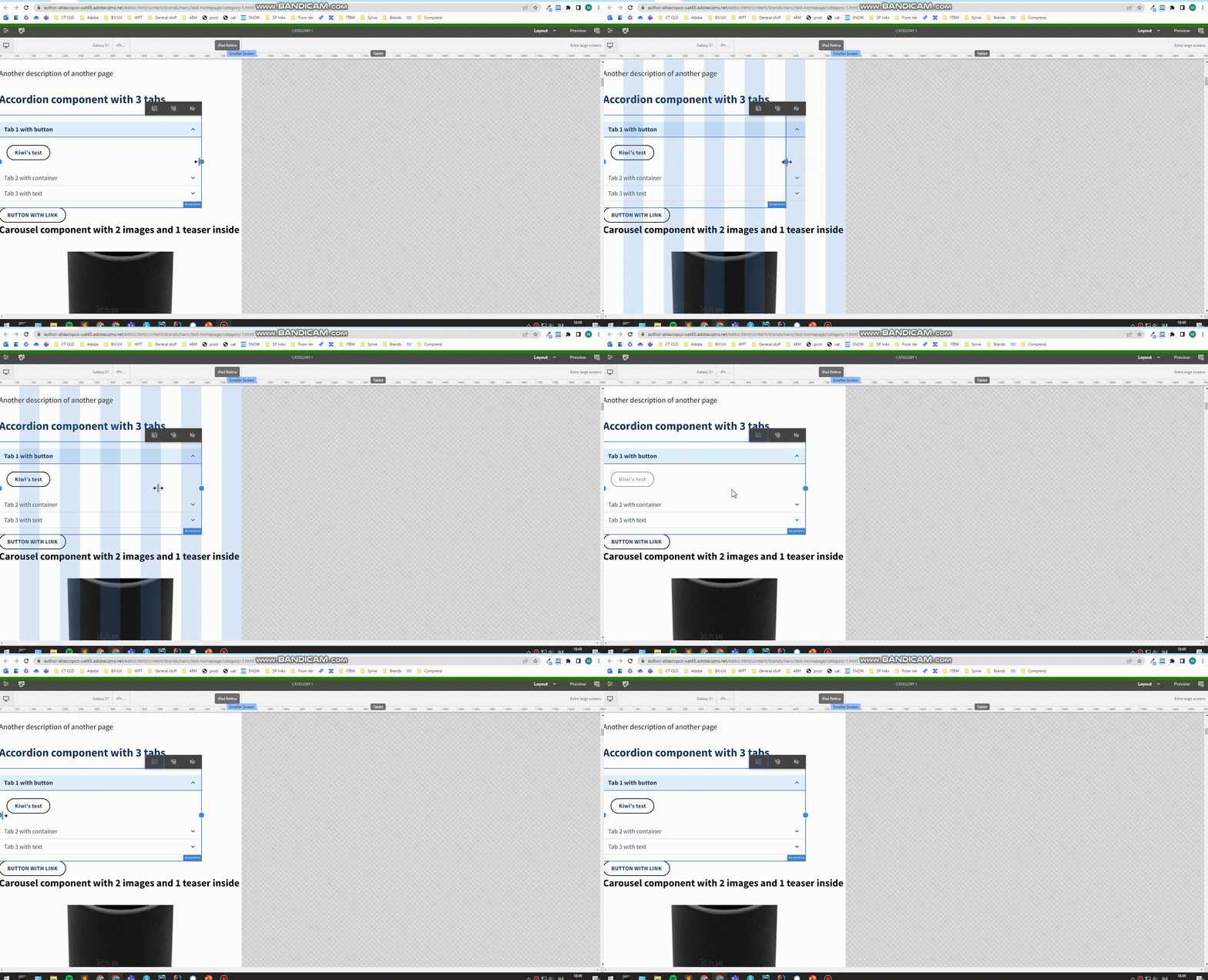
Can anyone help me to fix this.

This post is no longer active and is closed to new replies. Need help? Start a new post to ask your question.
Best answer by Manu_Mathew_

@vani1012 Looks like a product issue, you may need to raise an Adobe support ticket for this.

https://helpx.adobe.com/contact/support.html


2 replies

Manu_Mathew_
Community Advisor
Manu_Mathew_Community AdvisorAccepted solution
Community Advisor
February 14, 2023

@vani1012 Looks like a product issue, you may need to raise an Adobe support ticket for this.

https://helpx.adobe.com/contact/support.html


Adobe Employee
February 14, 2023

Hello @vani1012 


Please try to first use the

  • grid.less that would be created from latest maven archetype.
  • Or try we.retail site first (with no custom code) on AEM instance.


That would help you understand, if its an AEM issue, or some modification is grid.less/project-specific CSS thats causing it.