Layout grid lines always on | Community
Skip to main content
March 11, 2022
Solved

Layout grid lines always on

  • March 11, 2022
  • 1 reply
  • 551 views

I am currently transitioning to using AEM Cloud from AEM 6.2. In 6.2 its super easy to see the row and column lines so you know exactly where your components are sitting.


In AEM Cloud, I can only see the grid lines if I'm trying to resize a component (layout component or otherwise) which means I can't at a glance see where one component ends and another begins. Is there a way to set it up so that the blue grid lines are always on?

This post is no longer active and is closed to new replies. Need help? Start a new post to ask your question.
Best answer by Anish-Sinha

Hi @tijana.stevic ,
Are you are talking about the template layout?

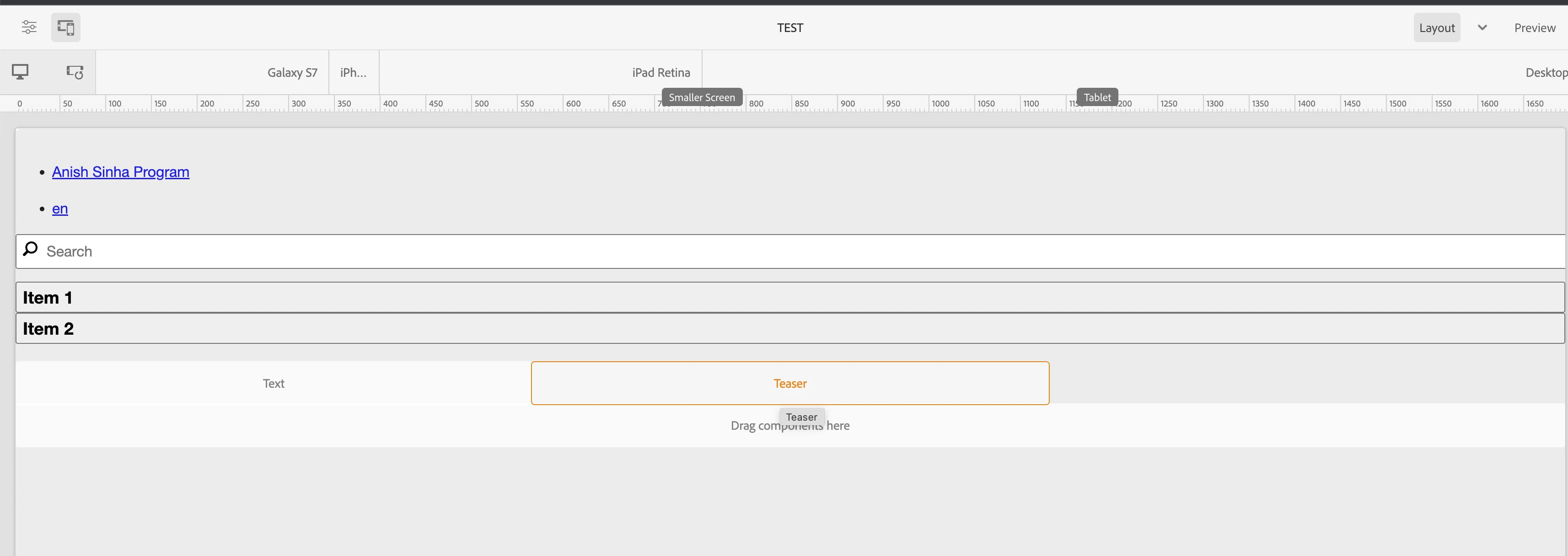
I believe there is no out of the box property that will highlight the component. You can create a border by writing the inline styles in html in the component but that will be a custom code which should only load when you are in edit mode by putting wcmmode=edit. The OOTB one does give some idea about the layout of the component when you highlight though. Below screenshot for your reference:

1 reply

Anish-Sinha
Adobe Employee
Anish-SinhaAdobe EmployeeAccepted solution
Adobe Employee
March 11, 2022

Hi @tijana.stevic ,
Are you are talking about the template layout?

I believe there is no out of the box property that will highlight the component. You can create a border by writing the inline styles in html in the component but that will be a custom code which should only load when you are in edit mode by putting wcmmode=edit. The OOTB one does give some idea about the layout of the component when you highlight though. Below screenshot for your reference: