Launchpad is not reflecting configuration file change available in aem repository install folder | Community
Skip to main content
swapnilg7731718
Level 2
November 26, 2017

Launchpad is not reflecting configuration file change available in aem repository install folder

  • November 26, 2017
  • 2 replies
  • 3219 views

Hi ,

I am facing problem with lunchpad configuration file  change which generally we put in AEM repository install folder.

@

(Instance 1)

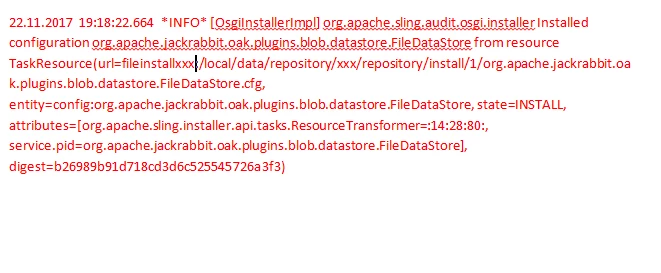
In aem instance whenever configuration file available in repository install folder is change , in my case it is org.apache.jackrabbit.oak.plugins.blob.datastore.FileDataStore.cfg , after aem start the file change is available in repository/luanchpad/config/org/apache/jackrabbit/datastore/FileDataStore.cfg.

(Instance 2)

Where as in  same result is not seen in another AEM instance.

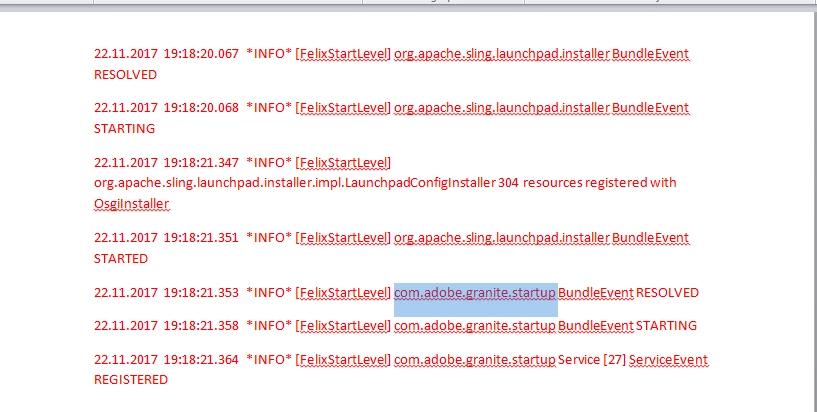
On comparing the error logs of both the instance I can see an extra log in Instance 1(Working) which is not available in Instance 2(Not working) , attaché below for reference
Any help or pointer will be appreciated.

This post is no longer active and is closed to new replies. Need help? Start a new post to ask your question.

2 replies

kautuk_sahni
Community Manager
Community Manager
November 27, 2017

1. Does the system come up successfully? Are all packges active after the start?

You can check the bundle status on /system/console/bundles; All bundles should be in "active" state.

2. Clear the browser cache and check.

3.  Some how manually manipulated some files at cq_home/crx-quickstart/install can cause such issue. Validate the bundles at http://www.aemstuff.com/tools/coi.html

Kautuk Sahni
swapnilg7731718
Level 2
November 27, 2017

I can see all the bundle are active .

Ideally we have the sling home as home/xxx/repository/install (standard path) from which the config file is install which I can see from osgi installer (in working instance) , but that's not the case for non working instance . When I check the osgi installer for that config file installation  on  non-working instance it shows weird path which doesn't seems to available now.

if  some one has manipulated the , how can I verify and fix that.

Thanks in Advance

kautuk_sahni
Community Manager
Community Manager
November 28, 2017

There is no error mentioned in the log that you have provided.

But see this:- AEM instance would not boot up!

Recommed you to create a Support ticket for this.

Kautuk Sahni
swapnilg7731718
Level 2
December 19, 2017

It worked by deleting the configuration from UI , the new configuration was picked immediately from the install folder with desired path