Feb 21, 2023 11:47 AM UTC
Solved

json for dropdown field in AEM Metadata Schema Form Editor

I am trying to add custom metadata using json in with a dropdown field in AEM Metadata Schema Form Editor

with a dropdown field in AEM Metadata Schema Form Editor, I cannot see how this works. can someone provide a sample Json file and an explanation

This post is no longer active and is closed to new replies. Need help? Start a new post to ask your question.
lukasz-m
lukasz-mAccepted solution
Community Advisor
Feb 21, 2023 2:34 PM UTC

Hi @ddttom1,

Here is a sample JSON that shows supported format:

{ "options": [ { "text": "Test1", "value": "Value1" }, { "text": "Test2", "value": "Value2" } ] }

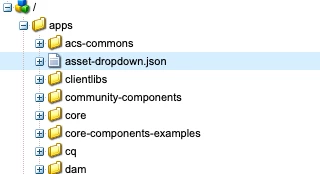
Please be aware that json file can not be added to the dam, it has to be under different location e.g /apps

Values will not be visible under AEM Metadata Schema Form Editor.

3 replies

lukasz-m
Community Advisor
lukasz-mCommunity AdvisorAccepted solution
Community Advisor
Feb 21, 2023 2:34 PM UTC

Hi @ddttom1,

Here is a sample JSON that shows supported format:

{ "options": [ { "text": "Test1", "value": "Value1" }, { "text": "Test2", "value": "Value2" } ] }

Please be aware that json file can not be added to the dam, it has to be under different location e.g /apps

Values will not be visible under AEM Metadata Schema Form Editor.

Translate
Jan 25, 2024 4:31 PM UTC

I have a few of these JSON files. Is it best practice to store these under /apps? 

Translate
Level 2
Oct 14, 2024 1:24 PM UTC

By the way I have successfully added json file under content/dam. I uploaded json file as asset to dam and added /jcr:content/renditions/original to the file path, for example: /content/dam/my-project/metadata-dropdown-products.json/jcr:content/renditions/original

Translate