Level 2
Apr 14, 2020 11:22 AM UTC
Question

Jconsole - Not able to connect to AEM 6.4

Hi all,


Hope you all doing fine.


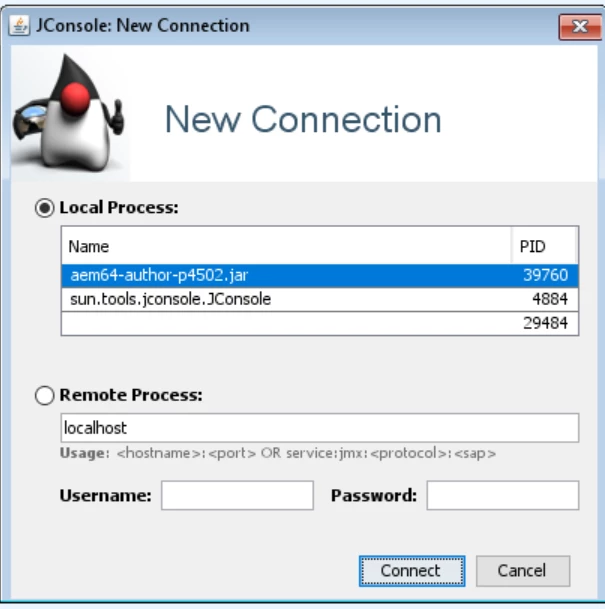
I want to connect jconsole to AEM 6.4. I started Jconsole & AEM on my local. In Jconsole "New Connection" pop-up i can see AEM Author process. But Not able to connect 


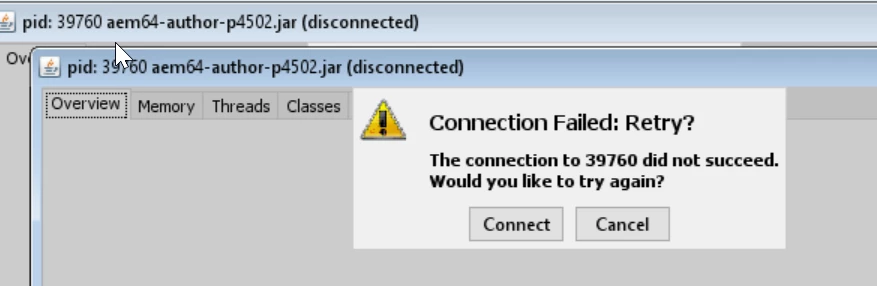
Finally getting this message after clicking "Connect" 


Below is the command used to start AEM

java -XX:MaxPermSize=512M -Xmx4084m -Dcom.sun.management.jmxremote -jar "aem64-author-p4502.jar"


Is there anything else that needs to enabled ?


This post is no longer active and is closed to new replies. Need help? Start a new post to ask your question.

5 replies

BrianKasingli
Adobe Champion and Community Advisor
Apr 14, 2020 12:18 PM UTC
Try restarting your AEM instance. Even with or without JVM parameters, the Jconsole should bind with no problems.
Translate
Level 2
Apr 14, 2020 6:48 PM UTC

Hi Briankasingli


Thanks for ur quick reply. Restarting AEM did not solved this issue. Any other thing which we can try ? Any other settings within AEM which needs to be enabled ?

Translate
BrianKasingli
Adobe Champion and Community Advisor
Apr 14, 2020 8:01 PM UTC

n/a

Translate
BrianKasingli
Adobe Champion and Community Advisor
Apr 14, 2020 8:01 PM UTC

Have you tried to start AEM with these JVM Params:

https://cq-ops.tumblr.com/post/188684661244/how-to-configure-aem-for-jmx-monitoring-from


Translate
Level 2
Apr 14, 2020 8:04 PM UTC
Hi Briankasingli - Thanks for URL. These steps for REMOTE machine - but mine one is local AEM. But let me try and see if that resolves the issue
Translate